


CG Blaze
Members
-
Joined
-
Last visited
Everything posted by CG Blaze
-
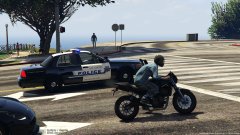 I love that livery!
 -
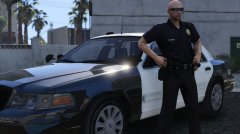 For what it's worth, 2009 CVPI's also had that door trim... @Lundy @Black Jesus
 -
Dude! This is AWESOME!!! I love the idea of this. LA Noire was one of my favorite games. I always wished there was a modern version of it. Back before we had LSPDFR, I always tried to think of ways to implement a LA Noire style callout system. This is delivering on that fever dream, and I'm stoked to see where this goes!
-
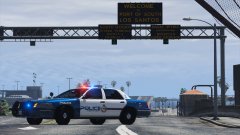 Really dig this skin (and the previously posted one as well). Would love to know what it's based off (if anything)!
 -
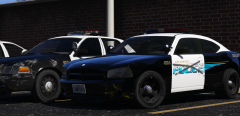
From the album: Blaze Plays V
LSPD Charger #661 was one of only a handful ever purchased and put into service by the LSPD in 2007. Of those few, even fewer were ever assigned as fully marked units. Most officers hated them, and the heavy abuse they put their patrol cars through meant that the Chargers spent most of their lives in the garage. #661 was the last of the '07 Chargers in service. Up until 2011, it served in regular patrol duty in the Southeast District. From then on, it got passed around station to station as a fleet reserve car, being used as a loaner when other patrol cars needed maintenance. With the constant stream of new Chargers, FPIU's and other test vehicles being put on the street, the LSPD no longer has any use for this old girl. Here she sits in her final resting place, waiting to be stripped and towed to the scrapyard. lik if u cri evrytiem -
Guys.... Guys. It is NOT chrome. It is black. What you're seeing is a picture of a black car ran through filters/HDR processing. Whoever posted this likely did that to make the ghost graphics more evident. Why do you think the wheels look so funky? You want proof? Of course you do! Below is the original picture, before edits. I'll attach the link to an Imgur album with more pics as well. Carry on! http://imgur.com/a/lgNdT
-
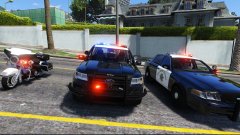 Looks dope! FPIU is a lil small in scale though, no?
 -
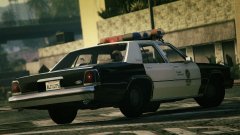 Yus.
Yus. -
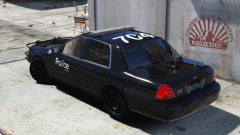 ...What I miss?
 -
-
Yes you can. I know this because... well, that's what I use. You have to make a separate LSPDFR folder (titled LSPDFR) in your Mod Manager mod directory, then place LSPDFR AND RageHook in that folder. After that, Mod Manager should be able to detect it and it should work just fine. Though, I will add that it can be a little finicky at times, especially when GTAV and/or RageHook has a major update. EDIT: That all said, before going Online, check your GTAV directory yourself, just to make sure nothing got left over.
-
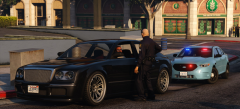
From the album: Blaze Plays V
One of the LSPD's newest acquisitions, a 2015 FPI, seen here on a routine traffic stop. This unmarked car is assigned to a sergeant in the LSPD's Traffic Division in the Western District, though he often chooses to drive a marked unit as he thinks the surf blue FPI looks like Thomas the Tank Engine. -
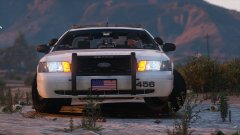 ELS, eh? Hmm...
 -
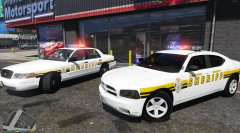 Duuuude yes! The Freedom is my favorite bar. Though I was never a fan of that checkerboard-y pattern on it.
 -
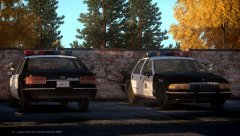 Well, not entirely... Love those Caprices man, especially the slicktop BRAVO 9 made. I wish there were more old-school lights available as dev parts.
 -
Very interesting stuff! I didn't even notice the Vertexes on that Charger. I'd imagine then, with that being a one off, the Caprice and FPI are probably one-off test cars too, no? And thanks for the video with the Whelen FPIU! Is it me, or is there no steady red on it anywhere? Are my eyes deceiving me? Sorry again if this is taking us off topic, but I feel that since the LAPD FPIU is pretty much fully together in terms of light setup(s), it may be worth discussing the LASD side of things!
-
This might be a litttttle bit off topic, but it seemed like a good place to ask since a bunch of you in here know LAPD and LASD pretty well... What's the deal with LASD and Whelen? I feel like I'm seeing more and more LASD units with Whelen lightbars (including a Charger with a Liberty). Do they have a new contract? Is that what they're going to keep using going forward? What's the pattern like on the Legacy's? And just so this post is relevant... Desmond, for your LASD FPIU, will you be using the Legacy, or will you stick with the Arjent? Either way, love the FPIU, use it all the time (it's one of my main police slots right now), always looking forward to see your progress!
-
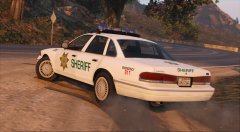 I'm gettin' real hyped for this release! Need to round off those sidemarker lights though ;)
 -
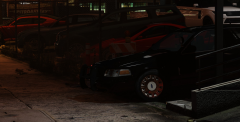 -Nope! That's actually BlackJesus' Code3 slicktop CVPI with OfficerFive0's '03-'05 hubcaps, which actually has '07+ door trim on it, but that's not visible in the picture, so we'll just pretend it's an '04 until I get around to making a proper '04. :P
 -
Very much appreciated sir! It's nice to be able to change wheels to my preference....
-
Most people claim that '04 was the best year, so I'm gonna say '04 ;) Sure do! Someone on these forums did a superb job on em... ;)
-
From the album: Blaze Plays V
A LSPD traffic division unit scans traffic looking for potential DUI's in the Vinewood area. -
From the album: Blaze Plays V
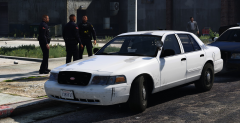
"Old Chippy" is an unmarked CVPI assigned to the LSPD's downtown district. Chippy is one of two units that arrived on scene at the Lucky Plucker following a call about an argument that turned physical when a customer refused to pay. She's certainly seen better days, and the hot southern San Andreas sun hasn't been kind to Ford's infamously non-durable white paint, but officers dread the imminent day she's retired in favor of one of the newer (and smaller) Chargers. Couple more pics here, couldn't decide which to upload: http://imgur.com/a/XUbgY Side note: Would anyone be interested in a skin (skins?) like this? It's just a bunch of paintchips peeled out and some weathering here and there, but it's compatible with vehicle body color and I've yet to see something like that released. Thoughts? -
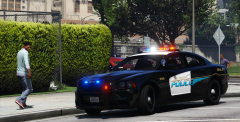 No worries! The car is actually Hotwingers' 2013 LAPD Charger, available here: The skin is by BErad1502, from his Liberty Gardens pack. I liked the design, so I modified it to say "Los Santos" and retrofitted it to the above model.
 -
From the album: Blaze Plays V
A pedestrian admires one of the LSPD's newer Chargers.



