


Creators: Due to background reprocessing of files, approvals and file security checks may be delayed. Thanks for your patience.

CG Blaze
Members
-
Joined
-
Last visited
Everything posted by CG Blaze
-
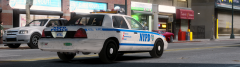
From the album: Miscellaneous
Quick action shot of a NYPD RMP. I know it's not the greatest pic, but for some reason I like it. CVPI's are becoming harder and harder to find in the city these days. -
Great tips, Nicolai! It's always disappointing when you click on a screenie and it still has the HUD and a picture of the car at a generic angle.
-
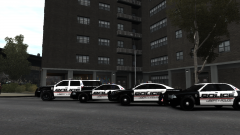 Looks real sweet! No love for real models though? lol
 -
-
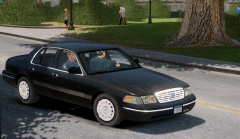 Public. :) Model is gfxle's LCPD/NYPD Detective CVPI: http://gtapolicemods.com/downloads.php?do=file&id=932
 -
-
From the album: Miscellaneous
An older (2004) unmarked CVPI rolls through Middle Park on a clear day. -
Was wondering the same thing myself... Interesting.
-
Maybe Rockstar will release V for PC when someone finally figures it all out. I've really gotta look around a lil more in V, I beat the game and basically put it down after a couple of weeks of Online play.
-
I'm almost certain there was an authorized, edited version of Traffic Flow out there on the net somewhere that had a few more slots. Will link it here if I find it. EDIT: Found it. http://.com/files/file/40-traffic-flow-edited-edition/ EDIT Again: Don't know why it did that to the link, but put " " in front of the .com and you're good to go. EDIT FOR THE 3RD TIME: Ok. Apparently typing that webpage gets auto-erased. Just PM me if you want the link.
-
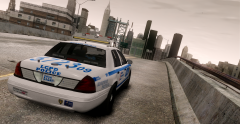
From the album: Miscellaneous
LCPD Highway Patrol awaiting its prey on a cloudy, smog filled day. -
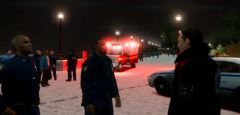
From the album: Miscellaneous
A detective discusses details with two of the lead officers involved in the foot chase. -
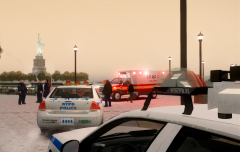
From the album: Miscellaneous
Several NYPD officers and detectives were dispatched to the park along Castle Drive early last evening following a short pursuit that lead Highway Patrol officer John Joaquin up a pedestrian walkway. The driver crashed the vehicle, which was originally to be stopped for a missing license plate, into a stone abutment and the two occupants attempted to flee the vehicle. HP officer Joaquin managed to tackle and arrest the driver as backup from the local precinct arrived on scene. Witnesses say precinct officers managed to locate the other occupant and after a short foot chase, the suspect jumped the railing into the water and attempted to drown himself. One officer jumped in after him and prevented this from happening. More details to follow. -
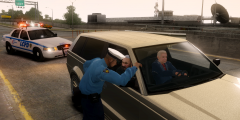
From the album: Miscellaneous
LCPD Highway Patrol stopping a Huntley for speeding on the Broker-Dukes Expressway early on a cloudy morning. In typical practice, blocking an entire lane for a traffic stop. (Can't count the number of times I've actually seen that and been caught in traffic because of it IRL) -
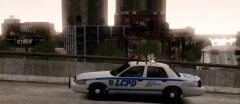 Thanks for all the love guys! Yeah, the high-rise bars have been a staple of NYPD Highway Patrol, Port Authority Police and FDNY use for decades now. A few other departments around the NYC metropolitan area use them as well. Being that I live around these parts, I see em quite often. But it's funny, for all their uniqueness and purpose built design, I hardly ever see them raised. The ENB is a kitbash of a couple of ENB's available on here, and I've been working on making it juuuuuuuuust right, know what I mean? When you say saturated, what exactly do you mean? I'm a total noob to ENB edits. Are you saying the colors on the car are too rich, or is it just the lighting in general? I'll be posting some more pictures from this set in a few minutes so you can see a little bit better.
 -
From the album: Miscellaneous
Just a beauty shot of my favorite car right now - deco's LCPD/NYPD Highway Patrol CVPI, available in the downloads section. Excellent car, one of the most accurate out there! It looks so nice in it's natural habitat! :D -
![[WIP] Slicktop Explorer](//s3-gallery.int-cdn.lcpdfrusercontent.com/gallery/album_1177/sml_gallery_9139_1177_43124.jpg) Yesss. Love the IONs!
Yesss. Love the IONs! -
Good luck! And whatever you do, be sure NOT to mention your expertise in policing attained through years of playing LCPDFR :P
-
Lmao, good lord man. Images? Sure. See below: http://imgur.com/B4gU8Xw,9RTwG0A,KiS6yxq,vslmDcY,oidzUGU,LTKD5ON Hope that link works. That's the 3D, Top, Left, and Rear views, as well as my whole hierarchy. I should also mention that I've attached the spotlights, the laptop, a police console, and the non-emissive parts of the rear decklights to the chassis. The police console was the only one that required it's textures to be imported in .dds format. It also appears in OpenIV/game with messed up textures. Could there be a connection between these things?
-
Alright so I've found no answers for this problem. No one from here nor other police modding sites nor even Oleg himself seems to have an answer. HOWEVER, I did figure out a workaround, by copying one piece at a time. Tedious, but it works. Now, Zmod has thrown me another wild card. It's just testing my patience now. Can anyone explain what makes a car that's perfectly fine in Zmodeler, wheels completely untouched, turn into a lowrider in OpenIV and in game?
-
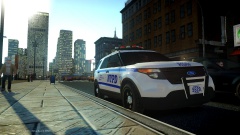 Man, I feel so spoiled with all these great NYPD releases coming out! I love this, it looks great! The fonts are a bit off on the skin though. I can do a real nice proper NYPD skin for it if you're interested - >I've done some in the past (unreleased) @Sgt,Kanyo: Ya know, it's kinda funny. I've seen that video in my related videos a hundred times, never thought to look at it. Never knew there was footage of one of the new Utilities in it! I'd imagine it must be hard to see out that rear windshield.
 -
Base to Pivot is selected. The Avenger I want to mirror (and the original Avenger for that matter) are on the passenger (right) side of the rear deck stop light. I have X and Y axis' selected and I'm mirroring from the Right side viewpoint, trying to get one on the driver's (left) side of the stop light.
-
Thanks for the quick response. Affect Children is disabled. Location in hierarchy doesn't seem to matter, one of them could be outside of "police.wft" entirely and it'll still affect it. Deselected, any location in the hierarchy and mirroring one still mirrors the other. As far as the flip -> calculate normals bit, I know how that works and that's not the problem. When I say it's invisible, I mean it's legitimately nowhere to be found in ANY wireframe view (Left, Right, Top, etc.), but it IS there in 3D view. Baffling.
-
Hey all I've encountered and worked around a lot of strange bugs in this [unbelievably frustrating at times] program we call Zmodeler. This one... this one is just the strangest I've ever seen. When trying to put two of an object - be it a spotlight, or a pair of decklights - by copying the original (and renaming everything), whenever I try to mirror the duplicate object, the original object does the same thing. That is to say, when I have ONLY the duplicate object selected, in selected mode, and try to mirror it, both the object get mirrored. I have no idea how this is happening, and this is the first time it's happened to me using this method. But it gets worse, and weirder: Now, figuring the problem was just related to the spotlight, I tried the same method on a pair of Avengers on the rear deck. They both are in the right place now, but one of them only shows in 3D mode, and is completely non existent in any other view. What in the blue f***? I don't normally ask for this kind of support, and I'm usually able to figure these things out on my own, but could somebody please hold my hand through this before it finds the nearest bottle of whiskey and gives up? I'll be around for most of the night, and I'd love to do a quick TeamViewer session to rectify this situation, if possible.
-
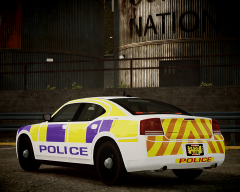 You may be interested to see this real life application: '' target='_blank'>>


![[WIP] Slicktop Explorer](http://s3-gallery.int-cdn.lcpdfrusercontent.com/gallery/album_1177/sml_gallery_9139_1177_43124.jpg)
