



Ragnrok
Members
-
Joined
-
Last visited
Everything posted by Ragnrok
-
This is an unfinished request. At this point, the vehicles section is complete. So if it interests you, stay tuned, ill finish it shortly. I am currently brainstorming a custom livery and uniforms. To any interested modeler - The details of my model requests are very important to me, i realize they can be a bit nitpicky, but do expect ppl to pay attention to them. Thank you. This pack is meant to run with LCPDFR 9.0 and up as well as ELS 8. Please use mostly stub antennas, dark tinted windows and full police interiors on the vehicles unless specified. The roof light bars are Tomar Blades. If i leave a vehicle slot unspecified, then i leave it up to you for that model. Uniforms: Will forward via pm Livery: got the idea. Will forward via pm Lighting Color: red and blue Vehicles: Marked CVPI: police slot - model and equipment same as this - ?do=embed' frameborder='0' data-embedContent> - please make 2 versions, one with and one without this rambar - https://encrypted-tbn1.gstatic.com/images?q=tbn:ANd9GcQt0PmR_DZSXCu10Sak3XF3vJR19r_YvcKQrhNjoZoAoTAeL8wVsg - *its probs easiest to make it a removable component instead of making another car. Ford Taurus PI: model and most equipment same as this - http://social.ford.com/assets/12282/?w=519&h=295 - no rambar - same lighting as marked cvpi (adapted of course) Ford Explorer PIU; pstockade slot - Basic model and most equipment same as this - ' alt='' class='ipsImage' width="1000px" height="664px">">' alt='' class='ipsImage' width="1000px" height="664px"> - no rambar - Front Lighting - https://encrypted-tbn3.gstatic.com/images?q=tbn:ANd9GcRimxQ6C1PTV0tiq3UOO43ohngnWKR24SwCzO9qCCGfcZNFz_2_ - add 2 leds (like the bottom ones) to upper grill Rear and Side - ' alt='' class='ipsImage' width="1000px" height="750px">">' alt='' class='ipsImage' width="1000px" height="750px"> Unmarked Chevy Suburban: nstockade slot - Same model and equipment as this -
-
![[WIP] LCPD Pack V4.0](//s3-gallery.int-cdn.lcpdfrusercontent.com/gallery/album_722/sml_gallery_3386_722_479632.jpg) ooo i like this alot
ooo i like this alot -
-
-
ah thats the livery i like for that dept
-
-
-
-
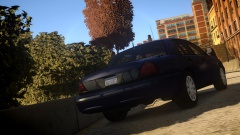 what car is that?
 -
-
solid vehicle
-
-
-
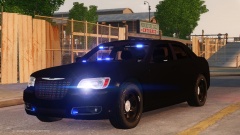 Wow nice. Different. I like it
 -
Different
-
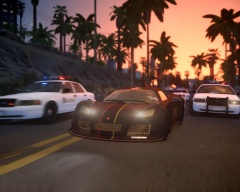 Ooo. I like the cvpi and that noble
 -
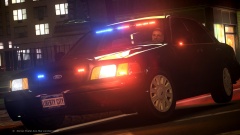 Is it released?
 -
nice. make both that and the cvpi next to it!
-
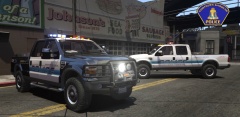 Now that's what I call a truck
 -
o good. i perfer non-dsf. in that case, consider these: '?do=embed' frameborder='0' data-embedContent>> ill advise that im very picky about both of them. i do apologize. Rag
-
-
do you do dsf or non-dsf models?
-
vehicle i was referring to has been released '?do=embed' frameborder='0' data-embedContent>>
-
Vehicle has been release, sorry for the late post here. '?do=embed' frameborder='0' data-embedContent>>
-
i agree there is point wasting time talking to someone who has understanding of service. id like to see him go to Afghanistan, see how he likes having ieds everywhere.

![[WIP] LCPD Pack V4.0](http://s3-gallery.int-cdn.lcpdfrusercontent.com/gallery/album_722/sml_gallery_3386_722_479632.jpg)
