


Nutronic
Members
-
Joined
-
Last visited
Everything posted by Nutronic
-
-
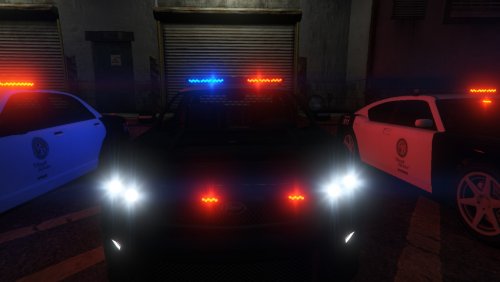 Does anyone know if this mod is replaced by the files in here > https://www.gta5-mods.com/misc/law-enforcement-improvements#comment-93999 If so how can I get them both to work? Finally, how do I install these without the Mod File option that the readme suggests is the only way? Above it says But in my Vehicles.rpf in that location I do not see the vehicles it is replacing.
- 35 comments
- 4 reviews
-
This mod is a great idea but it doesn't function well. I cannot use this in the tunnel at Rockford Plaza or in other locations like the petrol station near Trev's house. It just doesn't show the circle so doesn't catch any vehicles. I have tried raising the radar as per instructed in the ini but again, it still doesnt show. I have now removed this mod and will not install it until I know the issues have been addressed. I tried to get support via this mod's page on another website but he ignored the requests for help.
-
 ;EXPLANATIONS ;APPID : This is your Openweathermap.org API key ;CITY : This is the location used to gather weather info. Change it to fit your needs ;UNITS : This is the unit used to gather weather info. You can use Metric, Imperial or Kelvin ;NOTIFICATIONS_FREQ : This is the number of minutes between each weather report (ingame notifications). It's also the frequency of weather info gathering. ;You can't go under 10 minutes. Whuy would you check your meteo every minutes ? ;WeatherSync : Wether or not you want to synchronize the weather ;TimeSync : Wether or not you want to synchronize the time ;OpenMenu : Key used to open the menu. See the README.PDF to see available keys at KEY MAPPING [WEATHER SETTINGS] APPID = xxxxxxxxxxxxxx CITY = Whitehaven, GB UNITS = Metric NOTIFICATIONS_FREQ = 10 [GENERAL SETTINGS] WeatherSync =True TimeSync =True [KEYS SETTINGS] OpenMenu = NumPad5
- 125 comments
- 11 reviews
-
The only issue I have with this is that the ini is not saving. I have entered the App ID etc and start my game and it loads it fine but then it seems to reset itself back to France.
- 125 comments
- 11 reviews
-
-
 Here's a tip. If you are using Bandicam, go into the settings and choose that your mic and game sounds are recorded separately. This allows you to increase/decrease the volume when editing it in the likes of Vegas etc.
- 6 comments
- 1 review
-
Yeah it does have quite a few choices but the LSPD officers are limited to just 2 I think. Would be cool if there was a couple more choices. Ok so it's a mod thing. Thanks for the replies.
-
This is shaping up to be a great little mod, just think how it will be in about 5 years! What I want to know is why the choice of officers is so limited? Is this a game feature or is this a mod feature?
-
 I have 1.1 already but will see if I can figure out how to get patchday 3 file and add it to that then :) - Ok done that but the Sheriff is not present in patchday4ng.
- 28 comments
- 13 reviews
-
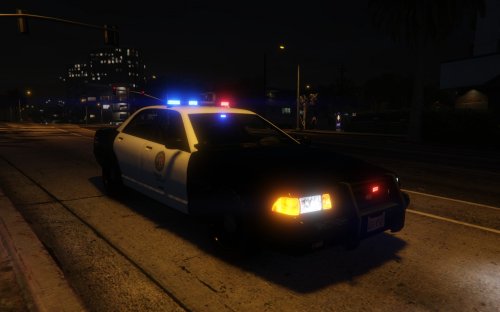
I will have to look into that because I currently have the game installed twice. Modded and u modded for GTAOnline use etc. Also, despite installing it properly the Sheriff Staniers are not showing the parking lights but others are, why is this?
- 28 comments
- 13 reviews
-
-
Thanks for not adding a readme file with instructions on how to install this mod properly. Many people will be modding the game for the 1st time and readme files are meant to help.
- 28 comments
- 13 reviews
-
Start of his video he says "LCPDFR fan video".
-
LCPDFR? Instant dislike. The mod is not LCPDFR it is completely different.
-
Why is it so stretched :(
-
Nah.
-
The one from Reshade.
-
Maybe they plan to a Fire and Ambulance mods too?, having Rapid Response at the end allows them to use that when using LSFD or LSEMS etc.
-
..and that new name is Rapid Response. I am glad that they have decided to keep making the mod as competition within a mod community is never a bad thing. I know the new name because it was stated here: http://www.vg247.com/2015/04/30/gta-5-pc-san-andreas-pd-mod/#comment-1998271128
-
Firstly, here's a relevant image Secondly, I have posted about it a little here: http://ghoststorm.co.uk/
-
-
Ah great, thanks. I have never taken this online and don't really know how so just wanted to make sure :)
-
Are we forced online or is the online features you mentioned only happening when we go to multiplayer? it confused me a little :)
-
Everytime I start the game and click start underneath the pic of Niko my game crashes to desktop and I get some error about GTA4Browser. I have gone to C:Program Files (x86)Rockstar GamesGrand Theft Auto IV and tried to untick read Only but this goes through the motions of doing it but then when I right click it the square is blue/ticked again. I have the game to run in compatibility mode with Xp sp3 but that's made no difference. I am using Windows 7, running the game as Administrator and also turned OFF UAC. When it's crashed I can click the GTA logo in the tray but it's annoying me having this message pop up constantly.



