


Nutronic
Members
-
Joined
-
Last visited
Everything posted by Nutronic
-
Dont be an ass. Thank you very much :D Just what I wanted :) BPM has a change of channel. Do you know what it is?
-
Is there a way that I can save an ELS pattern so that it automatically loads that pattern when I enter a vehicle? If thats not possible is there a way to maybe press a key and that pattern auto loads?
-
7 Yep and Yep lol I have reinstalled it 4 if not more times.... I have solved the issue by removing the dsound and scripthook stuff installed by LCPDFR and replacing them with the one downloaded with ELS and now it seems to be functioning properly.
-
I have a SteelSeries Apex Keyboard and wondered how I can map the extra keys which are M1 -> M12 which sit above my F keys. Also keys MX1 to MX10? The keyboard does allow me to manually add macros etc but wondered if there was a way to edit something like ELS.INI with these extra keys? Thanks
-
-
Does it cause anything like the taxi bug? Can you change what cars are loaded?
-
You dont allow simple native trainer?
-
I was just after peoples opinions. :) Why is that?
-
How do we change position of the text that your mod shows. This video shows it at the top of the screen. http://www.youtube.com/watch?v=dmKI4ELrK9A
- 356 comments
- 140 reviews
-
Are there any packs out there for bringing british cars etc into the game? I know that there there is a few ped skins for police officers to make them look more british, like this one for eg. '?do=embed' frameborder='0' data-embedContent>> What I would like is a car pack etc with british cars only....just wondered if there was such a thing?
-
In this thread: '?do=embed' frameborder='0' data-embedContent>> I noticed that there is a few traffic mods but wondered...which one is the best? Traffic Flow V5: '?do=embed' frameborder='0' data-embedContent>> Chikamru Real Traffic: http://gtamania.ru/load/mods_for_gta_4/script_mods_for_gta_4/chikamru_real_traffic_v1_0/128-1-0-5199 Real Traffic: http://www.gta4-mods.com/misc/real-traffic-f5912
-
Nope. I removed all mods except ELS and still nothing is happening.
-
Ok thanks. :)
-
Yeah they all do, thats why this is so frustrating. I have tried this:
-
I have it on XBOX360. I have season pass. I am still waiting for DLC. There is some rewards on raptr.com for pc players.
-
-
-
It was Photoshop he used. I would suggests lowering the Opacity also as that will help to line things up.
-
-Update- I am going to post this on GTA Police Mods also as I want the issue dealt with because its stressing me out now lol.
-
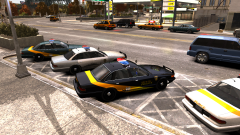 Be great to see a tutorial on this. I have an idea but would love to see your way 1st :)
 Does this pic have a tilt shift effect on it or is it just my eyes playing up?Just these ones: First Response RTC v5 Policing Script 2.4.2 Traffic Flow v5R2 VehicleSelector Simple Native Trainer [Keys Disabled]Already tried the above link's suggestions but had no change in result. I have tried it in base GTAIV aswell and nothing happens there. In all 3 games I have tried it and nothing is working. I have replaced dsound with script hook and even tried the advanced hook only and still - nothing is happening. Contents of various logs show that ELS is being picked up and even using ELS vehicles I hear a beep but the menu doesn't show. Contents of asilog.txt Contents of ScriptHook.log Contents of ScriptHookDotNet.logI have put the files into C:Program Files (x86)Rockstar GamesEFLC and nothing happens even tried it in C:Program Files (x86)Rockstar GamesEFLCTBoGT & C:Program Files (x86)Rockstar GamesEFLCTLAD I press ctrl+m and even tried alt+m and nothing happens at all. My EFLC is not DLC its the separate install version.


