


connn911
Members
-
Joined
-
Last visited
Everything posted by connn911
-
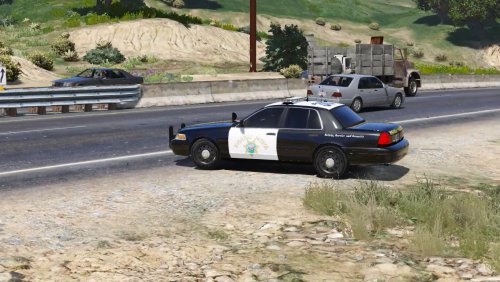 Are the window tints parts of the texture?
 -
Are you putting it in the mod folder and are you using openiv?
-
 I've been having a problem with arrest manager that has made my game unplayable. When I load the game everything is fine, however, once I type force duty into Ragehook. Arrest Manager shows a message saying something is wrong with the current ini. file and that it will resort to default settings. This causes my game to have texture loading problems throughout the map(buildings disappearing, textures missing on roads)thus making the game unplayable. This has never happened to my game before and I've reinstalled Arrest manager multiple times without editing the ini file. Any help would be greatly appreciated. My computer can run the game at ultra settings, just so you know its not a performance issue on the computer.
- 1,915 comments
- 242 reviews
-
It all depends on what car you are adding. For example, if you are replacing "police" you would need to put the new files in the most current DLC pack that contains the files you want to replace, so for "police" that would patchday4 that was released by Rockstar. The reason for this is because Rockstar will sometimes release a patch for the game, updating a car or fixing a bug that was associated with it. Thus, causing them to put the new version of the car in a DLC pack.
-
Put another car in the slot and try it then. I had a similar problem when I had the Ford Explorer in a Blain county slot. I then snitched it with a different model and it worked fine..

