connn911
Members
-
Joined
-
Last visited
Everything posted by connn911
-
 Finally, this will complete my LSPDFR experience. Thank you so much. I recommend this for anyone trying to add more immersion to their game. -Black_Stag
- 60 comments
- 13 reviews
-
-

- 1
-
-
 It was a pleasure participating in the development of this plugin. It is a must download! Great work.
- 25 comments
- 10 reviews
-
 This pack is a great addition to those who like lore friendly skins, would definitely recommend. Keep up the good work! -black_stag
- 8 comments
- 3 reviews
-
That's the solution I found.
-
After I installed two new police cars, which required me to edit the cavarations and vehicle meta, there isn't any engine or siren sound attached to that vehicle when I drive them in the game. Since I'm not new installing cars or other mods, I went back to look at both of the files that I edited and everything seemed to check out. So could some one tell me exactly what controls the audio attached to the car. For example is it the cavarations I need to fix or the vehicles meta. thanks I found the solution
-
-
-
 Great car! In the future could you add the feature for making the in game tinted windows work?
- 269 comments
- 67 reviews
-
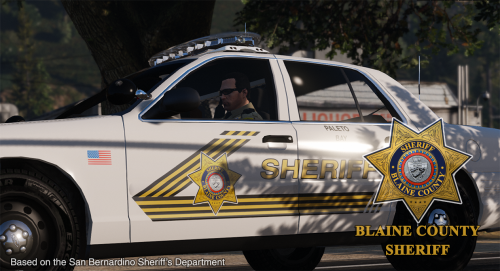 Great job on the skins, any chance you will add one for the ford toures 2013? The newer one in downloads.
- 32 comments
- 8 reviews
-
 Fantastic model, great job! Lots of lights, not that it's a bad thing but maybe you could add them as extras.
- 126 comments
- 41 reviews
-
This is a great skin so far, real professional work. I can't wait for the future additions!
- 32 comments
- 8 reviews
-
-
- 1
-
-
I love these skins, great job!
-
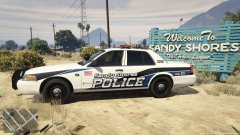 what cvpi is that?
 -
-
ok, thanks anyway
-
How do I place a layer over them? And once its done do I just input the template into the ytd file?
-
What program do I use to open them?
-
-
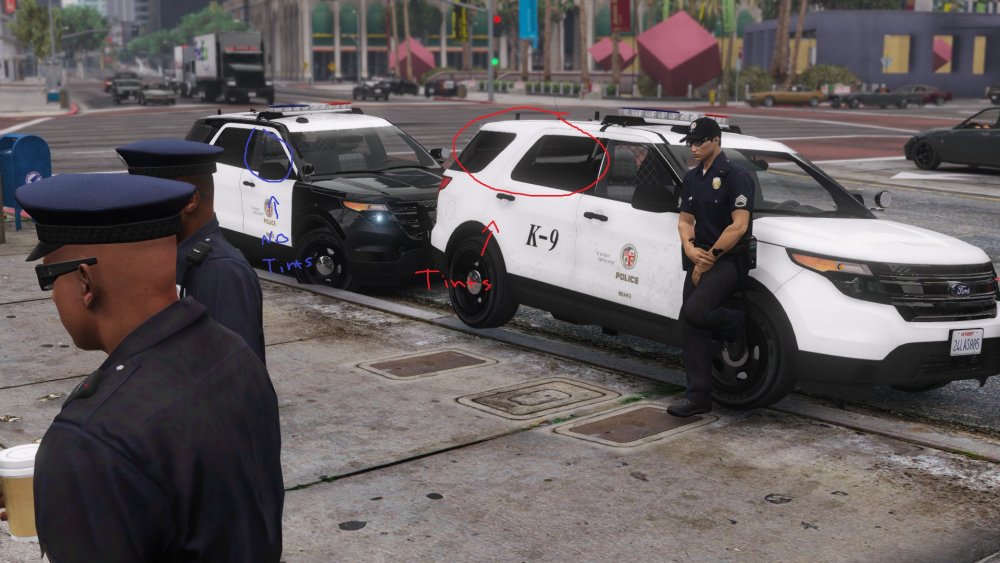
So for example, I am sure most people know about or use the Ford Utility Interceptor in their game, so you would notice how the back windows are already tinted and the front driver side and passenger side windows aren't. That is what I would like to know how to do. If anyone can help, I would appreciate it.
-
-
If you use a mod folder you need to update the "update.rpf" Folder in it
-
 Can you be a little more discriptive on how to do that. I know where to go and what the files are, but I'm not sure what the Windows template is or how to use it
- 137 comments
- 25 reviews
-
-
Send it to me as well, if you can!
-
It basically has to do with the gameconfig.xml file. When the game gets naturally updated, the xml file updates to accomindate the new dlc packs, however when you add a dlc pack of your own and the xml file isn't updated, then the game will crash.