


Menos
Members
-
Joined
-
Last visited
Everything posted by Menos
-
-
-
-
-
-
-
-
-
-
-
It tried both solutions and it turned out it was the cars parked outside the safehouse. Thanks for the help! I even got it working with ELS V8 now ^^
-
I have a weird problem resulting in "GTAIV.exe has stopped working" I am using a 100% savegame which spawn me inside Nico's house. When I am in the house everything still work, only when I leave the house the game crashes imediately. This error started occuring after I installed one of DoubleDopplers car packs (the Essex pack) when the crash occured I removed the car back and all the scripts I had added that might have caused the crash to happen. Now I am back on a version which used to work fine, only now I am having the same crash occur. The mods I currently have enabled are LCPDFR 1.0b and ELS V7. I am using the xlive.dll asi loader and not the dsound one. The only error log I can get is in the AdvancedHook.log and is this error: [iNFO - 21:35:32] An exception occured [iNFO - 21:35:32] Process: 510000 Address: B4DD45 (Faulting module: C:Program Files (x86)Rockstar GamesGrand Theft Auto IVGTAIV.exe) Code: C0000005 Registerdump - EAX: 0 EBP: 22EF0AC EBX: 1AD72F70 ECX: 9B49F60 EDI: 807C150 EDX: 0 EIP: B4DD45 ESI: 807C150 ESP: 22EF038 My system is running on Windows 8.1 and way above the specs needed for GTA. I run the game as admin. I have already spent 4 hours on trying to fix this by googling and searching these forums, but I haven't been able to find the solution. I hope someone here can help me.
-
Today I decided I'd give LCPDFR a try again and installed a bunch of mods, including an ENB. I used to play LCPDFR a lot and used the same combo of mods. The only difference is is that I am using EFLC and not GTAIV. I do not have the standard GTAIV installed either. The issue now is that with a couple different ENB's I tried, all of them worked for me on GTA IV, they keep getting brighter and brighter and eventually causes the screen to become completely white. Is there an incompatibility with EFLC I am not aware of or is something else an issue. I tried SaviorENB and Game4video.
-
-
Looking for a couple people I could play with on a regular basis (through skype or something similar). I have put together a couple mods which make a very cool police force, message me if you are interested.
-
I like it 4/5 from me, personally I would put the traffic advisor inside the back window instead of on the roof. Keep up the good work
- 3 comments
- 4 reviews
-
-
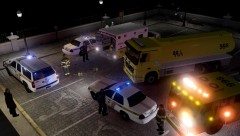 How do you get the stationary peds? Nice picture!
 -
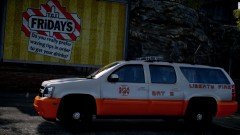 Thanks! Didn't know about that site yet.
 -
Oooooh, nice! Where did you find this?
-
To get a roadblock, you press escape to go to the map and set a waypoint by clicking on the location where you want to block to be set up. and then it should, in theory, be there when you get to the waypoint
-
I am sooooo glad that I rarely see American shows like Honey boo boo or jersey shore. Yay Europe!
-
I was wondering if you just misread it or if I was an idiot for not understanding XD Ah yes, APB Reloaded, I RP'ed as a cop there too. There are some pretty good female cop mods on LCPDFR too, I haven't tried myself though, maybe I should :)
-
Lake County for sure, The Des Plaines is so well... plain! the standard black car with white doors you see all over the USA. But then again, it looks better then most European police liveries
-
I personally prefer OpenIV to SparkIV, there is no real difference between them, only thing is that you cannot mod your sirens with openIV, you need SparkIV for that.




