




Four1one
Members
-
Joined
-
Last visited
Everything posted by Four1one
-
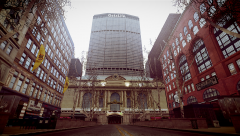 It looks so realistic. Good shot!
 -
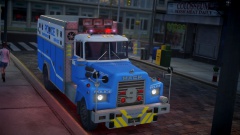 Nice Truck, good job!
 -
This skin is a "bit weird". The left side of the car has no markings or anything that make it "stand out"....as for the right side, it does have "GHOST" markings that say Liberty City Police Traffic Enforcement. This skin is made for this car ONLY (template does not fit other models): Thanks DO NOT RE-UPLOAD / EDIT (unless for personnel use) WITH OUT PERMISSION
-
Yeah, get simple native trainer (from GTA mods, I think) and choose the model spawning thing and at the bottom it should say something like voice menu. or just watch this:
-
Yeah! I thought it was pretty interesting, given the fact that LCPDFR is built off GTA. Its just a cool little documentary.
-
Just in case any of you guys wanted to know the history of GTA and Rockstar Games. (I thought this video was pretty cool and showed the history pretty well) Video made by GamerSpawn.
-
-
Pretty Good
-
-
-
Good idea! I think we should have more car accidents and traffic related calls in LCPDFR. Car accidents are a HUGE part of law enforcement.
-
Have you taken any medication today?
-
I don't think these trucks will lower food prices. In fact I think food price will rise more. Walmart is all for making money.
-
haha I forgot about Daft Punk....it does look like them.
-
Talk to walmart...I think it looks real ugly.
-
Well Walmart has came out with a "new and improved" 18 wheeler. I personally think the truck is VERY ugly (the outside at least). What do you guys think? Here's another one...but a little better looking. (a bit to much technology for me) (NOT made by Walmart)
-
Same here and I didn't change the keys.
-
You can hit your siren and they'll pull over (well they'll stop) right then and there.
-
Okay. You're welcome Good luck.
-
No problem...I think the charger looks familiar. This might be the charger.> Heres a CVPI that you can edit the light to:'?do=embed' frameborder='0' data-embedContent>> let me know if you need some help with editing the light textures or something.
-
Nice video...did you try this pack on lcpdfr? '?do=embed' frameborder='0' data-embedContent>>
-
We have them for mostly respect. When someone dies and they are gonna be buried the sheriff office will usually escort the family (and the body) to the cemetery.
-
Yeah, Funerals and when the NCSHP escorted the UNC football team. But I have not seen a presidential escort or anything like that.
-
I deleted my Temp folder and nothing happened to my game....(so far)
-
look the TSA got involved already. Tell you what they're quick!

