


Opulence
Members
-
Joined
-
Last visited
Everything posted by Opulence
-
-
 Love it, need it, want it!
 -
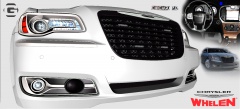 I think you guys are mistaken, shes with me and she will be in passenger seat with me in this car.
 -
I get lots of main street cars going 18 - 25 some go 30. I don't pull people over on main street I usually do on highways if they are going 43 - 50 (depending on other vehicles speeds).
-
I think ELS V7 is Ctrl + M... It is for me at least.
-
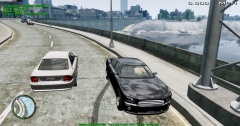 I mean lots of this stuff can already be displayed - engine/fuel/car health is trainer.
 -
They should do that already with ELS V7, they do for me. You should also check this mod out if you want specific liveries to areas. '?do=embed' frameborder='0' data-embedContent>>
-
I updated, I haven't got any issue you should too.
-
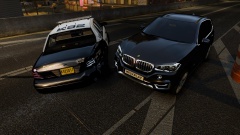 Is that the 2014 X5 :D?
 -
-
-
I agree, realistically they aren't parked right behind them, I like to park one car length behind the vehicle when I pull them over, but I have to go behind them then reverse. This new updated way would be something I'd love to see.
-
-
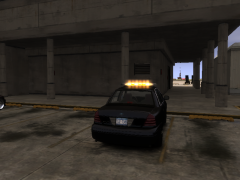 Cool
Cool -
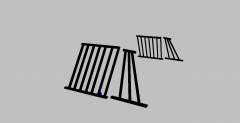 Sweet, I would love to get my hands on these. Planning on releasing them?
 -
First off for the image below is it possible to make the yellow that is circled clear/white how it is supposed to be and make that flash? Second how do you turn the brightness down of the tail & reverse lights along with headlights? EDIT: Forgot to attach image and it is Bxbugs CVPI
-
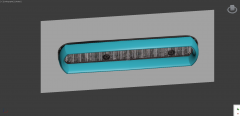 Can't wait for this.
 -
What patch are you using? If it's not 1.0.7.0 you need to download it off Rockstars website.
-
The two textures are named the same. How do I rename it?
-
I'm wondering if someone can make me a tutorial on how to rework the textures for the vehicle because I'm having a problem with the Whelen Liberty lightbar. My lightbar is blacked out completely or my protective guard is blue glass. Is there anyone willing to make a tutorial on how to solve this so the glass is clear and the lightbar is how it should be (transparent). I'm not an expert at Zmodeler so please don't use extreme terminology or skip steps assuming I know them. Thanks in advance!
-
I noticed the same thing and I don't mind it. It was really annoying if you are playing with a group or clan and someone is using their trainer and all you hear is "Ge-ge-ge-get out!"
-
The letters for DAS are assigned at random.
-
Google is not a proper source, it is a search engine. You can type "Alaska State Troopers" into any search engine and get that picture.
- 11 comments
- 1 review
-
I listed the basics and I want to see what other people know, lots of people have ENBs they made that are "under the blanket" and no one really knows them. Posted this if anyone can share any.
-
I'm looking for an ENB, specifically I want something that looks somewhat like iCE with the nice reflection on the cars, something like Game4Video which the ELS lights look very nice and clean. Also I want the building to look very realistic, almost like I'm taking a picture of a real building (photorealistic is the term I believe). I have tried some of the main ones (please don't mention iCE or Game4Video) but I know there a lot of smaller nicer ones out there. If anyone knows of any I'd appreciate if you share.

