


Opulence
Members
-
Joined
-
Last visited
Everything posted by Opulence
-
Lets say you are using a pack that was put together for a clan or for friends with cars, uniforms and handling-lines install the Snow mod (fully) then install your pack for your multiplier use afterwards. Will not have an effect on your game or others.
-
As you can see, there's a file called emerglightse.png, that's the one we want to change, it's probably called emerglights.png in your scene. Step 2: I'm going to copy emerglightse.png and call the new one emerglighse new, remember to add an underscore between the words: Step 3: Go back to Zmod and open your texture browser and add the new texture, it should now look like this: Step 4: Open your materials, find the material used by the lightbar, it's usually called emerglights generic, mesh or paint1, toggling the material on and off will help you find it: Step 5: We want to replace the texture layers that has emerglightse.png with our new texture, we do that by clicking on the texture name, then select the new texture in the texture browser and click add. Do this for all texture layers that has the old emerlights texture on it. It'll look like this: Step 6: The lightbar might use the texture in multiple materials, in my case it also uses emerglightse crome(mesh) and emerglighse vehglass, you'll have to repeat the steps we did with paint1 in order to replace them. This should do the job, remember to add the new emerlights texture in openIV. I don't see a difference between the two, I put in the new textures with _new at the end and I still get blue glass in the CVPI. Wow I was a noob, finally figured it out. Such a useful tutorial!
-
How would I make it so the lightbar reads those files
-
How would I 'tell' the lightbar?
-
Renamed it and it still turns it black.
-
Can I remove the emrglight textures off the CVPI or is there a way that I can have them both but the guard clear and the light bar not blacked out.
-
First off sorry if this in the wrong place.... Anyways When I import my textures into Zmodeler for a CVPI and Whelen Liberty then import my vehicles two things occur: 1) The protection guard from the criminals in the car is blue and my light bar is proper colors or 2) The protection guard from criminals is clear and my light bar is fully black.
-
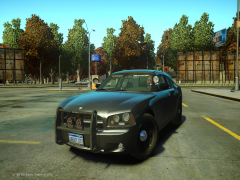 Link to the front siren box?
 -
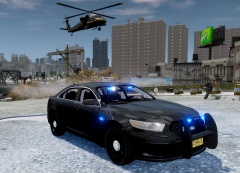 Real nice, download link?
 -
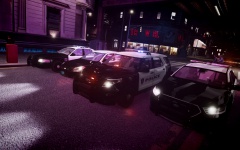 Link to Explorer?
 -
Not a fan of Dodge, I like Fords CVPI, Taurus and Explore, Chevy Impala but Dodge.... No.
-
Anyone know a good ENB/iCEnhancer? Looking for something that makes ELS and lighting very nice and also something that makes it look very realistic with the trees and buildings ect...
-
-
You lost me. Can you be more specific when describing so I can find it, I sort of have an idea but I don't.
-
Nope tried everyones invites
-
Yes
-
Reinstalled in and it still does the same thing. Worked once they stopped working, internet is good.
-
It gives me the code I entered plus two options for deactivation (like two spaces) which should I fill in? Online or Manual?
-
Do I use the "Revoke License"
-
Did not work, more information: When I accept the game invite it says "Loading" as usual at usual speed, as it loads it gets slower and slower and then it disconnects me because I'm running too slow
-
Trying now standby
-
No I am not I am right clicking, run as admin
-
**Not a gaming computer Processor: Intel Core 2 Quad CPU Q8300 @ 2.50ghz 8129MB RAM (Pretty sure I had 8GB) Unknown Graphics Card (443Mb Resource Usage in GTA) (Windows 7 64bit) Game is on a disc NOTE: The game was running perfectly in multiplayer the past 4 months on the same PC
-
@ineseri Games running as admin, was working perfectly fine before I downloaded Route 66, since then I have uninstalled it and put in a new clean directory @MrMpunit that did not seem to work, I drop down to 4fps when loading into multiplayer and gives me I am running too slowly
-
Whenever I accept an invite for a multiplayer match one of three things happen: 1) I get put in my own lobby 2) I get the message that I have been disconnected because I'm running too slowly 3) I get put in the sky over the ocean I have put in a fresh install and it was working fine I put in my clan pack (not available to public) and it doesn't work any ideas?

