


Opulence
Members
-
Joined
-
Last visited
Everything posted by Opulence
-
Anyone else here like Pringles? If so what's your favorite flavor? I would have to say BBQ just because it has so much flavor and it's so addictive.
-
False information ^
-
 Download link?
 -
You can find a police issued RPG in the trunk of your cruiser... Make good use with it though...
-
The first thing you are looking for is Simple Native Trainer: http://www.gta4-mods.com/script/simple-trainer-version-65-f2115 F3 = Opens Menu (Num Pad) 8 = Up (Num Pad) 2 = Down (Num Pad) 4 = Left (Num Pad) 6 = Right (Num Pad) 5 = Select/Enter For hot keys read the files inside the trainer.
-
Before I modded my game, worked perfectly - after modding I start it and it closes right after the first black Rockstar screen without any message. Does anyone know why it does it?
-
Nice car but missing key things. The lights at the back should have a white/clear line going through (check an actual X5 to see what I mean). Also the front of the car has to have a line on those grill like things on the side otherwise it looks like a mix of a X5 M and a regular X5.
- 21 comments
- 11 reviews
-
-

- 1
-
-
Is there a Speed Limiter Mod so I can cap off my speed? I know this one: '?do=embed' frameborder='0' data-embedContent>> Says it has a speed limiter but I don't know how to use it. I know that "B" triggers Cruise but not Speed Limiter.
-
Join a GTA clan, doesn't get more real than that.
-
Never would have guessed...
-
Our home and native land!
-
Download and install the patch manually http://support.rockstargames.com/entries/484496-Grand-Theft-Auto-IV-Patch-7-Title-Update-v-1-0-7-0-English-1-0-6-1-Russian-1-0-5-2-Japanese-
-
Another program you can use is Paint.net
-
To use more liveries in game go to: GTA IV Folder > Common > Data > Vehicles After you open the "Vehicles" file go to where your car you want to add more liveries to (ex. police). From example mine says this: You should see something similar, if not the same. The part that I have made in bold is where you are going to want to put "+livery". You can do that to all your police vehicles as you wish. When you have finished save and exit out. You now should have multiple liveries in game.
-
I agree, I think this is the one you are looking for.
-
I use radiance mod by Bxbugs. It can be found on gtapolicemods website.
-
I believe it's the one from this pack here but it has a different skin on it. '?do=embed' frameborder='0' data-embedContent>>
-
I predict yes, but clearly it will be after it is released on the console. This is because Rockstar can make money off that first then make money on the PC. The More it is on the more money they make, the happier they are.
-
Shoot his legs and he won't be moving!
-
RCMP, rolling in the unmarked CVPI.
-
![[WIP] 2010 Chevy Impala Slicktop LPD](//s3-gallery.int-cdn.lcpdfrusercontent.com/gallery/album_1328/sml_gallery_3938_1328_362268.jpg) Sweet, been looking for one of these!
Sweet, been looking for one of these! -
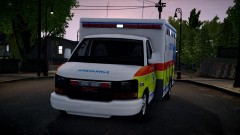 I mean real life based looks like MB, Canada
 -
What city does that skin originate from?
-
If you crash during a pursuit you can force one on any vehicle when you restart the game by spamming "Shift" key until the vehicle decides to flee.
-
 "Car Speedup"

![[WIP] 2010 Chevy Impala Slicktop LPD](http://s3-gallery.int-cdn.lcpdfrusercontent.com/gallery/album_1328/sml_gallery_3938_1328_362268.jpg)
