



Fmr MSPR
Members
-
Joined
-
Last visited
Everything posted by Fmr MSPR
-
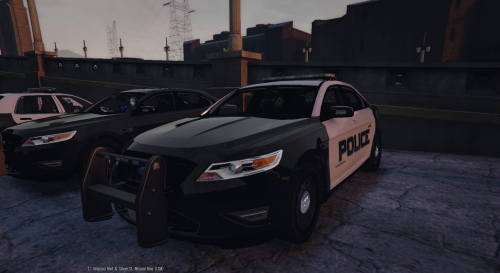 I have modded vehicles.meta from NIGHTKID's Unmarked CVPI for police4 I believe that's about it.
- 49 comments
- 8 reviews
-
-

- 1
-
-
I have replaced it with police2 and it seems to flip. I'm working on the video right now.
- 49 comments
- 8 reviews
-
No prob! I have the 2011 Dodge Charger on police2 and the Taurus on police3. I may switch it and see.
- 49 comments
- 8 reviews
-
The handling I have is from F5544's Taurus he had provided when I installed his Taurus. On his handling the car turns too quick.
- 49 comments
- 8 reviews
-
-
- 1
-
-
-
Thanks and no prob! Only thing is that the taillights when braking needs to be on the outer tails instead on the inner tails. Anyway to fix that?
- 49 comments
- 8 reviews
-
-
-
I have F5544's taurus currently installed with the same light bar. I'll give it a try.
- 49 comments
- 8 reviews
-
-
.thumb.jpg.771048316a69b851158b72f40f7a3e64.jpg) Nice! I'm gonna give this a try when I get home from work. I've been trying to do this kind of stuff with map editor but couldn't find most of the objects to put in.
Nice! I'm gonna give this a try when I get home from work. I've been trying to do this kind of stuff with map editor but couldn't find most of the objects to put in. -
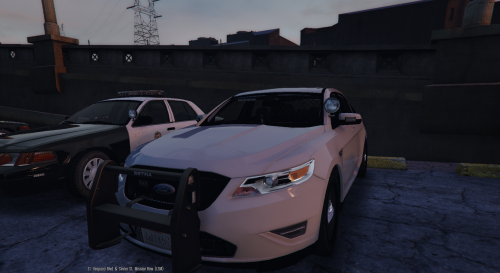 Nice!! Would be nice if the rear emergency lights were straight across on the bottom rear window. I hope @F5544 can add a different wheels for this! Like the one in the picture! More lights and antennas!! LOL Anyways great job on this @POLICESCO!!
- 68 comments
- 14 reviews
-
-
- 1
-
-
-
 And you added all 4 car files? If you installed all the file correctly you should be able to just pawn them using RageHook by pressing F4 and type Spawn, press tab, then type cvpi, cvpi2, or cvpi3. It should show up and then just press enter.
- 208 comments
- 59 reviews
-
-
-
The name is "cvpi", "cvpi2", or "cvpi3" if you did the add-on one. If you replaced the files it's police4.
- 208 comments
- 59 reviews
-
-
- 1
-
-
 Will you be moving the brake lights "on" to outer brake lights on next update?
- 202 comments
- 51 reviews
-
If you are adding them instead of replacing them you'll need to spawn them with simple trainer or RagePluginHook using F4 and spawn them.
- 208 comments
- 59 reviews
-
-
- 1
-
-
I'm gonna get some screen shots on here tonight
-
It could be backwards. Look for xmas2vehicles.rpf then vehicles.rpf. I don't have access to my PC at the moment or else I would tell you. I think it's in xmas2vehicles.rpf then vehicles.rpf. I'm not entirely sure but if you click in the gta5 folder in OpenIV per the instructions you can find it. Unless someone here can point you to the right direction. I'm at work on my MacBook.
- 208 comments
- 59 reviews
-
-
 That's weird. I never had a problem with 1.6 steel version. Haven't tried with hubcap one.
- 137 comments
- 22 reviews
-
-
Did you install the vehicles.meta and carvariations.meta and all four of the vehicles file?
- 208 comments
- 59 reviews

.thumb.jpg.771048316a69b851158b72f40f7a3e64.jpg)
