


Firefighter 5663
Members
-
Joined
-
Last visited
Everything posted by Firefighter 5663
-
I have no engine sound to just one car and it is Police1, I can hear all other sounds but the engine to just the police car and I replaced the "Streamed Vehicles" file with my backup and still nothing and I have waited and drove the car around in the game and it wouldn't come back on. Any help would be appreciated.
-
-
From the album: Firefighter 5663 Scene Pics
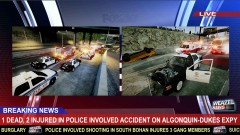
At approximately 8:01 PM, LCPD car 119 reported they were in a 3 car accident with injuries involving a car that had rolled over and their patrol car. They advised that the occupant was trapped whose car had rolled over, as well as the other officer in the police car and they requested backup and FDLC & LCEMS to scene, and also advised dispatch that a 3rd vehicle had left the scene. LCPD backup, LCEMS, & FDLC arrived on-scene and reported 2 vehicles, 1 was a police car and 1 other 4 door taxi that was on its roof and that 2 people were trapped including one of the officers. FDLC worked on extracting both the officer and the other occupant in the taxi. The officer was freed from the patrol car about 7 minutes later, and the taxi occupant was heavily entrapped and it would take an extended amount of time to free him. LCEMS reported he was in serious condition during the extraction process, as FDLC rushed to free him from the car, he died from his injuries about 14 minutes later. Both officers were transported to an area hospital and are expected to make it. Liberty City Coroner was requested to the scene. As this was going on, other officers were trying to find the offender who left the scene of the accident, they later found the vehicle abandoned around 3 miles away from the scene but no suspect was inside. Once LCPD officers opened the car they could smell alcohol in the vehicle and found several bottles of beer in the it. The accident is still under investigation. -
-
From the album: Firefighter 5663 Scene Pics
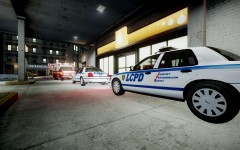
At approximately 12:14 PM, Liberty City Dispatch Center received a 911 call from inside Ron Station off of Sing Sing Ave in Bohan reporting that he had been assaulted and injured by a person inside the Ron Station. LCPD & LCEMS were dispatched to there, LCPD arrived in 3 1/2 minutes from when they were dispatched. The employee reported that he was assaulted by male white around 200 lbs, 6'1 tall, with jeans and grey jacket. He reported that the suspect came into the Ron Station and tried stealing some items and the employee confronted him, the suspect then punched him and he fell to the ground when then the suspect kicked him multiple times and attempted to punch him the face while he was on the ground. The suspect then fled the scene in an unknown type car. LCPD are currently investigating the assault and theft and trying to locate him by video of the surveillance camera inside the Ron Station which captured the Assault and theft. The victim was transported to the hospital for injuries, his condition is unknown at this time. -
-
From the album: Firefighter 5663 Scene Pics
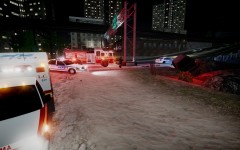
At around 9:34 PM, Liberty City Dispatch Center received 2 911 calls of minivan that went off the road and was partially on its side. LCPD, LCEMS, & FDLC was dispatched to Leavenworth Ave & Northern Expressway. LCPD was first on-scene 2 minutes after being dispatched and got the injured driver out of the car. FDLC & LCEMS was then on-scene 2 minutes after LCPD. The driver was transported to Bohan Medical Center where she is in stable condition. Liberty City Tow Truck arrived on-scene and towed the car. LCPD is saying that distracted driving was the cause of the accident, the female driver admitted to LCPD that she was text and driving, and then lost control of the minivan, she was then cited for it and is due in court on a later date. Last unit cleared at around 10:15 PM. -
-
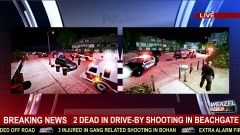 Thanks, and I know the words "FOX40" is there. I really liked the background of it so I used it.
 -
From the album: Firefighter 5663 Scene Pics
At approximately 11:30 PM on Tuesday night, multiple 911 calls came into Liberty City Dispatch Center for reported shots fired in the 7300 Block Shinneoock Ave in Beachgate. LCPD units 131, 199, & 147 were dispatched, then 2 more calls were called in then reporting that there was 2 people shot during a drive-by. After that, multiple other LCPD units were dispatched, as well as FDLC & LCEMS. First LCPD units reported a shooting had occurred and 2 people were seriously injured, and they requested another ambulance to respond. FDLC & LCEMS arrived on-scene and had attempted to resuscitate the 2 victims but were unsuccessful at it and they were pronounced dead at the scene. Liberty County Coroner was called to the scene, and a crime scene was established. Officials have stated that an investigation is underway and will have further details later. -
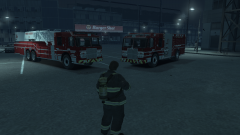 Awesome skins!
 -
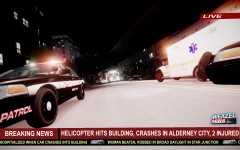 lol, whoops, I had a feeling I spelled it wrong.
 -
From the album: Firefighter 5663 Scene Pics
At approximately 10:14 PM on Friday, Liberty City Dispatch Center was receiving multiple 911 calls about a helicopter crash in Alderney City. FDLC, LCEMS, & LCPD were dispatched code 3 to the area and in 1 minute the first LCPD unit arrived and confirmed a helicopter was down. 1 patient was still in the helicopter unconscious and a second patient was out of the helicopter injured. FDLC & LCEMS arrived in approximately 4 minutes after being dispatched. LCEMS transported both patients to area hospital where they are expected to survive. The cause of the crash is still under investigation. (Thanks to ScrimpyData who I got the idea of TV news picture from) -
![[WIP] Ford E-450 Ambulance](//s3-gallery.int-cdn.lcpdfrusercontent.com/gallery/album_1565/sml_gallery_65185_1565_78590.jpg) I also vote for the Whelen Freedom, I think it would look good on this ambulance.
I also vote for the Whelen Freedom, I think it would look good on this ambulance. -
I have the same problem, and it can only be edited by the author like you said.
-
Are you looking for good lights or are you looking for overall good graphics?
-
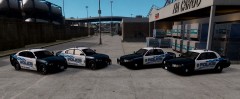 Looks very nice, especially the chargers.
 -
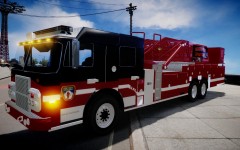 http://www.gta-modding-chest.com/database/281-spartan-gladiator-mid-mount-stmmv1-5wf/index.html
 -
http://www.gta-modding-chest.com/database/281-spartan-gladiator-mid-mount-stmmv1-5wf/index.html
-
From the album: Firefighter 5663 Fire/EMS Pics
-
Thank you
-
I saw this CVPI here: http://youtu.be/wm_HVCkoKus?t=5m15s at 5:15 mark, and I couldn't find it. Does anybody know where I can find this, and also the skin on this or if this is a clan model only? Thanks!
-
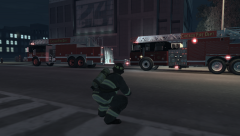 Nice picture
 -
I think they look legit. And off topic but do you know if they do textures for free or does it cost money?
-
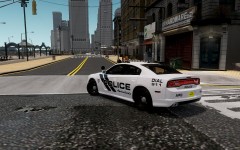 Where was this released at?


![[WIP] Ford E-450 Ambulance](http://s3-gallery.int-cdn.lcpdfrusercontent.com/gallery/album_1565/sml_gallery_65185_1565_78590.jpg)
