Firefighter 5663
Members
-
Joined
-
Last visited
Everything posted by Firefighter 5663
-
http://www.idigitaltimes.com/articles/21371/20140103/gta-v-pc-release-date-rumor-february.htm
-
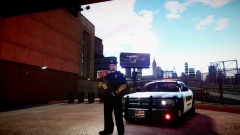 Can you please post some more pictures of it?
 -
I really like it! Although I suggest you use a different font other than that.
-
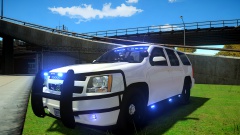 Looking pretty damn good! Can't wait to download this!
 -
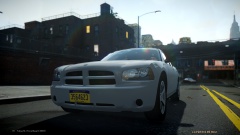 What ENB is that?
 -
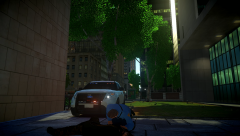 haha that's what I really wanted too!
 -
I really hope you release it!
-
Yes, It is not difficult, there are lots of video tutorials on how to do this kind of stuff on YouTube.
-
-
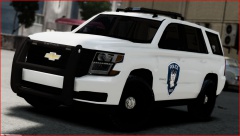 This looks awesome! But I think you need to fix the back as it is very boxy/pointy, and it doesn't actually look like that. Here is an example of how it looks: https://cgi.chevrolet.com/mmgprod-us/dynres/prove/image.gen?i=2015/CC15706/CC15706__1LZ/GBA_H2Y_RD4gmds6.jpg&v=deg02&std=true&country=US. And by the way that is a 2015 not a 2014 Tahoe.
 -
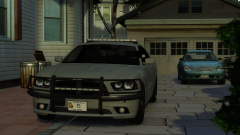 Amazing! Great job!
 -
'?do=embed' frameborder='0' data-embedContent>>
-
Now I crashed again, here's the LCPDFR.log: http://www.mediafire.com/view/vmohrx8vuuw2fbj/LCPDFR(2).log
-
https://www.mediafire.com/folder/jhrjgr26g2l94/Log%20Files
-
Ok so I think It maybe is my computer when all the AI police cars respond or are in a chase with me (when theres like 10-15 AI units) that then crashes my game. So my question is, how can I disable AI ELS so it doesn't crash my game?
-
-
I know this might be a common issue, but at various times while playing LCPDFR 1.0 it will crash, so far after playing 10 minutes I arrived at a drug deal and shots started ringing out and I got out the car and it crashed. Then loaded up my game again and started playing and about 20 minutes into playing I aimed my gun at a suspect and he started to put his hands up then the car crashed. I don't believe this is my computer and it is a pretty good PC. Any help would be appreciated but i'm sure it's just some bugs that will have to fixed and released in an update. Also one other problem, when I go to bring up quick menu using caps lock key, I can't move mouse so I can't pick anything but It brings up the menu.
-
-
-
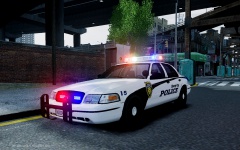 I would release it although it has been crashing people's games who have tested it so I have to fix that first. Glad you like it though.
 -
Can anybody help?
-
Hi everybody, i'm upgrading my computer and wondering what part(s) need an upgrade the most. I'm thinking the CPU & motherboard need most upgrading but need help to make sure what I buy is compatible with my computer and obviously I will also need to upgrade my motherboard. Here is what i'm thinking of upgrading to: CPU -----> AMD A10-5800K 3.8 Ghz http://www.amazon.com/AMD-A10-5800K-3-8Ghz-Processor-AD580KWOHJBOX/dp/B0095VP8D4/ref=zg_bs_229189_18. Motherboard -----> Maybe this? (not sure though) http://www.newegg.com/Product/Product.aspx?Item=N82E16813132045 Specs: Hewlett-Packard p6674y System Model Windows 7 Home Premium 64-Bit AMD Phenom II X4 820 Processor 6 GB Available Memory 919 GB Hard Disk AMD Radeon HD 7850 2GB 4 Processor Cores 500 Watt PSU AMD 785G Motherboard Thanks!
-
-
-
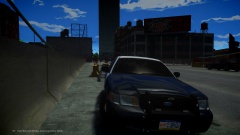 Awesome!!