


KennyAndrade
Members
-
Joined
-
Last visited
Everything posted by KennyAndrade
-
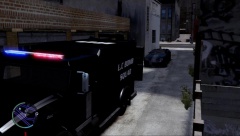
From the album: Random pictures
-
-
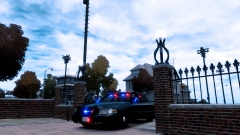 Thanks.
 -
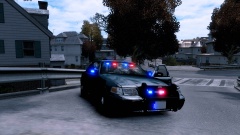 Thanks!
 -
No need. Their is a similar one on LCPD Modifications by Lccop
-
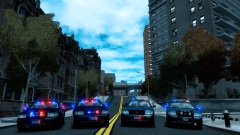
From the album: Random pictures
-
Nope. Private
-
-
From the album: Random pictures
-
From the album: Random pictures
-
Nice Work. The only thing is, is that the GrilleGuard was released by TraumaPak not BxBugs123
- 12 comments
- 2 reviews
-
-
-
-
-
'?do=embed' frameborder='0' data-embedContent>>
-
-
Neat Skin, I'd suggest adding more screenshots seen as half of the skin can't be seen because of the newspaper.
- 1 comment
- 2 reviews
-
-
![[WIP] K-9 Cage2](//s3-gallery.int-cdn.lcpdfrusercontent.com/gallery/album_2715/sml_gallery_65511_2715_1203800.png) As a DEV part? Maybe some other time.
As a DEV part? Maybe some other time. -
Sorry to rain on your parade but the valor was most definitely not released with ELS mapping. And as I recall you made a forum post requesting for someone to send you a valor, so it seems that they sent you one that was ELS mapped already. Sorry Bud.
- 7 comments
- 1 review
-
-

- 1
-
-
Portland Oregon CVPI Interceptor http://www.youtube.com/watch?v=6sb8Uu6plpY&feature=youtu.be Skins used:
- 13 comments
- 2 reviews
-
-
You aren't attaching your extras. First, take the extras out of avenger_2 and avenger, next, take out the corresponding extras from misc_x. Example: avenger and avenger_2 contain extra_1 and extra_3. You would take extra_1 and extra_3 from misc_x. Then, with selected mode off, go to modify,attach. Attach extra_1 to the other extra_1's and the same goes for extra_3. After they are attached you should have 1 extra_1 and 1 extra_3 move those back into misc_x.
-
Select the lights in Quadr, open the materials editor (red ball) find something along the lines of fslegend lightsemmisive make sure the first texture in the "..." area is the texture with the lights on it, then at the bottom of the materials editor hit "Assign to selection"


![[WIP] K-9 Cage2](http://s3-gallery.int-cdn.lcpdfrusercontent.com/gallery/album_2715/sml_gallery_65511_2715_1203800.png)
