iCrazyOfficial
Members
-
Joined
-
Last visited
Everything posted by iCrazyOfficial
-
-
-
 i will add that for the next update if you wanna beta test before drop on lspdfr will be on my patreon
- 36 comments
- 3 reviews
-
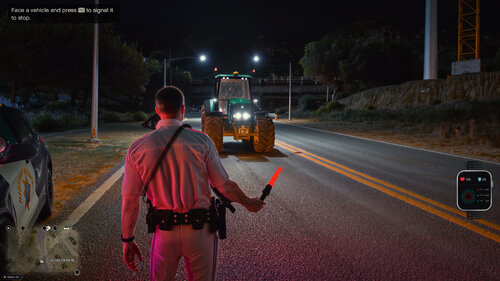 see whats coming next before anyone else https://www.patreon.com/iCrazyLinkz/posts/immersive-gear-174521450?utm_medium=clipboard_copy&utm_source=copyLink&utm_campaign=postshare_creator&utm_content=join_link join my discord for supports https://discord.gg/vb7TrdZgZy for Suggestions and bug https://discord.gg/sYJA8mysRM BETA Immersive Inventory — Gear up. Patrol. Bring the evidence home. Turn your LSPDFR patrol into a more hands-on police experience. Manage your equipment, search suspects and vehicles, collect evidence, and carry the gear you actually need. Drag-and-drop inventory: Choose what to take from PR vehicle searches and suspects’ pockets. Weapons and attachments: Equip firearms, manage compatible magazines and ammunition, and drag attachments onto supported weapons. Visible equipment: Carry long guns on your character, wear your duffel bag, and adjust its fit in-game. Placeable armories: Set up multiple equipment locations with officer staff, weapon categories, and equipment issue and returns. Evidence management: Bag evidence, link it to suspects, and store it until confirmed jail booking. Forensic photography: Photograph scenes through a dedicated camera viewfinder, saving pictures with incident details and timestamps. Police binoculars: Observe distant people, vehicles and locations with adjustable zoom. Bodycam immersion: Recording-style overlays, sounds and automatic activation during shooting or Code 3 response. Injury and recovery: Experience wounds, exhaustion, downed crawling, medical treatment and hospital recovery. Keyboard and controller support: Customizable controls, quick slots and one organized configuration file. Your equipment. Your evidence. Your patrol.
- 6 comments
- 2 reviews
-
-

-

- 3
-
-
so i got some good news guys i finally got a finish gas hose working i will try push a other update in few hours
- 36 comments
- 3 reviews
-
-
-
-
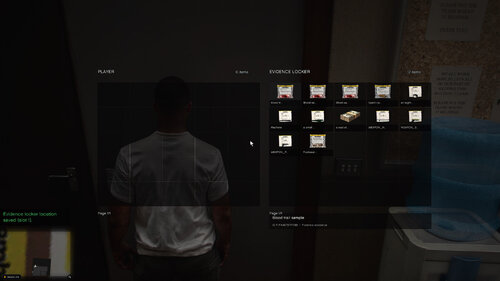 showcase Evidence System A custom forensic system that lets you investigate crime scenes, collect evidence, analyze fingerprints, examine bullet casings, and store evidence in police lockers. How to UseGo on duty with LSPDFR. Investigate crime scenes for blood, bullet casings, footprints, tire tracks, and handprints. Collect evidence using E or mark it using G. Visit a forensic desk to analyze evidence. Use a property locker to book and manage collected evidence. Main ControlsE — Collect evidence G — Mark evidence H — Inspect evidence marker F8 — Fingerprint scan F9 — Forensic desk / property locker B — Ballistics comparison F10 — Location Manager Insert — Book property evidence Important NotesAll controls and settings can be customized in EvidenceSystem.ini. Forensic records and locker contents automatically reset between game sessions. Requires GTA V Legacy, LSPDFR, and RAGE Plugin Hook.
- 9 comments
- 1 review
-
-
-
- 3
-
-
yes thats coming out on the new update if you want to see it now before i drop it on lspdfr its on my patreon which is free i posted all my new beta builds before it hit LSPDFR website
- 36 comments
- 3 reviews
-
-
hey dont make the changes in the ini if thats what your doing just go inside your vehicle and press F7 and you can change the map settings there there are more than one settings to pick from
- 36 comments
- 3 reviews
-
-
- 1
-
-
hmm thanks for pointing that out i will work on a fix for that forgot about it my bad
- 36 comments
- 3 reviews
-
 We need to add a few new features to make the mod more realistic and customizable. 1. Visible Body Armor We need an option in the INI file that allows us to set the body armor drawable and texture, something like: bodyarmor=10 bodyarmorTexture=1When we equip body armor, it should actually appear on our character. When we remove the armor, the vest should disappear and our original outfit should return. 2. Custom MDT and Phone Hotkeys We need customizable hotkeys for both the MDT and the phone. When we use the MDT, it should open the actual MDT mod we already have installed instead of a separate built-in MDT. The same should apply to the phone. We should be able to assign our own hotkey to open the phone mod we're currently using. All these hotkeys should be configurable through the INI file so players can choose whichever keys they prefer. 3. Realistic Bodycam System It would be dope to have a realistic police bodycam overlay displayed in the top-right corner of the screen. The overlay could show: AXON-style bodycam text and recording indicator. Officer information and department name. Current date and time. A recording status indicator. We should also have a customizable bodycam hotkey in the INI file. When we activate the bodycam, it should display the overlay and trigger our chosen gameplay recording hotkey, allowing us to record through software such as NVIDIA ShadowPlay or OBS. When we turn the bodycam off, the overlay should disappear and, if supported, the recording should stop.
-
The hot fix was updated on ScriptHookVDotNet3 Version 3.9.0.0 once’s I’m home I update it on the newest one my bad
- 36 comments
- 3 reviews
-
-
-
-
-
-
-
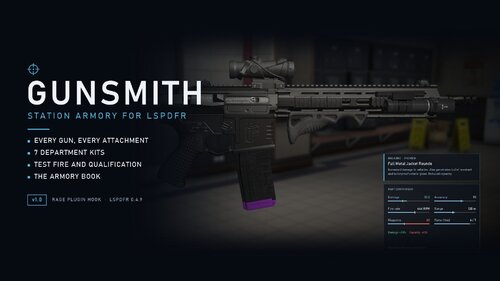 so have the DDM4V7 Package added weapon install but i can get the weapon to show up i can checkout the weapon but it dont show in the weapon inventory once i exit the armory the weapon is in my weapon wheel what am i doing wrong ?
- 23 comments
- 5 reviews
-
- us
- lspdfr plugin
- rph
- legacy
-
Tagged with:
-
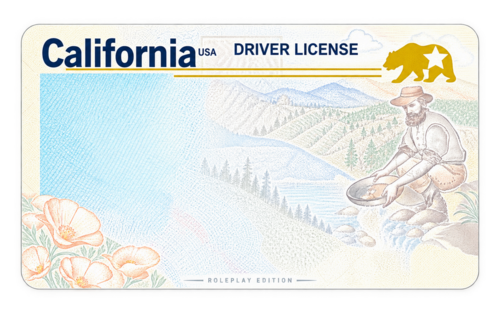 Comes with 5 states and UK ID along with Canadain Ontario IDs ⚠️ Usage & Ownership Notice This work was created by me specifically for Nexus MDT. DO NOT: Claim this work as your own. Sell or profit from this work. Re-upload or redistribute it without my permission. Repackage, rename, or release modified versions as your own creation. Remove or replace the original credits. You are welcome to use this work for its intended purpose with Nexus MDT, but please respect the time and effort that went into creating it. Credit must remain with the original creator. Made for Nexus MDT — All rights reserved by the original creator. iCrazyOfficial
-
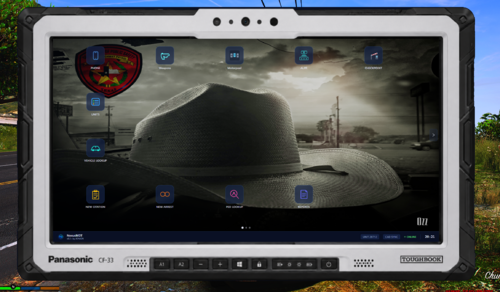 love it
-
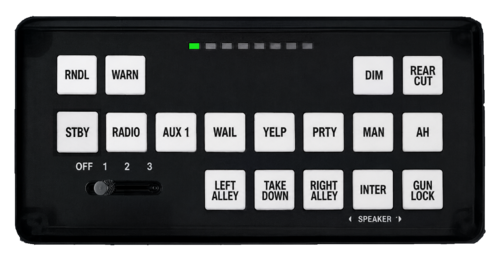 could you post a pic of what it look like?