


showcase
Evidence System
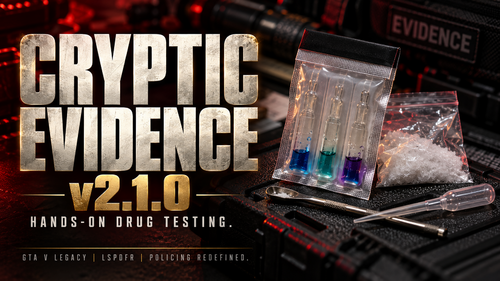
A custom forensic system that lets you investigate crime scenes, collect evidence, analyze fingerprints, examine bullet casings, and store evidence in police lockers.
How to Use
Go on duty with LSPDFR.
Investigate crime scenes for blood, bullet casings, footprints, tire tracks, and handprints.
Collect evidence using E or mark it using G.
Visit a forensic desk to analyze evidence.
Use a property locker to book and manage collected evidence.
Main Controls
E — Collect evidence
G — Mark evidence
H — Inspect evidence marker
F8 — Fingerprint scan
F9 — Forensic desk / property locker
B — Ballistics comparison
F10 — Location Manager
Insert — Book property evidence
Important Notes
All controls and settings can be customized in
EvidenceSystem.ini.Forensic records and locker contents automatically reset between game sessions.
Requires GTA V Legacy, LSPDFR, and RAGE Plugin Hook.
Edited by iCrazyOfficial
uploading video showcase of the mod and what or some of the things it can do.
What's New in Version 1.0.1
Released
Added support for custom PNG images for evidence items.
Search items display matching evidence images inside the locker.
Firearms, drugs, weapons, and other property have their own visual categories.
If an exact image isn't available, the system uses a suitable fallback icon.
All collected evidence is now automatically saved to your Evidence Locker.Each locker can store 25 evidence items by default.
Once your locker reaches its storage limit, the system automatically removes the oldest evidence to make room for newly collected items.
You can customize the maximum number of saved items in your locker settings.
Helps prevent evidence lockers from becoming overloaded with old items.
F10 Main Menu — One central menu for evidence collection, forensic tools, lockers, and settings.New Menu Design — Clean, semi-transparent black interface matching our Evidence Locker.
Controller Support — Navigate using PS5/Xbox D-pad, X/A to select, and Circle/B to go back.
Unified Locker System — Access the Evidence Locker, Forensic File Locker, and Forensic Desk through F10.
Backspace Navigation — Close locker and forensic interfaces and return to the F10 menu.
Smart Menu Options — Unavailable actions are grayed out when you're too far from evidence, lockers, or the forensic desk.
Location Manager — Place and save your Evidence Locker, Forensic File Locker, and Forensic Desk locations.
Reduced Keybinds — Most shortcuts are optional, with F10 becoming the main control.
Weapon System Fix — Removed automatic weapon confiscation so spawned weapons stay in your inventory.
Evidence Management — Continue collecting blood, shell casings, fingerprints, footprints, and other forensic evidence.
Short Description
AI disclosure
The author has disclosed that AI tools were used in creating the following aspects of this file:
- Mod and Mod Content (Moderate)
AI was used as a development assistant to help write, troubleshoot, and improve the C# code for EvidenceSystem
- E12, BRADPlays and HyperBlueSmart
-
 2
2
-
 1
1







![Riverside Department Pack [ EUP Pack FiveM Ready Replace ]](http://s3-screenshots.int-cdn.lcpdfrusercontent.com/resize/500/-/monthly_2026_10/image1.thumb.png.21ff38790ad75e97e1aff3b367b36fda.png)


Recommended Comments
Create an account or sign in to comment