
J T
Members
-
Joined
-
Last visited
Everything posted by J T
-
-
-
or he could of just waited until the next version comes out or wait until evcs is actually completely done for there to be something worthy of voting this thread is pointless
-
not its not out yet so you cant really make a comparison between the two
-
-
hell yeah good to see the nypd/lcpd patrolling after all it is liberty city
-
try removing gta iv exe from processes in task manager by ending process
-
I have all the vehicles els and non els but I would like to see a different set up to them....theres a bunch of lapd packs and theres a bunch of Alaska state trooper packs all im asking is if someone can make a pack with a different set up similar to the pics the vanilla cars have spotlights on them so I thought itd be cool to see a new set up on these cars
-
if you can have the option that would be nice so everyone is happy...but realistically dispatch lets the officers know of an incident that is happening and he can choose to responde to it or not rather then the officer asking the dispatch....you can have a key to disable callouts when at a scene of an incident that's one thing I didn't like about policing script
-
-
you just have to try different ones other wise go download other enb enhancing light files and try those like neolux
-
the enb bloom and enb effect fx files can change the way els lights look....what enb are you using?
-
its nickieb's 2012 charger
-
-
lcpdfr 1.0 will have longer chases but you can still have long ones in the current game ive had quite a few myself
-
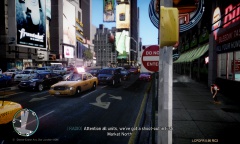
From the album: lcpdfr
-
-
-
I cannot believe the absurd comments on here how the lapd thugs were justified in shooting an unarmed man....you wonder why a lot of people hate cops? this video is one of the main reasons why and also this is the same department that open fired on a innocent civilian car back when dorner was on the run the lapd are nothing but a bunch of corrupt thugs that give good police officers a bad name there are some good lapd cops but this department has a long history of violence on innocent civilians
-
-
now it has a 100 percent bar on the bottom of the logo
-
the only thing I don't like about the newer chargers is the rear lights they are hideous they look like the lights off a sports car but the head lights are bad ass it gives it personality
-
-
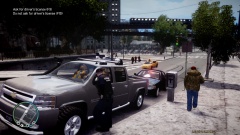 haha...he parked on the wrong side of the road and was sitting there for quite awile
 -
From the album: lcpdfr