Skip to content
View in the app

A better way to browse. Learn more.

LCPDFR.com

A full-screen app on your home screen with push notifications, badges and more.

To install this app on iOS and iPadOS
  1. Tap the Share icon in Safari
  2. Scroll the menu and tap Add to Home Screen.
  3. Tap Add in the top-right corner.
To install this app on Android
  1. Tap the 3-dot menu (⋮) in the top-right corner of the browser.
  2. Tap Add to Home screen or Install app.
  3. Confirm by tapping Install.

J T

Members
  • Joined

  • Last visited

Everything posted by J T

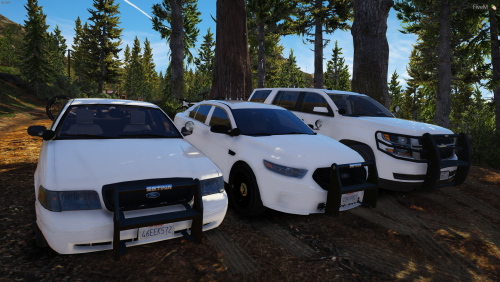
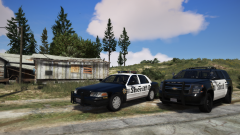
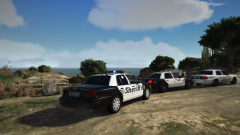
  1. J T posted a gallery image in GTA V Galleries
  2. J T posted a gallery image in GTA V Galleries
  3. J T posted a gallery image in GTA V Galleries
  4. J T posted a gallery image in GTA V Galleries
  5. J T posted a gallery image in GTA V Galleries
  6. yes i know but every vehicle released on here has a rambar, gets frustrating and repetitive after awhile....this truck sits to low anyway its almost light a low rider
  7. tahoe/suburban needs to be scaled in order for it to be a tahoe, tires are pretty big
  8. J T posted a gallery image in GTA V Galleries
  9. J T posted a gallery image in GTA V Galleries
  10. J T posted a gallery image in GTA V Galleries
  11. J T posted a gallery image in GTA V Galleries
  12. J T posted a gallery image in GTA V Galleries
  13. J T posted a gallery image in GTA V Galleries
  14. J T posted a gallery image in GTA V Galleries
  15. J T posted a gallery image in GTA V Galleries
  16. pretty stoked, cant wait to have the proper cars in the proper jurisdictions, i just hope the computer system has been updated so you dont have to type it in with a keyboard and more controller support....did not see this get talked about much
  17. J T posted a gallery image in GTA V Galleries
  18. J T posted a gallery image in GTA V Galleries

Account

Navigation

Search

Search

Configure browser push notifications

Chrome (Android)
  1. Tap the lock icon next to the address bar.
  2. Tap Permissions → Notifications.
  3. Adjust your preference.
Chrome (Desktop)
  1. Click the padlock icon in the address bar.
  2. Select Site settings.
  3. Find Notifications and adjust your preference.