


Lazerus
Members
-
Joined
-
Last visited
Everything posted by Lazerus
-
Just a skin pack, doesn't contain any cars within. So no, no els within the pack, just skins :)
- 14 comments
- 3 reviews
-
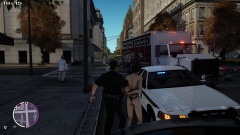 Should of worn my red ones, ah well
 -
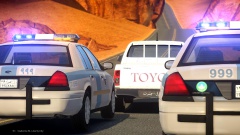 ghost cops vs ghost driver.. who shall win :P
 -
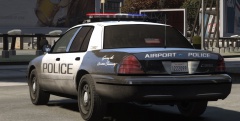 Hey you mind washing your squad car up, sheesshhhh some officers :P lol
 -
From the album: LCPDFR in game shots
dam right always fresh :) -
Hard to explain, I just cut the design I want out, and the lines come out crisp hehe. Guess thing is don't try to mess around with the shape too much or itll distort leaving you with un "crisp" lines. Thnx :)
- 14 comments
- 3 reviews
-
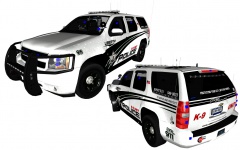 That's a nice skin you have there, looks sharp ;)
 -
-
-
-
-
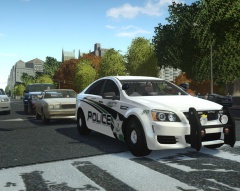 Thank yeah :)
 -
From the album: My screens/publications/ect
Its coming at you soon... I hope. -
Lazerus's Fictional LCPD Skin Pack 2 This skin is based off the Shorewood Police Dept. I hope you all enjoy it. Cheers, Laz
- 14 comments
- 3 reviews
-
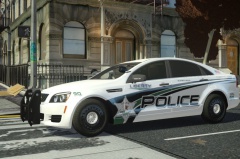 Thnx Vertex :) , you know its kind of funny, never have I even used a caprice in my game play till now, and its pretty sweet in game haha :P
 -
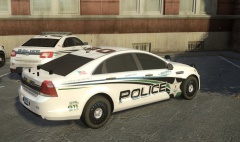
From the album: My screens/publications/ect
Back end shot on the Caprice. -
From the album: My screens/publications/ect
So little update, as I like to try to give them out when people are looking forward to something. So, I've finished the cvi, charger, tahoe, explorer, taurus, and now the caprice skins. Just have to make 4 skins for each with special numerical squad numbers for each and its good to go. -
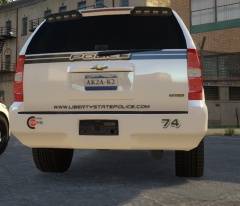 Its a private one, which is still being worked on, might show pics later of it once its all finished. Still adding a few touches to it.
 -
Yes, NickieB placed them great :)
-
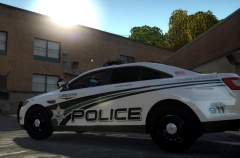 hehe, well I'm working hard here in my shop to get these skins out to everyone, keep an eye out :)
 -
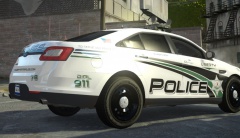 Thnx guys
 -
From the album: My screens/publications/ect
Back end of the Tahoe skin, need some input on this, some reason I'm happy but not happy with it. -
From the album: My screens/publications/ect
Another shot of the Taurus skin. -
From the album: My screens/publications/ect
So skin pack is going good, this is the interceptor, think it came out nicely. So far the charger,taurus,Tahoe are all completed, just have a few more to do and should be releasing the pack in next few days or so. -
 Vertex your a machine aren't you, you just keep making wicked things, keep it up bro


