


BJ USA
Members
-
Joined
-
Last visited
Everything posted by BJ USA
-
-
 🚨 Logistics Evolution: Introducing FleetExpress v6.9 - The Logistics & Delivery Overhaul Redefining asset selection and delivery for the modern law enforcement professional. Really, I made this mod because I got tired of picking a vehicle so I wanted a random spawner, and then I asked, what if I am playing as this agency and don't want a global random pull or to change it every game play, then, why can't it be delivered... and here we are. In the standard Los Santos environment, vehicle procurement is a matter of immersion-breaking teleportation or "magic" spawning. You press a button, and a car simply appears in your peripheral vision, shattering the illusion of a living, breathing world. This lack of logistical realism makes the transition between calls feel like a video game rather than a high-fidelity simulation. Today, we are deploying FleetExpress v6.9, a comprehensive immersion engine that replaces instant spawning with a realistic vehicle delivery and recovery framework. By injecting physical logistics into your patrol, we ensure that every asset—from a standard cruiser to a specialized recovery unit—arrives via road, driven by a technician, and anchored to realistic world coordinates. 🛠️ The Core Engine: "Behind-the-Back" Logistics FleetExpress doesn't just "create" vehicles; it simulates a delivery request from a centralized motor pool. The script utilizes a sophisticated Behind-the-Back Anchor logic to maintain the "First-Person" immersion of hardcore roleplay. Smart Selection Logic: When a request is initiated, the system projects a vector exactly 80 meters behind the player's current heading. It then performs a GetNextPositionOnStreet scan to find the nearest valid navigation node. Once a "snap" is confirmed, the system dispatches a technician driver to your location. This ensures that assets never manifest in mid-air or inside buildings, but instead arrive via recognized roadways. Q: Can I use any car? Yes - any vehicle's model name can be used. Q: What happens if I misspell a model name in the INI? The script will fail silently. No crash will occur, but the vehicle will simply not spawn. 📦 Feature Profiles 🔵 1. Technician Delivery The backbone of the mod. A technician physically drives your requested asset to your location, exits, and turns over the keys. Roleplay Tip: Wait on the sidewalk or shoulder. Once the driver exits, treat it as a formal "hand-off" from the motor pool. 🟢 2. The Global Wildcard A high-stakes draw that selects one random vehicle from any model listed in your entire .ini manifest. Roleplay Tip: Use this to simulate a "Motor Pool Shortage"—you must adapt your patrol tactics to whatever equipment the garage had available for your shift. 🟡 3. Recovery Team Protocol Dispatches a specialized two-man unit to your location for asset retrieval or personnel transport. Roleplay Tip: If your primary unit is disabled in a remote canyon, call for recovery and wait for the transport to arrive before clearing the scene. 🔴 4. Next Assignment Vehicle Automatically cycles your staging list to provide a fresh ride after a traffic stop or major call is completed. Roleplay Tip: Treat this as a "Shift Rotation." As the world evolves, so does your equipment, keeping your presence on the streets fresh and unpredictable. 📦 Installation Guide Prerequisites: RagePluginHook (RPH) and a valid LSPDFR installation are required. Deployment: Drop FleetExpress.dll and the provided FleetExpress.ini into your Grand Theft Auto V/Plugins/LSPDFR/ folder. Configuration: It is highly recommended to modify the agency and vehicle lists in the .ini before your first tour of duty. If the file is deleted, the system will auto-generate a default manifest upon launch. BJ-USA Municipal Systems: Integrated logistics for the high-fidelity responder. Short description: A professional community announcement for
 -
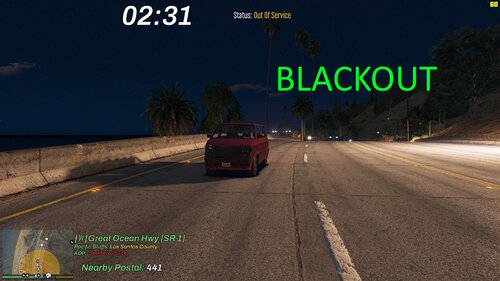 I am open to ideas. Can you describe what you're thinking? A fine system to outputs to a text file or something like Compulite, that tracks. Or I might can get creative. Thanks for your thoughts.
- 18 comments
- 1 review
-
 But wait, there's more!! I got really tired of empty ini files and empty read me. I'm contributing role play fake stuff to the role play fake world we all love to play in. SSL can be anything you imagine it to be, I didn't set limits. If it would help, I can add role play heavy and this is a bloated description for fun but I didn't think it was necessary so much :/ I agree this is the same, but different, for sure and I appreciate your thoughts. Building community is sharing work and sometimes everyone draws a circle. Your encouragement is genuinely appreciated in continuing the community, especially as a community leader! :) thank you! Working on a few more and always down for a good roast, I can laugh at myself a bit 😉 my descriptions are over the top for the reason I mentioned, and like I said, hold on to your hat for made up role play nonsense fun! What in the world does this mean "The Coordinate Logger is powered by the Spatial Synthesis Logic (SSL) enine. Unlike simple coordinate displays, SSL handles the heavy lifting of data formatting in real-time." "Real-Time C# Injection" You just format the string before writing a file, again flashy text for no reason lol Your description has so much flashy text it appears as if it's all made by AI. But you also appear to lie a bit because this is the same as all the other position loggers, just checks the position, heading, adds it to a formatted string and writes it to a file. I mean it works and overall is simple and good but you make some crazy claims here like this is black magic lmao, your pdf file has more lines than the code itself.
 -
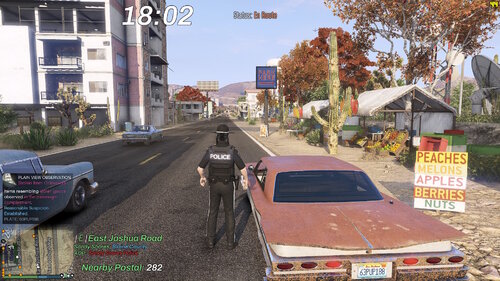 I did not support PolicingRedefined as it is being rebuilt. If enough people want it, I can have an option to support STP and PR. Thanks for your comment.
- 13 comments
- 2 reviews
-
-

- 3
-
-
🚨 Developer Utility: Introducing COORDINATE LOGGER v6.9 - The Precision Spatial Data EngineThe Hook: Why This MattersIn the vanilla modding workflow, capturing spatial data is a clunky, time-consuming process. Developers are often forced to juggle third-party trainers, "guess-and-check" coordinate plotting, or manual transcription from console overlays. This fragmented approach leads to "data drift"—where objects don't align quite right, or spawn points feel "off" because the measurements weren't captured with high-fidelity precision. COORDINATE LOGGER transforms the world of Los Santos into a high-fidelity drafting table. By integrating directly into the SHVDN environment, it allows scripters to maintain their "flow state" within the game engine. Instead of stopping to type or calculate, you simply move, trigger, and continue—knowing that your data is being perfectly formatted for your C# source code in a persistent background log. 🛠️ The Core Engine: "Spatial Synthesis Logic"The Coordinate Logger is powered by the Spatial Synthesis Logic (SSL) engine. Unlike simple coordinate displays, SSL handles the heavy lifting of data formatting in real-time. When the capture key is engaged, the script performs a high-speed poll of the player entity's Position and Heading vectors. It then automatically wraps this data in C#-ready syntax, specifically targeting the Vector3 class structure. The engine ensures that every floating-point number is appended with the f suffix, eliminating the need for manual cleanup or variable casting before compilation. 📍 Capture Profiles🔵 1. Static Vector Logging The primary function for world-building. Walk to any spot and capture the exact ground-level coordinates. SSL automatically rounds values to three decimal places for optimal code cleanliness. ⚪ 2. Heading Alignment Logs the 0-360 degree orientation of the player entity. This is an essential data point for ensuring spawned vehicles, peds, or props are correctly oriented relative to the world axis. 🟢 3. Real-Time C# Injection The script doesn't just save numbers; it saves executable code. The output is formatted as new Vector3(x, y, z);—ready for immediate copy-pasting into your scripts with no further modification required. 📦 Installation GuidePrerequisites: ScriptHookV: Latest version. ScriptHookV.NET (SHVDN): v3.6.0 or higher. Deployment: Download the CoordinateLogger.zip. Extract and drop CoordinateLogger.dll and CoordinateLogger.pdb into your /scripts/ folder. Launch GTA V and press F11 to log your first coordinate string. Configuration: Access the CoordinateLogger.txt in your scripts folder to retrieve your captured data. No restart required—the log updates in real-time as you capture points in-game. BJ-USA Development: Engineering the foundation of a digital state.
-
🚔 Equipment Enforcement: Introducing Road Worthy v6.9 - The Equipment & Standards Overhaul Dynamic vehicle safety violations for proactive traffic enforcement.In the standard Los Santos environment, every NPC vehicle is showroom-perfect. This lack of "vehicular decay" makes traffic enforcement feel repetitive and purely RNG-based. Today, we are deploying Road Worthy, a background simulation engine that injects realistic mechanical failures and safety violations into the world, giving you legitimate, visual probable cause for every stop. 🛠️ The Core Engine: "Probable Cause Generator"Road Worthy doesn't just spawn blips; it physically alters the state of nearby vehicles to create observable equipment violations. Blips and violations can be toggled in the highly customizable .ini file. Smart Selection Logic: The system scans a 500m radius and intelligently selects candidates for "Road Worthiness" issues. It ignores emergency vehicles, taxis, and buses (customizable) to ensure your immersion is never broken by a broken LSPD cruiser. 🚦 Violation Profiles1. Ghost Cars (Purple) Operating a vehicle at night (19:00 - 06:00) with no exterior lights. These are high-priority targets and extremely dangerous on high-speed transitions. 2. Headlight Failure (White) The classic "one-eyed jack." The system physically smashes one headlamp, creating the most common pretext stop in modern policing. 3. Smoking Emissions (Grey) Simulates a total engine failure or extreme lack of maintenance. Grey smoke billows from the hood, perfect for "Unsafe Vehicle" citations. 4. Safety Glass (Blue) Side windows are shattered, simulating a recent break-in or road debris damage. Great for "Welfare Checks" or "Stolen Vehicle" investigations. 5. Doors Ajar (Yellow) A passenger or driver door is physically unlatched and swinging while the vehicle is in motion. Cite for "Failure to Secure Load." 6. Rear Mechanical (Pink) Simulates frame damage or post-collision neglect. The rear of the vehicle is physically deformed with non-functional tail lights. 📦 Installation GuidePrerequisites: SHVDN (ScriptHookV.NET) is required. Deployment: Drop RoadWorthy.dll and RoadWorthy.pdb into your /scripts/ folder. Configuration: The mod will generate RoadWorthy.ini on the first launch. Adjust the GlobalViolationChance to control how "decrepit" your city feels. BJ-USA Municipal Systems: Keeping the roads safe, one citation at a time.
- 18 comments
- 1 review
-
-

-
- 6
-
-
👁️ Investigative Awareness: Introducing Project: Plain View v6.9 - The "Living Database" for LSPDFRIn LSPDFR, you usually can't tell what’s actually in a car until you use a specific menu to "Search" it. This mechanical limitation often breaks the flow of a proactive patrol. Today, I am officially launching Project: Plain View (PPV)—a specialized perception engine that allows your character to "observe" contraband in plain view just by walking past or looking into a vehicle. 🚀 The Core Philosophy: "Natural Observation"Unlike traditional mods that require you to guess what’s inside a vehicle, PPV bridges the gap between game mechanics and real-world law enforcement intuition. The Living Database: The system stays "in-sync" with the same items you'd find in a physical search by reading directly from VehicleItems.xml. Upon duty initialization, a database scan ensures detected contraband remains consistent with the vehicleitems.xml. 🛠️ Key Features1. Contextual Perception Engine PPV utilizes proximity and line-of-sight to simulate an officer’s "quick glance." Visual Logic: If a weapon, drug paraphernalia, or an open container is sitting on the passenger seat, your character recognizes it instantly without needing a warrant or a physical search. 3.5m Detection Radius: Designed for realism; you must be close enough to actually see through the glass for the perception to trigger. 2. Multi-Tiered Alert System Information is delivered via color-coded HUD notifications (Stop The Ped style) to help you categorize threats instantly: Weapons (Orange): Firearms, ammo, and holsters. Narcotics (Yellow): Bags, scales, and paraphernalia. Intoxicants (Blue): Open beer bottles, flasks, and liquor. Stolen Goods (Green): Jewelry, electronics, and suspicious cash. Criminal Tools (Grey): Masks, lockpicks, and crowbars. 3. Fully Customizable Intelligence The system is as smart as you make it. All keywords in the detection categories can be fully customized via the .ini file. Want to add "Illegal Fireworks" or "Explosives"? Simply add the keyword and the mod handles the rest. 4. The Authenticity Protocol Because PPV reads directly from the VehicleItems.xml database, there is no "cheating." If the mod alerts you to a "Weapon" in the front seat, a subsequent physical search via Stop The Ped will likely yield something (illegal, or not) from that category, maintaining 100% roleplay integrity. 📦 Installation GuideDeploying your surveillance net is straightforward: Prerequisites: Ensure you have LSPDFR and Stop The Ped installed. Deployment: Drop ProjectPlainView.dll, ProjectPlainView.pdb, and the accompanying .ini file into your /plugins/LSPDFR/ folder. Initialization: Go on-duty. The system will automatically scan your vehicle item pools and initialize the perception loop. If you ever delete the .ini, the system will intelligently regenerate a default one for you on launch. 📝 SummaryProject: Plain View v6.9 isn’t just a script; it’s a total overhaul of how you interact with the world around you. It removes the "blindness" of the default LSPDFR experience, rewards observant patrolling, and gives you the legal probable cause you need based on what you actually see. Ready to see what they're hiding? Look closer. BJ-USA Investigative Surveillance: Awareness Systems for the Modern Age.
- 13 comments
- 2 reviews
-
-
- 2
-
-
-
-
.thumb.jpg.309c1e66685936698b6203b8c8201cd8.jpg) 🧹 Dispatching Efficiency: Introducing StreetSweeper Impound v6.9 - *Does not disrupt any other mod or towing feature*Running a clean jurisdictional operation in San Andreas has always been a logistical nightmare. Between pathfinding-heavy NPC tow trucks causing traffic jams and the performance hit of complex AI scripts, the "immersion" often comes at the cost of stability. Today, I am officially launching StreetSweeper Impound (SSI)—the invisible logistics backbone for your law enforcement and municipal roleplay. 🚀 The Core Philosophy: "Invisible Logistics"Unlike traditional towing mods that rely on a physical truck driving to a location, SSI utilizes a Despawn-Triggered Clearance system. It makes a simple, realistic assumption: The moment you turn the corner, the city's infrastructure takes over. By removing the need for physical NPC drivers, SSI provides a zero-lag environment while maintaining high-fidelity roleplay standards. 🛠️ Key Features1. Intelligent Tagging SystemUsing precision raycasting and proximity, officers can "Tag" any vehicle for recovery with a single keystroke. Raycast Precision: Prioritizes the vehicle directly in your line of sight. Void Logic: Made a mistake? Press the tag key again to cancel the recovery request before it processes. 2. Multi-Agency BrandingWhether you are patrolling the city streets or the desert highways, SSI adapts to you. The built-in MDT allows for instant switching between: LSPD: Classic Blue UI & Markers. BCSO: Tactical Tan & Gold. LSSD: Professional Stone/Brown. SAHP: High-Visibility Green. 3. Dynamic Revenue ScalingYour efforts are rewarded based on the complexity of the recovery: Difficulty Surcharges: Industrial vehicles like buses and trucks generate 300% base revenue. Damage Premiums: Recovering a totaled asset requires more municipal resources, resulting in higher fines awarded to your shift total. 4. Priority Clearance (The "K" Factor)In emergency situations where a scene needs to be cleared immediately for medical or tactical reasons, the Priority Clearance key bypasses all distance checks and clears your tagged queue instantly. 📦 Installation GuideSetting up your recovery network is straightforward: Prerequisites: Ensure you have Script Hook V and Script Hook V .NET (v3.0+) installed. Deployment: Drop StreetSweeperImpound.dll and the accompanying .ini file into your /scripts/ folder. Configuration: Open the .ini file to customize your BaseFine, DespawnDistance, and keybinds. If you ever delete this file, the system will intelligently regenerate a default one for you on launch. 📝 SummaryStreetSweeper Impound v6.9 isn't just a script; it’s a tool for serious roleplayers who value their frames-per-second as much as their realism. It streamlines scene sanitization, rewards proactive patrolling, and brings a professional municipal feel to every shift. Ready to clean up the streets? Tag your first asset today. BJ-USA Logistics: Municipal Systems for the Modern Age.
🧹 Dispatching Efficiency: Introducing StreetSweeper Impound v6.9 - *Does not disrupt any other mod or towing feature*Running a clean jurisdictional operation in San Andreas has always been a logistical nightmare. Between pathfinding-heavy NPC tow trucks causing traffic jams and the performance hit of complex AI scripts, the "immersion" often comes at the cost of stability. Today, I am officially launching StreetSweeper Impound (SSI)—the invisible logistics backbone for your law enforcement and municipal roleplay. 🚀 The Core Philosophy: "Invisible Logistics"Unlike traditional towing mods that rely on a physical truck driving to a location, SSI utilizes a Despawn-Triggered Clearance system. It makes a simple, realistic assumption: The moment you turn the corner, the city's infrastructure takes over. By removing the need for physical NPC drivers, SSI provides a zero-lag environment while maintaining high-fidelity roleplay standards. 🛠️ Key Features1. Intelligent Tagging SystemUsing precision raycasting and proximity, officers can "Tag" any vehicle for recovery with a single keystroke. Raycast Precision: Prioritizes the vehicle directly in your line of sight. Void Logic: Made a mistake? Press the tag key again to cancel the recovery request before it processes. 2. Multi-Agency BrandingWhether you are patrolling the city streets or the desert highways, SSI adapts to you. The built-in MDT allows for instant switching between: LSPD: Classic Blue UI & Markers. BCSO: Tactical Tan & Gold. LSSD: Professional Stone/Brown. SAHP: High-Visibility Green. 3. Dynamic Revenue ScalingYour efforts are rewarded based on the complexity of the recovery: Difficulty Surcharges: Industrial vehicles like buses and trucks generate 300% base revenue. Damage Premiums: Recovering a totaled asset requires more municipal resources, resulting in higher fines awarded to your shift total. 4. Priority Clearance (The "K" Factor)In emergency situations where a scene needs to be cleared immediately for medical or tactical reasons, the Priority Clearance key bypasses all distance checks and clears your tagged queue instantly. 📦 Installation GuideSetting up your recovery network is straightforward: Prerequisites: Ensure you have Script Hook V and Script Hook V .NET (v3.0+) installed. Deployment: Drop StreetSweeperImpound.dll and the accompanying .ini file into your /scripts/ folder. Configuration: Open the .ini file to customize your BaseFine, DespawnDistance, and keybinds. If you ever delete this file, the system will intelligently regenerate a default one for you on launch. 📝 SummaryStreetSweeper Impound v6.9 isn't just a script; it’s a tool for serious roleplayers who value their frames-per-second as much as their realism. It streamlines scene sanitization, rewards proactive patrolling, and brings a professional municipal feel to every shift. Ready to clean up the streets? Tag your first asset today. BJ-USA Logistics: Municipal Systems for the Modern Age. -
.thumb.jpg.f4bc86873cf1a46a9783299afc052cf4.jpg) Street-Legal-Enforcement V6.9A precision enforcement tool for Law Enforcement roleplay, designed for verifying vehicle equipment compliance, window tint levels, and license plate legitimacy. 👮 CORE FEATURESVLT Spectrometer Tool Portable device used to measure Window Tint percentages. Deployable via the [T] key when standing near a vehicle. Provides digital readouts to serve as evidence for citations. Neon & Underglow Detection Integrated logic to identify illegal roadway lighting. Supports a wide range of vehicle classes and custom lighting setups. Note on Neon Spawning: While the engine naturally spawns neon lights on select ”tuner” cars, this mod expands this variety significantly across a wider range of vehicle classes if enabled in the configuration. Plate Style Identification Recognition logic to help officers identify misused "Show Plates," "Antique" tags, or retired registration styles. Facilitates the discovery of "Exempt" or "Souvenir" plates being used on unauthorized vehicles by flagging restricted plate indices. All based on .ini settings and role play opportunities ⚙️ TECHNICAL SPECIFICATIONSEnsure all three files are present in your directory for full functionality: Street-Legal-Enforcement.dll Street-Legal-Enforcement.pdb Street-Legal-Enforcement.ini (Use this file to customize detection thresholds and keybinds) Note on Accuracy: While game engine lighting can vary visually, the Spectrometer tool provides the authoritative VLT reading for all legal and enforcement proceedings. 📋 ENFORCEMENT PROTOCOLObservation: Identify visual non-compliance, such as illegal underglow or suspicious plate types. Verification: Initiate a traffic stop and utilize the VLT Spectrometer to confirm exact tint levels. Action: Reference the tool’s output to justify equipment violation charges. Check out https://www.youtube.com/@pixelpgaming to see a normal guy playing GTA 5 LSPDFR. BJ-USA
Street-Legal-Enforcement V6.9A precision enforcement tool for Law Enforcement roleplay, designed for verifying vehicle equipment compliance, window tint levels, and license plate legitimacy. 👮 CORE FEATURESVLT Spectrometer Tool Portable device used to measure Window Tint percentages. Deployable via the [T] key when standing near a vehicle. Provides digital readouts to serve as evidence for citations. Neon & Underglow Detection Integrated logic to identify illegal roadway lighting. Supports a wide range of vehicle classes and custom lighting setups. Note on Neon Spawning: While the engine naturally spawns neon lights on select ”tuner” cars, this mod expands this variety significantly across a wider range of vehicle classes if enabled in the configuration. Plate Style Identification Recognition logic to help officers identify misused "Show Plates," "Antique" tags, or retired registration styles. Facilitates the discovery of "Exempt" or "Souvenir" plates being used on unauthorized vehicles by flagging restricted plate indices. All based on .ini settings and role play opportunities ⚙️ TECHNICAL SPECIFICATIONSEnsure all three files are present in your directory for full functionality: Street-Legal-Enforcement.dll Street-Legal-Enforcement.pdb Street-Legal-Enforcement.ini (Use this file to customize detection thresholds and keybinds) Note on Accuracy: While game engine lighting can vary visually, the Spectrometer tool provides the authoritative VLT reading for all legal and enforcement proceedings. 📋 ENFORCEMENT PROTOCOLObservation: Identify visual non-compliance, such as illegal underglow or suspicious plate types. Verification: Initiate a traffic stop and utilize the VLT Spectrometer to confirm exact tint levels. Action: Reference the tool’s output to justify equipment violation charges. Check out https://www.youtube.com/@pixelpgaming to see a normal guy playing GTA 5 LSPDFR. BJ-USA -
-
.thumb.png.656f907bc2febc81911b0b821cb502c8.png) I appreciate it. I tried going to alpha 1.52 but the data mismatch persists. Maybe I should go back farther? For example, this person is Noah Sharpe, but it's owned by family member Michael Sharpe. When it populates in ReportsPlus, the will share they same name of Noah, instead of the last name. Sometimes it's just completely different, but it seems to be regularly matching first names in ReportsPlus, despite having matching last names in STP. Thanks again just for reading.
I appreciate it. I tried going to alpha 1.52 but the data mismatch persists. Maybe I should go back farther? For example, this person is Noah Sharpe, but it's owned by family member Michael Sharpe. When it populates in ReportsPlus, the will share they same name of Noah, instead of the last name. Sometimes it's just completely different, but it seems to be regularly matching first names in ReportsPlus, despite having matching last names in STP. Thanks again just for reading.- 339 comments
- 43 reviews
-
.thumb.png.b720b5645f892097ea730cac04d3277f.png) 🏎️ Speedometer Simple (MPH)A high-performance, minimalist C# script for Grand Theft Auto V that provides a clean, reactive digital MPH display. Designed for players who want essential data without cluttering the screen with gauges. 📦 Included FilesSpeedometerSimple.dll — The main script assembly. SpeedometerSimple.pdb — Program database for debugging support. SpeedometerSimple.ini — User settings (auto-generated on first run). ✨ Key FeaturesReal-Time MPH Tracking: High-precision speed calculation calibrated specifically for MPH. Reactive Color HUD: The display automatically shifts colors to alert you of high speeds: 🟢 1-69 MPH: Neon Green 🟡 70-79 MPH: Warning Yellow 🔴 80+ MPH: Danger Red Interactive Menu (F10): Adjust the UI position and size in real-time. 🛠️ InstallationPrerequisites: Script Hook V Script Hook V .NET Deployment: Place SpeedometerSimple.dll and SpeedometerSimple.pdb into your GTA V/scripts/ folder. The NativeUI Requirement: Many users forget this! You must place NativeUI.dll directly into your GTA V/scripts/ folder (the same place as this mod) for the F10 menu to function. Launch: Press F10 in-game to open the configuration menu. 💡 Pro-Tips & TricksThe "Clean Shot" Trick: If you want to take a cinematic screenshot without the speedometer, simply use the Rockstar Editor or a trainer to hide the HUD; this mod follows the global HUD visibility settings and will disappear automatically. Instant Reload: If you edit the .ini file manually while the game is running, press the Insert key on your keyboard. This triggers Script Hook V .NET to reload all scripts, applying your new coordinates instantly without restarting the game. Performance Note: This mod is "Zero-Impact." It detects when you exit a vehicle and stops all calculations, meaning it won't eat up your CPU while you're in a shootout or walking around. Troubleshooting: If the menu doesn't open, ensure NativeUI.dll is not "Blocked" by Windows. Right-click the file -> Properties -> Check "Unblock" at the bottom if it appears. Safe driving is optional. A clean HUD is mandatory.
🏎️ Speedometer Simple (MPH)A high-performance, minimalist C# script for Grand Theft Auto V that provides a clean, reactive digital MPH display. Designed for players who want essential data without cluttering the screen with gauges. 📦 Included FilesSpeedometerSimple.dll — The main script assembly. SpeedometerSimple.pdb — Program database for debugging support. SpeedometerSimple.ini — User settings (auto-generated on first run). ✨ Key FeaturesReal-Time MPH Tracking: High-precision speed calculation calibrated specifically for MPH. Reactive Color HUD: The display automatically shifts colors to alert you of high speeds: 🟢 1-69 MPH: Neon Green 🟡 70-79 MPH: Warning Yellow 🔴 80+ MPH: Danger Red Interactive Menu (F10): Adjust the UI position and size in real-time. 🛠️ InstallationPrerequisites: Script Hook V Script Hook V .NET Deployment: Place SpeedometerSimple.dll and SpeedometerSimple.pdb into your GTA V/scripts/ folder. The NativeUI Requirement: Many users forget this! You must place NativeUI.dll directly into your GTA V/scripts/ folder (the same place as this mod) for the F10 menu to function. Launch: Press F10 in-game to open the configuration menu. 💡 Pro-Tips & TricksThe "Clean Shot" Trick: If you want to take a cinematic screenshot without the speedometer, simply use the Rockstar Editor or a trainer to hide the HUD; this mod follows the global HUD visibility settings and will disappear automatically. Instant Reload: If you edit the .ini file manually while the game is running, press the Insert key on your keyboard. This triggers Script Hook V .NET to reload all scripts, applying your new coordinates instantly without restarting the game. Performance Note: This mod is "Zero-Impact." It detects when you exit a vehicle and stops all calculations, meaning it won't eat up your CPU while you're in a shootout or walking around. Troubleshooting: If the menu doesn't open, ensure NativeUI.dll is not "Blocked" by Windows. Right-click the file -> Properties -> Check "Unblock" at the bottom if it appears. Safe driving is optional. A clean HUD is mandatory. -
 Added a bunch of vectors with proper headings, these were captured by hand: private readonly (Vector3 pos, float heading)[] blaineCountySpawns = { (new Vector3(2426.005f, 2893.755f, 39.757f), 315.682f), (new Vector3(2800.569f, 3410.840f, 55.265f), 334.474f), (new Vector3(2782.182f, 4537.769f, 45.862f), 14.626f), (new Vector3(2668.800f, 4955.232f, 44.246f), 11.227f), (new Vector3(2603.198f, 5286.061f, 44.104f), 17.229f), (new Vector3(1842.502f, 6371.044f, 40.054f), 79.999f), (new Vector3(1401.671f, 6489.430f, 19.703f), 76.983f), (new Vector3(571.797f, 6556.521f, 27.462f), 84.742f), (new Vector3(-965.713f, 5417.881f, 38.817f), 118.630f), (new Vector3(-1445.328f, 5071.627f, 61.249f), 127.512f), (new Vector3(-2231.715f, 4319.681f, 47.999f), 158.729f), (new Vector3(1913.825f, 3626.379f, 33.324f), 297.283f), (new Vector3(2311.828f, 3845.865f, 34.238f), 354.666f), (new Vector3(2722.210f, 4377.139f, 47.093f), 300.105f), (new Vector3(2071.439f, 3055.153f, 45.603f), 243.161f) }; private readonly (Vector3 pos, float heading)[] losSantosSpawns = { (new Vector3(1585.724f, -994.692f, 59.576f), 299.646f), (new Vector3(2467.166f, -156.913f, 88.435f), 334.078f), (new Vector3(2554.416f, 777.331f, 89.473f), 14.106f), (new Vector3(-3002.615f, 422.426f, 14.522f), 174.479f), (new Vector3(-2438.295f, -234.612f, 15.937f), 242.858f), (new Vector3(-454.835f, -545.044f, 25.118f), 340.849f), (new Vector3(1132.927f, -1876.680f, 30.579f), 202.668f), (new Vector3(1817.543f, 2133.373f, 54.093f), 188.367f), (new Vector3(2568.631f, 483.713f, 108.058f), 181.073f), (new Vector3(1377.448f, 688.062f, 78.825f), 140.195f), (new Vector3(-1698.002f, 867.090f, 146.550f), 330.646f), (new Vector3(-1530.274f, 1414.908f, 122.534f), 313.971f), (new Vector3(-1472.943f, 2030.788f, 64.130f), 27.114f), (new Vector3(-1363.992f, 2161.210f, 51.292f), 329.349f), (new Vector3(-1153.751f, 2641.986f, 15.755f), 133.056f), (new Vector3(-1940.944f, 657.573f, 123.814f), 152.401f) }; private readonly (Vector3 pos, float heading)[] lsiaSpawns = { (new Vector3(-871.255f, -2421.678f, 13.473f), 71.364f), (new Vector3(-1047.148f, -2715.130f, 13.209f), 240.530f), (new Vector3(-868.342f, -2633.694f, 13.490f), 328.651f), (new Vector3(-572.982f, -2211.542f, 5.464f), 139.273f), (new Vector3(-1000.008f, -2098.143f, 11.864f), 101.621f), (new Vector3(-1093.378f, -2025.239f, 12.553f), 213.849f), (new Vector3(-781.195f, -2177.081f, 15.272f), 133.228f), (new Vector3(-1081.490f, -2589.566f, 19.605f), 150.086f) };
- 84 comments
- 1 review
-
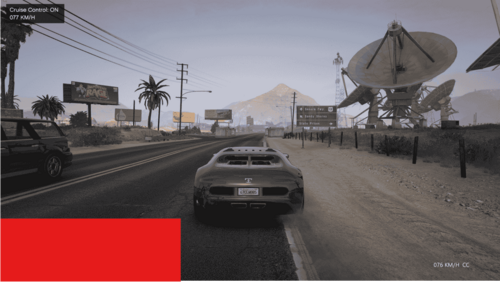 Is there any way to be able to place this using x,y coordinates instead of only the two position options? Thanks!
 -
This is absolutely my preferred program. Everything about it is great. The most recent release, however wasn't tested with stop the ped as explicitly stated and I feel like there is a lot of mismatched data in my mdt. I've tried to fix it in different ways, but I need to stop the ped because policing redefined isn't ready yet (I tried real hard and look forward to the future with it, later) so it'd be nice to make sure they work together. Maybe user error but I believe I've tried everything.
- 339 comments
- 43 reviews
-
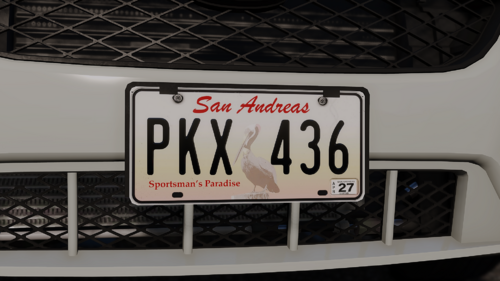 This would be amazing but it would require modification of Callout Interface. You can pick your plates and rename them to the ones in the callout texture folder, but Callout Interface limits the plates to those few random choices in the folder.
 -
Same issue. Happened after the patch. I had NVE installed already. I didn't change anything which was interesting. The game functions fine though. Stable game prior to the most recent GTA 5 and LSPDFR updates.
-
-
 Good start. Could add expired inspection, missing inspection, illegal inspection, visible outline of a concealed weapon or paraphernalia, unusual object (safe, body, et cetera), overpowering air freshener, smell of gasoline, blood stained clothes (on ped or off), excessive drowsiness, visible syringe or other paraphernalia, object hanging from rear view mirror, excessive cash, broken ignition (missing, screwdriver or other tool jammed in, hanging ignition wires, etc), excessive garbage, unusual odors (gasoline, burnt oil Lots of opportunities. Open Source would be great. Thanks for your hard work!
 -
I was thinking of making the ALPR in game dynamic to go along with AddOn Plates (https://www.gta5-mods.com/paintjobs/new-license-plates-add-on). Maybe I'll just suggest it here. Instead of having the one plate as a static image, it would be nice if it changed depending on which plate was being scanned.
- 339 comments
- 43 reviews
-
 While it may seem obvious or inherent, can you explain the .ini features? The readme is bare. What is the vehicle scan? Is it scanning for traffic violations or move over or? What is stop distance? True Vehicle speed? [General] EnableMoveOver=False VehicleScanRange=60 TrueVehicleSpeed=True [Behavior] StopDistance=15 StopSignRunPercent=5 YieldFailPercent=5 [Logs] EnableDebugLogging=False EnableLogging=False Thanks! Great mod!
- 128 comments
- 14 reviews
-
 Can you discuss these settings? [Same-sideYieldParams] SameSideYieldCompletionDistance=3 SameSideYieldAbandonDistance=45 SameSideYieldTimeoutMs=3000 SameSideYieldWaitDurationMs=3000 I'd be curious about the others too but mainly these. Thanks
- 110 comments
- 19 reviews
-
-
-
- 2
-

.thumb.jpg.309c1e66685936698b6203b8c8201cd8.jpg)
.thumb.jpg.f4bc86873cf1a46a9783299afc052cf4.jpg)
.thumb.png.b720b5645f892097ea730cac04d3277f.png)
.thumb.png.656f907bc2febc81911b0b821cb502c8.png)

