


MadMod101
Members
-
Joined
-
Last visited
Everything posted by MadMod101
-
-
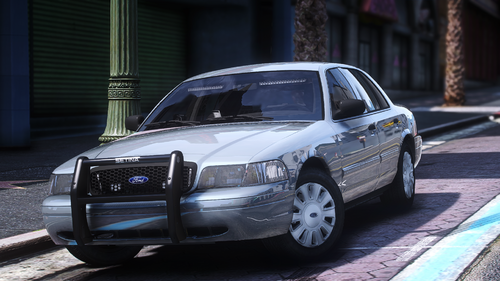 What a spectacular vehicle! Immaculate attention to detail! The reflection of the surroundings in the glass is phenomenal! I will be driving this regularly! Outstanding work!
 -
it says "// --- MAIN CONFIGURATION FILE ---" so yes, you found it
-
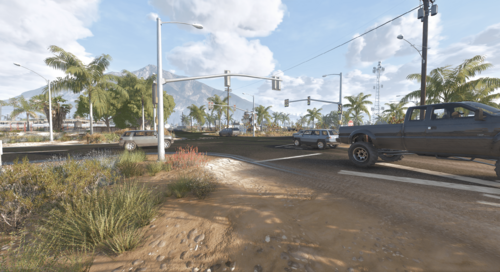 ok, mate, everything that I mentioned was fixed. But why in the world do you have a stop light a Palmer & Taylor Power Station??? That is not a thru road and regular civilian autos and bikes shouldn't be turning there. Also, there are still speed concerns on Senora Way and on Route 68 where you've made the lights. And in Grapeseed, Seaview light has everyone stopping and going at the same time causing chaos. Joshua and Seaview light autos are stopping on the incorrect side of the road when the light is red for the opposite traffic on the correct side. Actually just double checked and the light at Panorama and Cholla the autos are still stopping past the light. Happy Modding!
 -
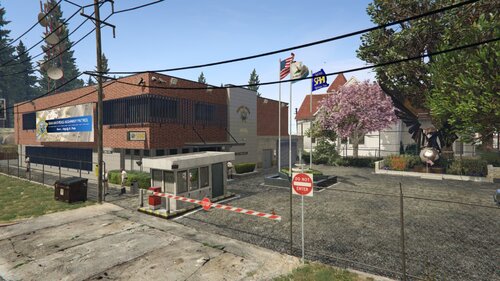 fantastic addition to Paleto Bay that makes it easier to roleplay SAHP on the countryside! Keep up the amazing mods
 -
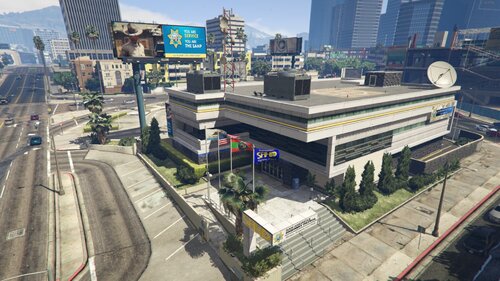 absolutely brilliant work! this is an amazing, much needed addition to the LSPDFR roleplay
 -
Would there be any fix to the vehicles stopping at the intersection of Panorama and Cholla, and vehicles passing through the gas station in Sandy like it is part of the road? Could also use a speed increase as the limit is 50mph on E Joshua and everyone is going less than 30mph Using SP for LSPDFR
-
 I just love this pack!
 -
This is a great pack! Very nice Prisoner Transport. Haven't seen 1 like this before! All well done!
-
 This mod is great! I like the dynamics of the traffic during the specified, customizable, time for more realism with traffic! I can't believe I missed this for a whole week! Keep up the great work! Happy Modding!!
 -
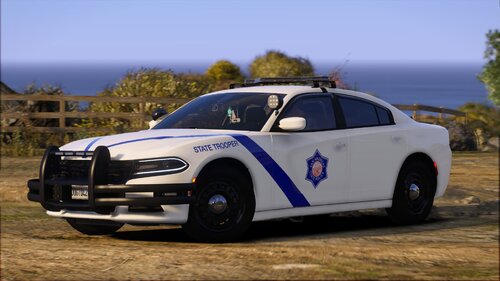 Best lore-friendly State Trooper inspired ASP livery out there!
 -
Version 3351 is out now and I'm just like...if only I could have a couple of months without an update just to be able to regularly make content for once
-
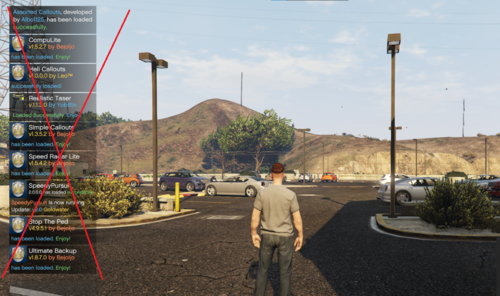 Of course, there are always other ways of doing things other than installing a plug-in that terminates important notifications to make sure the plug-ins stay updated and not cause LSPDFR to crash. For instance, hold down the ALT key on your keyboard and they will instantly disappear. Same works with holding DpadDown on Xbox controller until they disappear instantly. Happy Modding!
 -
amazing livery and I love that it is lore friendly!
-
 You actually can edit the weather via this path in OpenIV: (Grand Theft Auto V\mods\update\update.rpf\common\data\levels\gta5) and edit the "weather.xml" file. It is pretty customizable where you can make the weather cycle whatever you want as long as you stick to the parameters given in the file (including modifying the timecycle multiplier for each weather cycle). It's pretty easy and you can set/remove weather types to what you like; including adding snowy/wintry weather and removing Neutral/Halloween weather. It is very difficult to actually tell where the game is in the weather cycle because of it's randomness but this mod will create it's own time/weather cycle that really doesn't flow with the modifications you can make. It's pretty dictated to a set hour for each duration but the multiplier in the xml file will allow you to make the weather cycles different durations. You can also edit what happens during the weather cycle (i.e. sun exposure, cloud density, wind speed, amount of rain {for rainy weather}) via this path in OpenIV: (Grand Theft Auto V\mods\update\update.rpf\common\data\timecycle) Lastly, as a little extra tip, you can edit the number of rain drops, puddle size and depth, and duration of the weather cycle via this path in OpenIV: (Grand Theft Auto V\mods\update\update.rpf\common\data) and edit the "visualsettings.dat" file. I would not recommend changing the number of raindrops to more than 35000 as it may reduce your games graphics, but you can always test the limits of your graphics to optimize your gameplay! Hope this helps! Happy Modding!
- 75 comments
- 11 reviews
-
-

- 1
-
-
Heya, new here to the community. I really like this plug-in! I ask is there a version that could be made that tells the current weather conditions already happening in the game vs. having the forecast completely change and not transition thru near IRL weather cycles? Reason I ask is that I modded the weather cycle to actually make sense with the weather cycle of IRL where it gets cloudy or overcast (I modded it to have lightning) and there is a chance of rain and having a smoother transition.
- 75 comments
- 11 reviews





