


malikhagen
Members
-
Joined
-
Last visited
Everything posted by malikhagen
-
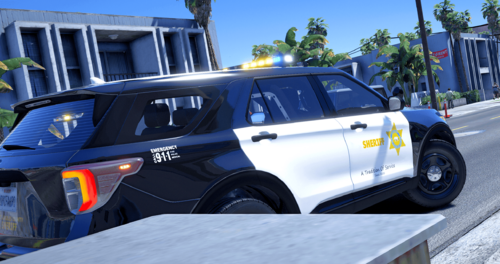 finally!
 -
 When its's raining I don't see any puddles and if so only small ones. Is this a global issue or any suggestions on how to fix that?
- 76 comments
- 12 reviews
-
-
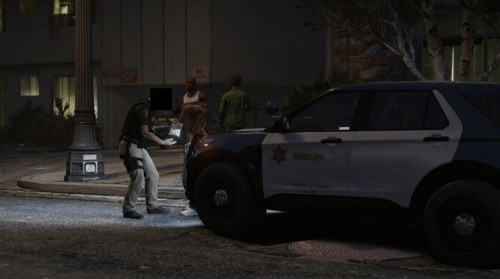 Those look great! Is there a chance you will release Non-Lore Liveries for these?
 -
I have had the issue for forever where mid pursuit the backup just turns around and goes "rogue". I installed RealPursuitAI with the hope that it gets better but it actually seems to be more common now. I'm really interested in seeing your guys' tips.
-
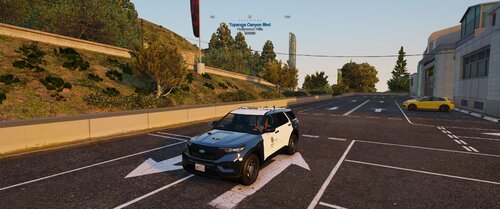 It’s a LAPD texture for a LAPD style FPIU. My point was that, there is no real good 2020 LAPD FPIU, which fulfills all of the „LAPD criteria“. So this one is very user friendly
 -
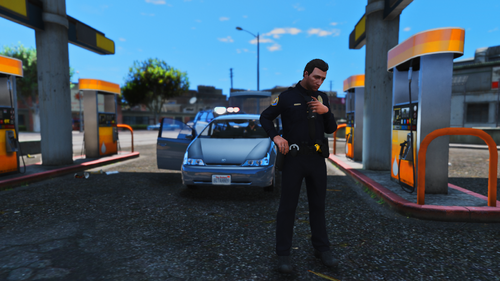 which agency will this be replacing?
 -
either they have pushbars which are unrealistic with LAPD setups, other lightbars or in the case of Kane104's FPIU which has a lot of LAPD texture options but is N-ELS. This one is available for everyone and the vehicle setup (ELS config) is already perfect
-
I think this is what most players with a LAPD/ SoCal area are looking for. A real compatible 2020 FPIU that suits the LAPD look, with a real LAPD livery. Let me bring it to you: This livery is originally coming from @Tactical Donut 's Los Santos Police Dept. LAPD pack: https://www.lcpdfr.com/downloads/gta5mods/vehiclemodels/31838-els-los-santos-pd-mega-pack-lapd/ I kept the reflective seal and moved the LAPD Seal from @vladimir850 over it and replaced the decals at the back and created a CA Exempt plate. Installation: Simply Download Tactical Donut's pack and replace the livery included in my file with the livery in the pack Check out my other Mod: https://www.lcpdfr.com/downloads/gta5mods/datafile/53997-realistic-los-angeles-street-names-compass/
-
 What is the workaround when wanting to replace the livery? It seems like the ref is blocking it
- 255 comments
- 75 reviews
-
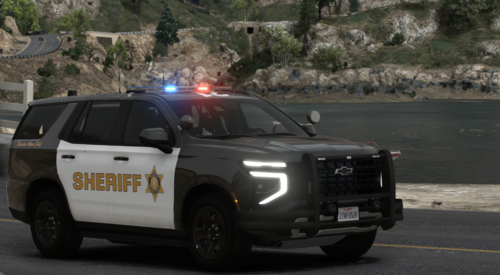 That's nice! Is there any chance you can include a RSO livery?
 -
 Game wont let me load in. This is from the Event Viewer: Faulting application name: GTA5.exe, version: 1.0.3788.0, time stamp: 0x69b036bd Faulting module name: ELS.asi, version: 0.0.0.0, time stamp: 0x58740c42 Exception code: 0xc0000409 Fault offset: 0x0000000000043ca7 Faulting process id: 0x5068 Faulting application start time: 0x1DD00CB471B3978 Faulting application path: C:\Program Files (x86)\Steam\steamapps\common\Grand Theft Auto V\GTA5.exe Faulting module path: C:\Program Files (x86)\Steam\steamapps\common\Grand Theft Auto V\ELS.asi Report Id: 8e9a1c34-b0bf-4773-8573-ac02c01a1449 Faulting package full name: Faulting package-relative application ID:
- 2,699 comments
- 240 reviews
-
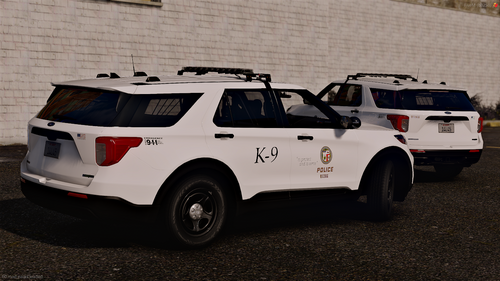 @Marcellglxy if u two are still wondering, this will work for GeorgieMoons 2020FPIU and the LSPD (LAPD style) Vehicle Pack
 -
-
 Thank you or your feedback. Can you DM me your scripts folder as well as your SHVDN log?
 -
-
 Where does EPC pull the Street Names/ Area codes from? Is there a possibility to manually change that?
- 221 comments
- 22 reviews
-
What seems to be the issue?
-
That is exactly how I wanted it to be used! Very happy :) Enjoy Brother
-
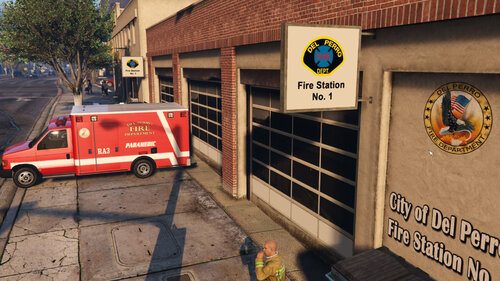 is there a chance to make a non Lore version (BHFD)?
 -
Hm, I see. I'll DM u on LSPDFR, I'll help you out
-
There was a SHVDN update, you might need to update that
-
honestly it’s not that difficult. ChatGPT explained to me how the structure works and then just messed around a couple of times. You basically just need time and a lot of patience.
-
Thank you, I really appreciate that. I'm working on a customizable .ini config as of right now. I will need some time to get a in-game menu done.
-
This script replaces GTA V street names with realistic Los Angeles equivalents and adds a lightweight compass + jurisdiction display. Please note, that this is my first ever mod created with the help of AI. Highly Inspired by @Venoxity 's SimpleHUD and the Vcompass mod by MNHC Mods. Features: Real LA street names (300+ replacements) City vs County detection Clean HUD (no vanilla districts) Built-in compass (no external mods required) Optimized for LSPDFR LA/ OC based ZIP codes Installation: Drop the .cs file into your /scripts/ folder. Requirements: - ScriptHookV - ScriptHookVDotNet v3 THIS WILL BE WIP!!! SMALL DISCLAIMER/ INFO The Areas/ Streets might not be 1:1 geographically. I kept my focus on what for me makes the most sense. If you like to change Areas or Streets, you can open the .cs file with Notepad++ and change the name of the street or area to your preference. What you can expect in the future: I'm currently working on a postal map as well as a in-game menu Have Fun! I really appreciate the overall positive feedback! Please hit me up if you have any experience in scripting. Please be gentle on me since this is my very first mod :)




