



CEO
Members
-
Joined
Everything posted by CEO
-
I think he used this hat: with this ped: and these gloves: but with a different skin..
-
looks good!
-
ingame you press F3 or when its allready opened up once you press F4. then you go to options and press the left arrow key on your numpad. then scroll up a little bit and you should see. enable/disable keys. and yeah download the Radiance mod: http://gtapolicemods.com/downloads.php?do=file&id=3 also you might want to enable your deffinition. press ALT+P to enable deffinition
-
I know dude... but these are one of the sexiest police cars in Holland! if they'd only change the sirens....
-
you'll need to disable your keys in the trainer, or you must deactivate the trainer whilst patrolling. Y our lights must be brighter I believe? you should download the Radiance mod: http://gtapolicemods.com/downloads.php?do=file&id=3
-
Alaska State Troopers for sure! then my second favorite is the Dutch National Police corps (KLPD)
-
No problem mate, good luck.
-
you need to attach some of your current extra's like Beckugan1 said. This is a proper hierarchy of what the extra's should look like. Misc_c(is what I usually name it) +extra_1 > extra_1_L0, extra_1_L1 +extra_2 > extra_2_L0, extra_2_L1 +extra_3 > extra_3_L0, extra_3_L1 +extra_4 > extra_4_L0, extra_4_L1 +extra_5 > extra5 > extra5_L0, extra5_L1 +extra_6 > extra6 > extra6_L0, extra5_L1 +extra_7 > extra_7_L0, extra_7_L1 +extra_8 > extra_8_L0, extra_8_L1 +extra_9 > extra9 > extra9_L0, extra9_L1 +lightbarglass(if there is a lightbar with glass ofcourse) then you should attach the lightbars' body to the bodyshell
-
When having that error it should say something like dcp: then some random numbers. You should be able to open that up and see what mesh is duplicated. And yeah. Could make a video.... However it'll take a week as I'm focusing more on my future.
-
It is possible... However, the injured person will always be picked up by a horrible AI ambulance who eventually drive themselfs to death.
-
you need to attach your stuff. like you need to attach the extra 1,2,3,4 from lightbar 2 to lightbar 1. Make sure to put the extra's from lightbar 2 into lightbar 1's hierarchy. then you right click on ONE extra and set it to "show isolated". Once those extra's are attached you right click again and press " show rest" and that process repeats itself over and over again. however! make sure once you finish your attaching your extra's to make copies of the L0's. then you need to rename your copied L0's to L1's
-
there should deffinetly be a GTA BeNeLux!
-
I'd love to see a GTA in the Netherlands.
-
It wasn't a simple problem. Don't lie to the community.
-
LMS was closed due to having wrong people given power.
-
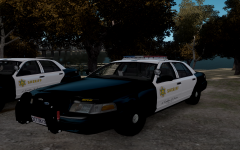
From the album: Kygo's gallery.
will be part of the Los Angeles County Sheriff Pack -
I've been working on something similar. also the back doesn't have a: R-AA-A__A-AA-B setup but the outer modules have dualcolour LED's which I personally disgust. you can see that here
-
 yes
yes -
Its allready using Lonestrangers LASD skins.
-
From the album: Kygo's gallery.
In the making! -
 2011 Alaska State Troopers CVPI & 2010 Alaska State Troopers Dodge Charger (AST Vehicle Mega Pack)](//s3-gallery.int-cdn.lcpdfrusercontent.com/gallery/album_628/sml_gallery_2982_628_65469.jpg) The problem with that is that they will be turned on over night. You could however, map it to the taxilight. Good work though Dillon! Awesome shit
The problem with that is that they will be turned on over night. You could however, map it to the taxilight. Good work though Dillon! Awesome shit -
-
![Los Angeles Police Departement Ford Crown Victoria Pack [REL]](//s3-gallery.int-cdn.lcpdfrusercontent.com/gallery/album_544/sml_gallery_6074_544_647626.png)
From the album: Kygo's gallery.
Download #1: Download #2: http://www.gta-moddi...ex.html?saved=1 Next pack: Los Angeles County Sheriff - Vehicle Pack. this will include: - Various CVPI models with different rambars and K-9 cages. - Various Tahoe models with K-9 cages. - Probably a helicopter. - NRG900 R Police Package model. - Various years of vehicles: 2005-2011 -
Exclusive to LCPDFR.com and Gta-Modding-Chest.com Tim98 ______________________________________________________________________________________________ IMPORTANT!!! MAKE SURE TO BACKUP FILES!!! ______________________________________________________________________________________________ Police = 2010 CVPI marked with Federal Signal Arjent S2 Police2 = 2005 CVPI marked with Code 3 MX7000 Noose = 2010 CVPI Slicktop Fbi = 2010 CVPI Unmarked ______________________________________________________________________________________________ Credits: 2010 Ford Crown Victoria W/ Federal Signal Arjent S2 - Model is Ford Crown Victoria from Driver SF, converted to GTA IV by F5544, modified by KevinDV and Cj24. - Federal Signal Arjent S2 by Matthias, converted to IV by Tim98, mounts and glass by KevinDV. - Divider by Lt.caine. - Center Console by Unknown Author, Modified by Tim98. - Panasonic Toughbook by PFCBarefoot. - Rims by Bxbugs123, Textures by Lt.Caine, hubcaps by EVI/yakadafi. - Honeycomb Grill made by KevinDV. - Spotlight made by Cj24. - Liveries by Cj24. 2005 Ford Crown Victoria w/ Code 3 MX7000 - Model is Ford Crown Victoria from Driver SF, converted to GTA IV by F5544, modified by KevinDV and Cj24. - Code 3 MX7000 by F5544, converted to ELS-H by Tim98, heavily modified by Tim98 - Divider by Lt.caine. - Center Console by Unknown Author, modified by Tim98. - Panasonic Toughbook by PFCBarefoot. - Rims by Bxbugs123, Textures by Lt.Caine, hubcaps by EVI/yakadafi - Honeycomb Grill made by KevinDV. - Spotlight made by Cj24. - Liveries by Cj24 2010 Ford Crown Victoria Slicktop - Model is Ford Crown Victoria from Driver SF, converted to GTA IV by F5544, modified by KevinDV and Cj24. - Deck light by Cj24, modified by Tim98 - Code3 Xt6's by Bxbugs123, modified by Tim98. - Divider by Lt.caine - Center Console by Unknown Author, Modified by Tim98. - Panasonic Toughbook by PFCBarefoot. - Rims by Bxbugs123, Textures by Lt.Caine, hubcaps by EVI/yakadafi - Honeycomb Grill made by KevinDV. - Spotlight made by Cj24. - Liveries by Cj24. 2010 Ford Crown Victoria unmarked - Model is Ford Crown Victoria from Driver SF, converted to GTA IV by F5544, modified by KevinDV and Cj24. - Deck light by Cj24, modified by Tim98. - Code3 Xt6's by Bxbugs123, modified by Tim98 - Rims by Bxbugs123, Textures by Lt.Caine, hubcaps by EVI/yakadafi - Grille by Ubisoft, Converted to IV by F5544 - Liveries by Cj24. ______________________________________________________________________________________________ Special thanks to Spitfire7 for helping me out with the vehicles! ______________________________________________________________________________________________ Installation: Put the noose.wft and noose.wtd into your vehicles.img. I recommend you, using SparkIV or OpenIV ______________________________________________________________________________________________ YOU ARE NOT ALLOWED TO REUPLOAD, EDIT OR RIP WITHOUT MY PERMISSION. FAILURE TO DO SO WILL RESULT TO PUNISHMENT. NO ONE MENTIONED IN THIS README IS RESPONSIBLE FOR DAMAGE TO YOUR GAME.
- 19 comments
- 34 reviews
-


 2011 Alaska State Troopers CVPI & 2010 Alaska State Troopers Dodge Charger (AST Vehicle Mega Pack)](http://s3-gallery.int-cdn.lcpdfrusercontent.com/gallery/album_628/sml_gallery_2982_628_65469.jpg)
![Los Angeles Police Departement Ford Crown Victoria Pack [REL]](http://s3-gallery.int-cdn.lcpdfrusercontent.com/gallery/album_544/sml_gallery_6074_544_647626.png)
