


Creators: Due to background reprocessing of files, approvals and file security checks may be delayed. Thanks for your patience.

CEO
Members
-
Joined
Everything posted by CEO
-
why don't you do something more challenging? I can add a lightbar to a car but its too simple. I suggest you learn mapping etcetc.
- 18 comments
- 10 reviews
-
install the latest scripthook etc.
-
well you could however change the cop model inside the lawyers office.
-
yes.
-
not to be harsh... but no one will give one single poop wether you are modding or not.
-
http://www.lcpdfr.com/page/tutorials/index.action/_/vehicle-modification-tutorial/basics-of-adding-materials-importing-models-correct-hierarchy-and-exporting-in-zmodeler-r25
-
move the lower back deck edge a little further back. it sticks trough the windshield now
-
No need to repeat that as it was allready said. saying it again is no use at all.
-
I really liked the 0.91 arrest system. Maybe a few improvements would be nice.
-
http://www.lcpdfr.com/page/tutorials/index.action/_/vehicle-modification-tutorial/basics-of-adding-materials-importing-models-correct-hierarchy-and-exporting-in-zmodeler-r25 understandable for everybody!
-
 maybe they will =D
 -
I don't know who thaught you... but you're forgetting alot. select the "select" tab, and click on quadr. then right click and drag a box on the entire object (both of the whelen edges). then you hit the spacebar or you click on the selected mode at the lower right. Then you need to go in polygon mode and click on the screen once. You should see alot of red dots etc.Then hit the select tab again and click on quadr. Then hold the right mouse button and drag the part you want to detach, make sure you have selected mode enabled. then modifye, submesh and detach. then click once on the screen again and your part should be detached.
-
don't use els =D
-
 nice job Dillon
 -
download the unlocked version by Dhruv. He has a template included with it.
-
 - by Tim98 lol
 -
- by Tim98 lol
-
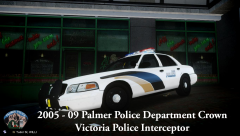 - by Tim98 lol
 -
-
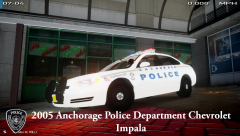 its by me, and not for release!
 -
I haven't told anybody, but you people are right. I'm taking a break from modelling and I'm not going to release anything anymore untill I feel like it. Everything you do is violated by the community, Don't expect me to completely leave the community as I won't I'm just gonna take a half year break, maybe more.
-
-
thats an unusual place to holster your gun lol
-
-


