



CEO
Members
-
Joined
Everything posted by CEO
-
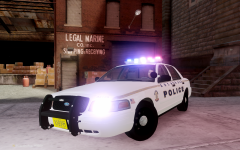
From the album: Kygo's gallery.
MX7000 by F5544, modified and converted into a ELS-H compatible lightbar by Tim98. - This car will be used in the Alaska Department of Public Safety clan.© Liberty Modding Studios ©
-
-
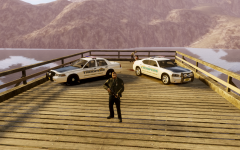 ClockWork mountain.
 -
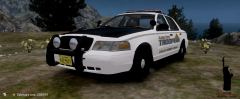 the AST has K-9 written on the back windows. they have the same font as the decals
 -
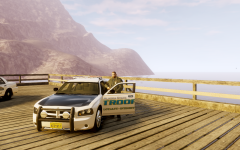
From the album: Kygo's gallery.
© Liberty Modding Studios ©
-
From the album: Kygo's gallery.
© Liberty Modding Studios ©
-
-
From the album: Kygo's gallery.
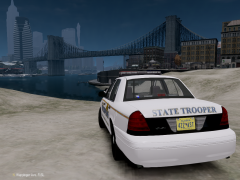
Download: or: http://www.gta-modding-chest.com/database/grand-theft-auto-iv/vehicle-models/police-vehicles/north-america/120-2010-alaska-state-trooper-ford-crown-victoria-v-5-5-pr/index.html?saved=1© Liberty Modding Studios ©
-
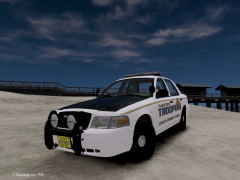
LIBERTY MODDING STUDIOS LCPDFR.com Tim98 ______________________________________________________________________________________________ IMPORTANT!!! MAKE SURE TO BACKUP FILES!!! ______________________________________________________________________________________________ MODEL OVERVIEW - NAME: 2010 Alaska State Trooper Ford Crown Victoria - VERSION: V5.5-PR - LIGHTBAR: CODE 3 RX2700 - OTHER EQUIPMENT: Laptop, Cage divider, Watchguard Video System - EXTRA PARTS: Mudflaps - MULTIPLE LIVERIES: YES, 4x - OPTIMIZED FOR: POLICE, POLICE2, NOOSE, FBI, (EFLC ONLY: POLICE3, POLICE4) - MOD STATUS: OPEN ______________________________________________________________________________________________ CREDITS - Model is Ford Crown Victoria from Driver SF, converted to GTA IV by F5544, modified by KevinDV and Cj24 and further modified by Tim98. - Original Code 3 RX2700 for GTA SA made by Matthias, Converted and reworked to IV by WarDoG, Modified by Aznairsoftdude and Tim98. - Code 3xt6 by Bxbugs123, remapped by Tim98. - Rims by Bxbugs123, Textures by Lt.Caine. - Honeycomb Grill made by KevinDV. - Laptop and Divider by Lt.Caine. - GoRhino Rambar made by Bxbugs123. - MudFlaps by CoolBeans, converted and textured to IV by Tim98. - spotlights made by R*, modified to LightForce by Tim98. - additional lighting made by Tim98. - Watchguard Video System by Bxbugs123. - Liveries made by Aznairsoftdude. ______________________________________________________________________________________________ Installation: Put the noose.wft and noose.wtd into your vehicles.img. I recommend you, using SparkIV or OpenIV ______________________________________________________________________________________________ YOU ARE NOT ALLOWED TO REUPLOAD, EDIT OR RIP WITHOUT MY PERMISSION. FAILURE TO DO SO WILL RESULT TO PUNISHMENT. NO ONE MENTIONED IN THIS README IS RESPONSIBLE FOR DAMAGE TO YOUR GAME. BROUGHT TO YOU BY THE LIBERTY MODDING STUDIOS TEAM - 2013
- 20 comments
- 6 reviews
-
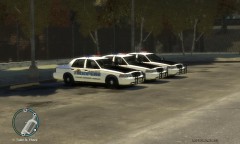 AST Hell yeah!
 -
 I would but then I have to remap everything wich Im not really in the mood for.
 -
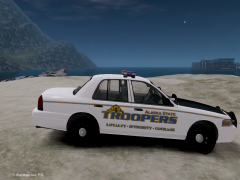 thanks NB I just wanted to say the same thing.
 -
also I forgot to mention that the tail and reverse lights are wig/wags their flash pattern is as following: taillight-______-_______-taillight then _______-reverselight-reverselight-_______
-
the lightinf setup features: the rambar, fitted with 2 spotlights wich will turn on when pressing "H" on the keyboard. as seen from the front the led on the right is red and the led on the left is blue. the lightbar, as seen from the front going from left to right: blue-blue-red-white-white-blue-red then as seen from the back going from left to right: red-red-amber-white-white-amber-blue-blue. the amber LEDs are secundary, the white LEDs are Wig/Wags, the back deck features 2 code 3 xt6s, the one on the left is red and the one on the right is blue. then on the inside there are LEDs mounted on the divider. on the left side it is red and on the right side it is blue. the headlights feature wig/wags
-
From the album: Kygo's gallery.
© Liberty Modding Studios ©
-
From the album: Kygo's gallery.
© Liberty Modding Studios ©
-
From the album: Kygo's gallery.
© Liberty Modding Studios ©
-
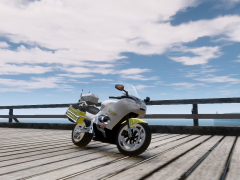 funny as I'm doing a CHP version of this =D
 -
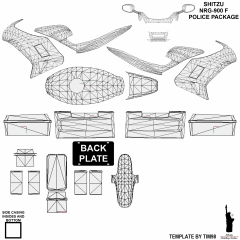
you can, I added a template to the gallery
-
From the album: Kygo's gallery.
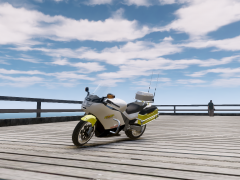
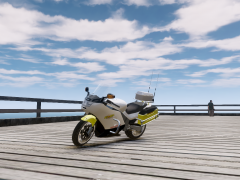
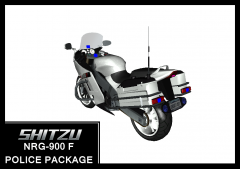
Template by Tim98, for use with Tim98's Shitzu NRG-900 F police package© Liberty Modding Studios ©
-
-
-
-
-
From the album: Kygo's gallery.
© Liberty Modding Studios ©


