


Creators: Due to background reprocessing of files, approvals and file security checks may be delayed. Thanks for your patience.

CEO
Members
-
Joined
Everything posted by CEO
-
![[WIP] 2010 Chevy Suburban Chicago Police](//s3-gallery.int-cdn.lcpdfrusercontent.com/gallery/album_1355/sml_gallery_5927_1355_427372.png) nice, I think you should a partition against the back of the back seats to. This way perps can't get into the trunk area!
nice, I think you should a partition against the back of the back seats to. This way perps can't get into the trunk area! -
nice vid, I see you're from Belgium! I'm doing a belgium version of the Passat too!
- 13 comments
- 9 reviews
-
-
Exclusive to LCPDFR.com and Gta-Modding-Chest.com Tim98 ______________________________________________________________________________________________ IMPORTANT!!! MAKE SURE TO BACKUP FILES!!! ______________________________________________________________________________________________ Credits: 2012 Volkswagen Passat "Dutch Police Surveillance Vehicle" - Original model by BloxBloger, converted, modified and improved by corleone, taillights by Corleone. - Mapping and templates by corleone. - Whelen Edge by Bxbugs123, Heavily modified by Tim98. - Additional lighting by Tim98. - Honac Siren & lighting control box by Tim98. - Garmin nuvi GPS Unit by Bxbugs123. - Antenna by PriMan. - Liveries by Tim98. This vehicle uses the slots "Police.wft" and "Police.wtd" 2012 Volkswagen Passat "Dutch Unmarked Police Surveillance Vehicle" - Original model by BloxBloger, converted, modified and improved by corleone, taillights by Corleone. - Mapping and templates by corleone. - Federal Signal Vama LP400 by EVI. - Additional lighting and stopsign by Tim98. - Honac Siren & lighting control box by Tim98. - Garmin nuvi GPS Unit by Bxbugs123. - Antenna by PriMan. - Liveries by Tim98. This vehicle uses the slots "Fbi.wft" and "Fbi.wtd" ______________________________________________________________________________________________ Installation: Put the Fbi.wft and Fbi.wtd and the Police.wft and Police.wtd into your vehicles.img. I recommend you, using SparkIV or OpenIV ______________________________________________________________________________________________ YOU ARE NOT ALLOWED TO REUPLOAD, EDIT OR RIP WITHOUT MY PERMISSION. FAILURE TO DO SO WILL RESULT TO PUNISHMENT. NO ONE MENTIONED IN THIS README IS RESPONSIBLE FOR DAMAGE TO YOUR GAME.
- 13 comments
- 9 reviews
-
-
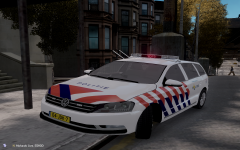
From the album: Kygo's gallery.
a new WIP I'm working on, I might also leave the US vehicles and head to my own countries police vehicles. -
http://gtapolicemods.com/downloads.php?do=file&id=440
-
I have no idea if you go up from livery 0, you should eventually get to livery 3, and everything above livery 3 is just gonna stay livery 3. IDK why its like that.
-
 2007 Alaska State Troopers Crown Victoria Police Interceptor](//s3-gallery.int-cdn.lcpdfrusercontent.com/gallery/album_628/sml_gallery_2982_628_31234.jpg) I know, its something I'm still working on though ;)
I know, its something I'm still working on though ;) -
No, you CANNOT have more then 4 liveries. I have tested this out. and basicly you will see police_sign_1 till police_sign_4 and once you continue you will only see a continuation of police_sign_4 untill you get to police_sign_1 again and the cycle redoes itself.
-
main problem is is that Dillon doesn't have an Expedition. However I'm doing a Tahoe for his pack as long as it lasts. The Pack will include accurate replicas of real life AST vehicles. I will give 2 previews on the 2010 Ford Crown Victoria P71 and a very cool feature. Also I've made a accurate SoundOff UltraLITE 8 module lightbar
-
Oh sorry, I was looking at it from my phone so they looked like normal dummies. However now I see that he didn't imported his model with sliced mode on And you should also tick "collisions" and deselect "store textures"
-
You need to quadr your shit. Then check "selected mode" and then go in polygon mode
-
you should look for the file in your vehicles.img named "veshare.wtd" export all the images into a seperate folder. you should add these to your texture browser before you import your vehicle.
-
http://gtapolicemods.com/downloads.php?do=cat&id=10
-
exactly the reason why I said that my commentary was allready answered lol
-
that you should lower your graphic settings when recording and maybe get a new pc. I'm saying this not to be harsh but if you have a crappy pc hardly anybody will watch your videos... Just saying
-
nice vid but my commentary has allready been mentioned lol!
-
do you have any HQ modifications installed? or any map mods, script mods etc?
-
its your timecyc probably causing the problem
-
remove traffic flow if installed, you also might have a problem with ram... what are your pc specifications?
-
Great list!
-
LOL same thoughts here haha. Love the picture though... could be a great scene for a movie!
-
did you export using a different name? and did your model gave you any errors while exporting?
-
That happend quite some time ago though. However one day I hope to hear wails and yelps in the city I live in!

![[WIP] 2010 Chevy Suburban Chicago Police](http://s3-gallery.int-cdn.lcpdfrusercontent.com/gallery/album_1355/sml_gallery_5927_1355_427372.png)

 2007 Alaska State Troopers Crown Victoria Police Interceptor](http://s3-gallery.int-cdn.lcpdfrusercontent.com/gallery/album_628/sml_gallery_2982_628_31234.jpg)