



CEO
Members
-
Joined
Everything posted by CEO
-
 I don't think you've read the rules... No real life images are allowe... oh wait. Nevermind =D
 -
-
-
-
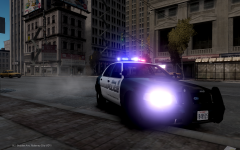
From the album: Kygo's gallery.
-
-
-
 Sure, yours looks pretty clean man good job. I will post pics when Im free this weekend. If I dont forget ofcourse lol.
 -
Just wanted to let you know I have this exact same one for my upcoming LASD pack....
-
they look nice, good job
-
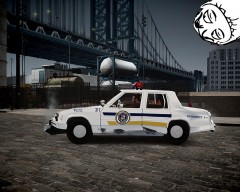 OMG so pretty! The owner must be very cautious with the car wow!
 -
 Is that the moon?
 -
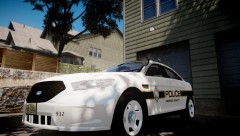 It looks.... odd to me, Try to lighten the cap's texture. maybe that will make it look better, also the white should me more grey. But thats just my personal opinion. And opinions are like assholes, everybody has one. Unless you have some kind of weird disease where you poop from your toe or something. Then you don't have an opinion =D
 -
extra_9_L0 should be named like this instead: extra9_L0, and there is no extra 10. It doesn't exist. Use the attach tool to attach the two extra 1's to eachother and the 2 extra 4's to eachother.
-
I wanted to use a different therm instead of shit =D
-
There is NO way too add diarrea to a locked vehicle mod. Nobody will give you an unlocked model atm of anything, basicly because nobody know who you are and what you're capable of. Work your Zmodeler skills, and once you get better respective modders might even give you an unlocked model. There is NO way too add diarrea to a locked vehicle mod.
-
-
RC20 also occures when you have missing shader configurations, which means you have for example a polygon, but its not assigned to a material. Mostly when you export your ZModeler should mention you that you have wrong shader configs.
-
-
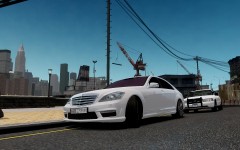 Cop: " Sir what are you doing 6850 miles from home?" Driver: "Oh shit, must've taken the wrong exit!"
 -
Looks like "Helvitica 93 Ext Black Oblique" or "Helviteca Neue LT Std 93 Black Extended Oblique". Not really sure though...
-
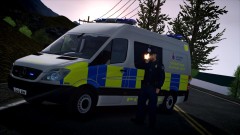 Impossible! UK cops don't carry guns!
 -
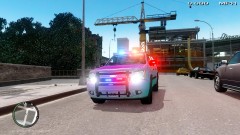 You didn't "Make" ANY of the things put on there.
 -
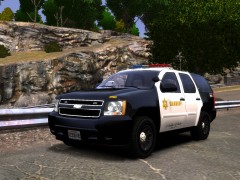
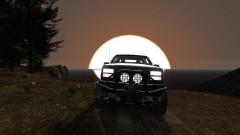
![[WIP] Tahoe - Code 3 Defender](//s3-gallery.int-cdn.lcpdfrusercontent.com/gallery/album_432/sml_gallery_9139_432_46369.jpg) - Tahoe model from GTA SA by Alex, converted to GTA IV by Kinksta100, Enhanced and heavily modified by Tim98.
- Tahoe model from GTA SA by Alex, converted to GTA IV by Kinksta100, Enhanced and heavily modified by Tim98. -
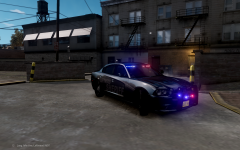
From the album: Kygo's gallery.
download:



![[WIP] Tahoe - Code 3 Defender](http://s3-gallery.int-cdn.lcpdfrusercontent.com/gallery/album_432/sml_gallery_9139_432_46369.jpg)
