



IceGuy221
Members
-
Joined
-
Last visited
Everything posted by IceGuy221
-
I also have an updated guide on how to install vehicles, els, liveries and what not. it is fairly detailed, and may help you if you are having trouble with videos. you can find the topic here:
-
did you run the .net framework repair tool? and/or ensure that your graphics and other drivers are up-to-date
-
wrong, plugin timeout threshold should always be set to 60000 also, grammar police has an available update, and traffic policer is not updated to work with the current version of lspdfr, it is recommended to use stop the ped instead
-
your current log shows that there was an unhandled exception, but i can't find anything leading to it. perhaps a fresh log might give more or better information, but i'm having a hard time locating the exact cause of the crash
-
Issues: - Navigate to your lspdfr.ini, and change AmbientSpawn.DisableRandomUnits to true - It appears a required file/folder is missing for JMCalloutsRemastered, however I'm not sure which one based on your log - an entity became invalid. this is a random issue that cannot be avoided. Recommended that after fixing the rest of the issues, if this is still relevant to crashing, temporarily disabling the plugin/callout and reporting the issue to the dev may be needed. (Plugin relevant in this case: Radio Realism FR & OfficerPorciPlugin) Traffic Policer Is not updated for the current version of LSPDFR, it is highly recommended that you remove the plugin, and use "Stop The Ped" plugin instead Automatic Siren Cutout is discontinued by the developer and is outdated. This mod does cause crashes. the mod developer has created a new mod named "Rich's Police Enhancements", and this mod includes updated coding to Automatic Siren Cutout. Remove the current plugin and install the alternative if you wish to use the function. (You will need to edit the .ini to your desired configuration for the alternative plugin.)
-
Well the cause of your crash is most likely because you have a ton of things installed incorrectly, as well as a few mods that are not updated for the current version of lspdfr/rage. Outdated Mods (With Listed Better Alternatives) - Callout Manager (Alternative: Callout Interface) - Computer+ (Alternative: Compulite) - Police Smart Radio (Alternative: GrammarPolice) - Traffic Policer (Alternative: Stop The Ped) Mods Installed Incorrectly (W/ proper correction annotated) - AutoBackup+ (Needs To Be Installed in the path GTAV/Plugins/LSPDFR) - CalloutManager (Needs To Be Installed in the path GTAV/Plugins/LSPDFR) [Recommended to use the alternative listed in the section above] - Computer+(Needs To Be Installed in the path GTAV/Plugins/LSPDFR) [Recommended to use the alternative listed in the section above] - GrammarPolice (Needs To Be Installed in the path GTAV/Plugins/LSPDFR) [Microsoft Speech Platform Is Required For This Mod, Please Install it to your computer before using the mod, as this was also a partial cause of the crash] - Lidar Gun (Needs To Be Installed in the path GTAV/Plugins/LSPDFR) - Police Smart Radio (Needs To Be Installed in the path GTAV/Plugins/LSPDFR) [Recommended to use the alternative listed in the section above] - Search Vehicle Plugin (Needs To Be Installed in the path GTAV/Plugins/LSPDFR) [Note that Stop The Ped Already Has A Search Vehicle Function] - Stop Right There (Needs To Be Installed in the path GTAV/Plugins/LSPDFR) [Note That Stop The Ped Already Has A Similar Function] - Stop The Ped (Needs To Be Installed in the path GTAV/Plugins/LSPDFR) - Traffic Policer (Needs To Be Installed in the path GTAV/Plugins/LSPDFR) [Recommended to use the alternative listed in the section above] - Ultimate Backup (Needs To Be Installed in the path GTAV/Plugins/LSPDFR) - LSPD First Response (Needs To Be Installed in the path GTAV/Plugins) - Spike Strips V (Needs To Be Installed in the path GTAV/Plugins) Other Issues Found I'm not gonna type this one out, but I will show the screen shot of what is wrong here, as I have already typed quite a bit lol. But, for future reference, the log you provided isn't the correct log. The log needed in most cases if not all is in the main directory, and not the logs folder. It will be a text file named either RagePluginHook or RagePluginHook.txt

-
Is this a consistent crash? Also, What were you doing in-game at the time of the crash and/or that may have led to the crash
-
 will do, I'm dealing with another mod spamming my log until the dev gets it fixed here soon, so imma get you a fresh log that should be shorter
- 356 comments
- 25 reviews
-
i'm getting some errors from this callout pack, including failure to initialize 686Utilities-0c14864a-90b1-443e-add2-a67d476c79e6.txt it eventually does, but i figured i'd report it just in case
- 356 comments
- 25 reviews
-
 still getting a failure to initialize from this mod 686Utilities-eb7d0d3e-f9c8-4224-a0a3-48abe83ad5a5.txt
- 50 comments
- 5 reviews
-
- us
- rph
- lspdfr callout
- open source
-
Tagged with:
-
 updated notes: it happens to all vehicles, civilian or emergency. For vehicles that are part of a callout actively, or are responding to something, they don't get stuck. however, anything that is naturally roaming gets stuck. I noticed that for SOME of the vehicles (mostly emergency) that get stuck, they can get themselves unstuck after about a minute or so. For vehicles that are leaving a scene, or are released from a scene, they also have the habit of getting stuck. some vehicles will just outright de-spawn as a result of this, while other create traffic jam chaos I'll send my log, it appears that it is spamming the RPH console with something related to it Yeah you might want to take a peak at this log. (My apologies it is long AF). Just scroll toward the bottom, as that is where you'll see the issue for sure, but its spammed throughout the log (note i can post the log here bc of the size, but i'll share it on discord since you're in the TS server
- 133 comments
- 15 reviews
-
-

- 1
-
-
Bug Report: AI vehicles (including police vehicles conducting normal patrol) will stop randomly like they are stuck when in proximity of you. I have only noticed whilst being stopped with/without my lights being on. There is nothing blocking them, it just happens. Usually 1-3 vehicles at this will happen too. I've tried cleaning up LSPDFR and what not, but it appears it is an issue with this mod. At first I thought it was because I still had ClearTheWayV still installed, but even after removing it, this became a persistent issue
- 133 comments
- 15 reviews
-
-
- 1
-
-
thanks for the fast response, while you did give a valid answer to that second question, it is my fault for not clarifying better. but i meant when you are on a traffic stop and vehicles are moving around you to give you space, will they avoid cutting into traffic and wait their turn after that oncoming/upcoming traffic to pass via their right of way
- 133 comments
- 15 reviews
-
-
- 1
-
-
Oh, and 4. Does this mod make them go around your traffic stop backup's vehicle as well, or become more patient with emergency vehicles that are blocking extra lanes of traffic. (currently while being able to enable traffic control is a thing, sometimes things can get a little chaotic within or just outside of that radius, that's why I'm wondering if that will create a nice little fix to that behavior)
- 133 comments
- 15 reviews
-
-
- 3
-
-
Just some general questions on this really quick Does this function with other mods that change AI behaviour? (e.g. ClearTheWay V, AI Traffic & Fluidity, etc) When the AI move over for you, does this make them wait for the right of way to pass? (i.e. currently, using mods that make them go around, the ai will go around, but will assume right of way, causing them to hit oncoming traffic, which leads the that classic gta 5 traffic jam of chaos from hell) Does this mod mess with AI following and not following speed limits (rn there's already a good balance, but I'm more/less just curious on this question)
- 133 comments
- 15 reviews
-
-
- 2
-
-
(The Intended Purpose of This Post is To Assist LSPDFR Player's With Installing NVE.) This guide covers on how to get Natural Vision Evolved, and how to install it. It does NOT go over Natural Vision Enhanced Updated As Of 7/27/25 What Is Natural Vision Evolved? NaturalVision Evolved (NVE Legacy) is a work-in-progress visual overhaul mod for Grand Theft Auto V Legacy. Numerous changes were made to the environmental weathers, lighting system, ambient colors, tone-mapping, world textures, building models, props, vegetation and much more in order to blur the line between fantasy and reality. (^This is the developer's description^) Where To Get It: You can find the link to the mod in two places. In the developer's Discord or, at their Website. On the website, you will click view under Natural Vision Evolved, then click download (getting the link with discord will be a bit different, but is easy to navigate). Now, you are going to be redirected to GoFile. Scroll down to see the available downloads (should be e of them). For the free version, you are going to click the file named "NaturalVision Evolved - Single Player Beta Package.zip" - Warning: It's 15.3GB, so it will take a while to download (download time dependent on WiFi) How To Install NVE: Installing Natural Vision is actually very simple, however because of the size of some of the .oiv's (particularly the main ones), it may take some time to actually install; so it will require just a little patience. Now, once the NVE package has downloaded, open the zip-file in WinRAR. Also, make sure you have your main game directory pulled up in OpenIV, as this is where we will be installing eveything. (I want to note that NVE does come with it's own Read-me link) Now, Drag and drop the "1. NaturalVision Installer - PART ONE.oiv" into you main game directory, and begin installing the .oiv to the mods folder as prompted. You will do the same with Part Two and Part Three. Do Them In Order. NVE itself is now installed. However, there are some optional add-ons that are actually required. - Open the Optional Add-Ons folder, and locate "LSPDFR Compatibility Patch. This is required for the mod to support lspdfr and RPH. DO THIS AFTER INSTALLING THE REST OF THE ADD-ONS YOU WANT IN YOUR GAME! The patch should be the last thing you install, as it removes certain high resolution textures to stabilize the game with lspdfr. Note: When installing optional addon's you should NOT Install multiple season content packs at the same time, as those files are intended to run on their own, without the other seasonal packs. Also, not that some of these add-ons can hurt your overall FPS on lower-end PC's. Particularly anything with volumetric control. ReShade Shaders are also optional, as NVE comes with it's own reshaders from the main .oiv's. Want To Install Replace Vehicles? NVE overrides the majority of the games vehicle files using its own vehicles dlcpack. This doesn't change any of the vehicle models, but allows you to have one place to install all of your replace files for easier navigation. Check Out My Installation Tutorial On Vehicle Installation Here This concludes my little tutorial on NVE. Its a fairly easy mod to install. I hope this helps people out.
-
Do you have weaponlimitadjuster? also is eup just not working in general? which version of EUP are you running
-
A quick little album for screenshots of my LSPDFR scenes whenever I happen to get a really nice shot
-
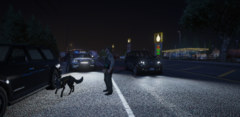 Grand Theft Auto V Screenshot 2025.07.27 - 00.34.13.03.png
-
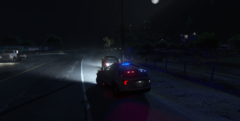 Grand Theft Auto V Screenshot 2025.07.27 - 00.28.15.20.png
-
 Grand Theft Auto V Screenshot 2025.07.27 - 00.28.06.48.png
-
 Grand Theft Auto V Screenshot 2025.07.27 - 00.21.47.71.png
-
 Grand Theft Auto V Screenshot 2025.07.27 - 00.20.47.51.png
-
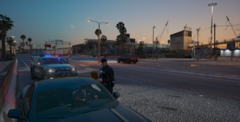 Grand Theft Auto V Screenshot 2025.06.26 - 20.56.26.23.png
-
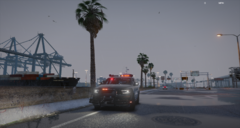 Grand Theft Auto V Screenshot 2025.06.26 - 20.45.55.94.png
-
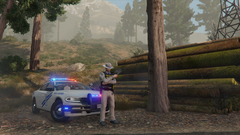 Grand Theft Auto V Screenshot 2025.06.22 - 08.04.40.69.png
-
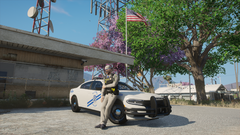 Grand Theft Auto V Screenshot 2025.06.22 - 07.26.16.18.png
-
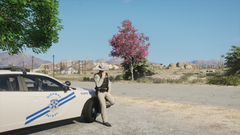 Grand Theft Auto V Screenshot 2025.06.22 - 07.25.59.37.png
-
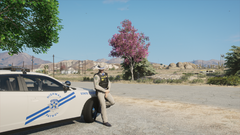 Grand Theft Auto V Screenshot 2025.06.22 - 07.25.47.24.png
-
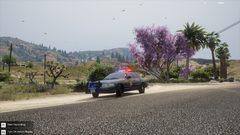 Grand Theft Auto V Screenshot 2025.06.22 - 06.28.12.79.png
-
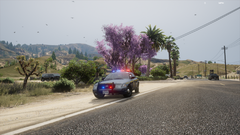 Grand Theft Auto V Screenshot 2025.06.22 - 06.27.58.54.png
-
 MedalTVGrandTheftAutoV20250614010748.png
-
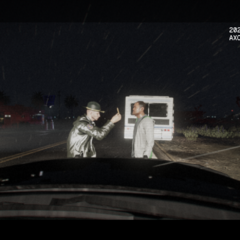 MedalTVGrandTheftAutoV20250614012358.png
-
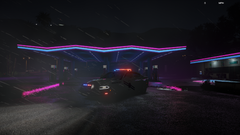 Grand Theft Auto V Screenshot 2025.04.21 - 22.46.43.05.png
-
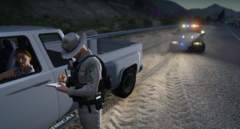 Grand Theft Auto V Screenshot 2025.04.09 - 23.32.21.71.png
-
-
From the album: LSPDFR Captured Moments
-
From the album: LSPDFR Captured Moments
-
From the album: LSPDFR Captured Moments
-
From the album: LSPDFR Captured Moments
-
From the album: LSPDFR Captured Moments
-
From the album: LSPDFR Captured Moments
-
From the album: LSPDFR Captured Moments



