


PhillBellic
Members
-
Joined
-
Last visited
Everything posted by PhillBellic
-
Hmm, that is one sexy Chevy Impala. Cheers.
-
I am not going any where guys. Cheers.
-
It can be done but the police car grouping would look something like this. pstockade, police, (many other cars...), # POPCYCLE_GROUP_COPS
-
I did not know there was a handling line for it, the mod package must have been updated since I last downloaded it. Thank you for your time in responding to me. Cheers.
-
Here it is Kanyo. '?do=embed' frameborder='0' data-embedContent>> Thanks.
-
Sgt. Kanyo could you please make a handling line for Corleone's police bus mod? The bus tips over too easily with the TLAD handling line. Cheers.
-
I call the civilian Vapid sedan the 'Vapid Crown Elizabeth'. Cheers
-
-
I don't know if this is the correct section to discuss this, but when I try to add not replace handling lines and edit the relevant vehicles.ide lines the game crashes even before the loading screen 'LOADING...'. Great handling lines as always Sgt.Kanyo. Cheers.
-
I eagerly await for this unique project. There's only one other 1992-1996 Ford Crown Victoria that I know of. Don't break a leg as they say. Cheers.
-
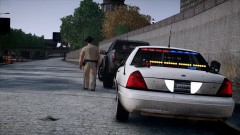 Do you have an estimated time of release for this car? Cheers
 -
-
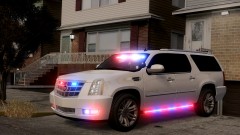 LOL. I had a laugh as well. I think he meant to say Version as well. Cheers :)
 -
I call it a "make car in front of me very sad". LOL Seriously I'd call it a bull-bar or rambar if mounted on a police vehicle. Cheers.
-
In an earlier post you said something about an API, "there's actually an API to mod the game" what is that? p.s. thanks for putting up with me. Cheers.
-
What precisely changed between ELS V6 and ELS V7 to create this instability with 'ScriptHookDotNet.asi'? Would some input with the senior developers of ELS V7 assist with resolving my problem? Thanks.
-
The indicator script which is Lil-rich's and Sam's Area Livery Mod only seem to work with 'ScriptHookDotNet.asi' and if they are in the 'Scripts' folder. I am puzzled by all of this. Cheers.
-
These awesome car liveries put Rockstars ones to shame. keep up the good work.
-
I don't use/have dsound.dll in the root folder. Update: including 'AdvancedHook.dll' in the root folder doesn't seem to cause any crashes on start up of GTA IV.
-
I think LCPDFR RC2 R2 has plain ScriptHook.dll which doesn't cause GTA IV to crash? I do however have xlive.dll in the root folder to get rid of the annoying GFWL bloatware. Cheers.
-
How did you get ALPR and the indicator script working without ScriptHookDotNet.asi because when I have that in the GTA IV root folder I can't even get past the loading 'The Cousins Bellic' screen? Cheers. cp702, are there any 'failure rates' as a percentage of ELS V7 users experiencing major difficulties? Thanks.
-
Did you add any modded ELS cars into 'emerg1' through 'emerg7' at all? What scripts work for you? Do you get any crashes when you drive into certain areas of the map and/or roads even with a new save game? Have you just had any straight C.T.D's with no 'unrecoverable fault' error messages? Cheers. p.s. I'm sorry if all that sounds like an interrogation.
-
What do you mean by saying "defects in my vehicles archive" and how did you repair them? Even with new save file my game still crashes 20 meters from the Broker Safehouse or crashes before I appear in the safehouse. Cheers.
-
Thanks for posting the program Yard1. I just hope now ELS V7 doesn't crash the game while it is loading or 3 seconds after I appear in the Broker Safehouse. Cheers.
-
Are there any solutions to the problem of the game crashing on start up? Cheers

