


PhillBellic
Members
-
Joined
-
Last visited
Everything posted by PhillBellic
-
Happy to help. My idea has helped me immensely when I've downloaded and installed cars in the past. Cheers.
-
-
If you have an SSD on which your OS is installed, I believe constant reformatting can drastically reduce it's life span. I don't know if that is true with modern SSD's however. Cheers.
-
Sounds good Senatov. I agree it will be much better when the game comes to PC. Cheers.
-
Is there a window template with the model? If so try to reduce the opacity of the window texture in the wtd. That is all the advice I can give you. I have no knowledge of modelling. Cheers
-
Have you given Sam's Area Livery Mod V2.0 a try. You can find it in the Downloads section of the site. Cheers.
-
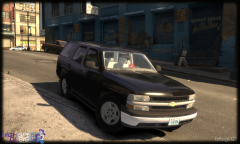 HAHA. You made a funny! The dash light does look very interesting.
 -
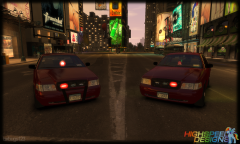 That dome looks interesting.
 -
Wow these look great. Downloading. Kinksta would it be possible to attach a dash camera and a wraparound ram bar to the Caravan as a future version? I feel that they would compliment it very well.
- 10 comments
- 1 review
-
-
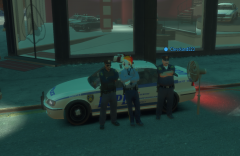 Very funny Bugs. Will you release the Strooper mod for sh*ts and giggles? Cheers.
 -
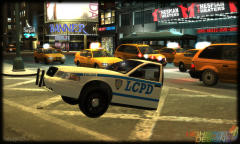 LOL. "It was one of those kids with the wrenches". Imagine actually driving this. I like the concept.
 -
I like it. It is a unique model that I feel has never been seen before. Cheers.
-
Damn, I thought they were okay. I do know the LAPD has a checkered history bit this? Cheers.
-
-
As long as we can have scripts running sooner, and have them at a more advanced stage to begin with, I am happy. Cheers.
-
-
Despite what others on this thread might say, I consider my mobile/cell phone to be an extension of my person. I will do what ever it takes via legal means to defend my personal rights and property rights. Lincon raises an interesting point, some LEO's don't care about your constitutional rights. For every nine people who defend their rights there is one person who caves in and surrenders their rights. In turn this sets off that slippery slope where that corrupt LEO feels emboldened by their actions to bully more people into waiving their rights. Cheers.
-
-
I don't want any law enforcement group looking into my phone. If they do I want to see a warrant. Cheers.
-
Now that some of mention it I can understand why file size is a concern. As a compromise, maybe two decently (smaller) sized images. For example, one front quarter shot and one rear quarter shot from the opposite corner of the vehicle. Cheers.
-
-
In my opinion it's sheer laziness. I like to look at a few pictures of the vehicle/ped/whatever, before I click the download button. Even when pictures are supplied, there are often no rear quarter shots of the vehicle. Cheers.
-
How about both? That way the user can choose what they want to install. There are some police forces that are County Police. Cheers.
-

