


PhillBellic
Members
-
Joined
-
Last visited
Everything posted by PhillBellic
-
I liked it. I hope there is a part two. Cheers.
-
From what I recall reading it was a bug with how the swings were positioned. This meaning that the swings were placed too far into the ground, and as a result the game tries to 'free' the item with explosive and humourous results. Cheers.
-
Cyron43, I would like to report that this amazing script does work in 'vanilla' GTA IV. I do have a police bike installed in the 'policeb' slot. I have patch 1.0.7.0 installed if that alters any interactions with the script. I would like to share an observation with you. I have spawned a police officer as a ped, the bike will spawn, however the officer will get on and off the bike a couple of times then will follow you as expected. Cheers.
-
I too enjoy this thread. I guess you can say it catalogs a bygone era. About the radar system, it's amazing that they can now fit in a hand held 'gun' now days. Thoughts? Cheers.
-
That video was haunting. Just as Olanov said cops can be on edge at times, although they have good reason to be.
-
sc2142, I have just listened to it and it sounds crisp and clear IMO. Have you considered a VC and SA version as well?
- 8 comments
- 1 review
-
I find that era of cars amusing. If in doubt just add more fins. Interesting article you found. I do hope that the restorer keeps that car dry in that environment. What do you think? Cheers.
-
-
The actual sticker is pretty elusive online. That is the most accurate representation I have seen. Do you mind if I modify it for personal use? Cheers.
-
You won me over at '1 nice flower pot'. LOL. This has a lot of potential to be enhanced and refined. Downloading...
- 54 comments
- 7 reviews
-
Could you fix your posted link, please? I'm always after more Valor car models. Cheers.
-
Some great photos there. Let's keep the classics alive. Cheers.
-
I like it. It's clean and simple. Cheers.
-
I like both. In addition the use of a lightbar or no lightbar depends on the vehicles applications. There are State Police agencies which use a dome lightpod such as the Michigan State Police. Cheers.
-
They dun goofy lookin'. Anyway, those look more ridiculous then the NYPD Highway Patrol high-risers. Do you know of any that could top those in the funny looks dept? Cheers.
-
Cyron43, I wish you luck with your endeavour in bringing this aspect of policing to reality. I have tried the SNT method with bikes, and as is common experience your partner just stands there like an idiot. :) Cheers.
-
Those are some gorgeous photos! :) I particularly like the green & black car. Have any of these cars been made yet? I'd love to make LC variant liveries. Cheers..
-
This is pretty old news if I recall correctly. I highly doubt she will have much luck in achieving anything. Cheers.
-
Did you notice the different appearance of the rear lights in this photo? Those are some gorgeous photos of classic police vehicles by the way. Cheers.
-
-
So it's been released? Does the car require the EPM mod as well? Cheers.
-
Awesome video. I wonder how the riser bars are deployed. Cheers.
-
-
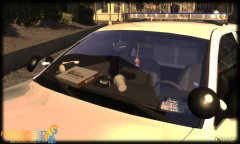 Is that a Federal Signal Legend on the roof?
 -
Every 'letter hole' is coloured blue.


