


Creators: Due to background reprocessing of files, approvals and file security checks may be delayed. Thanks for your patience.

BroJam
Members
-
Joined
-
Last visited
Everything posted by BroJam
-
I like it. :-)
-
-
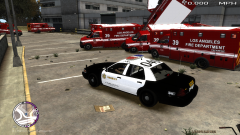 It was my fault for bumping into them.. next thing you know there were 10 in the air. :(
 -
Oh no, they did. I just back up and fixed my car. :-)
-
-
Oh the wonders of GTA IV ambulances.
-
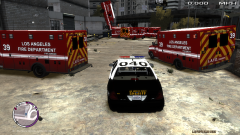
From the album: Gotta love ambulances..
-
From the album: Gotta love ambulances..
-
-
Yes I look back at my childhood and think, it seems like no too long ago I was always running around until 9PM on summer nights with my friends. Now I think... two more years and I'll be getting my driver's license.. then paying my own insurance, then for food, then mortgage.. it just seems as you get older time goes much quicker. Try to enjoy life. Calm down a little bit, and have a little more fun.
-
-
Hawaii Five-O, COPS, and Bait Car.
-
-
That's exactly what I thought. It's too bad. Thanks! Oh well, I'm not in any way a good modeler, so I just decided to do the skin. Thank you! Thanks. :-)
-
-
Shoot my computer bugged out and it ended up posting two when I didn't know it even posted one. >_<
- 18 comments
- 18 reviews
-
-

- 1
-
-
-
-
Paint.NET does not make your skins look unprofessional by any means whatsoever, as long as you know what you're doing. If you have the right skill and plugins, you can make skins look just as good as ones made with Photoshop.
-
This skin is a very unique design used by several US police departments. It is used as a DUI enforcement car, basically as a big billboard. The theme, "Choose Your Ride" corresponds with the half squad car, half taxi cab. This can all be summed up by the text on the front and back quarter panels. On the cop side, it states "You Drink • You Drive • You Lose". And on the taxi side, "You Think • You Ride • You Live". Very unique car, I fell in love with the design right when I saw it, because I knew I could make it more personalized. For the police design I took Cj24's LCPD CVPI and I made the logo and text fit to one door, leaving the rest of the original LCPD skin alone. Then I simply put the taxi over it. This car does come with the 4 original liverys that it would if you were to download it from Cj24.
- 18 comments
- 18 reviews
-
Hello everyone! I have been working on a new skin for the past couple of days, and finally finished it! It's currently being reviewed for upload. What it is is a DUI enforcement car, basically a big billboard. It's half squad car, half taxi cap. The theme being "Choose your ride," it states and the front and back quarter panels (the cop side) "You Drink • You Drive • You Lose" and the taxi side "You Think • You Ride • You Live". Constructive criticism is always welcome! '?do=embed' frameborder='0' data-embedContent>>
-
Copy the selection you want to move. Create a new layer, then paste it in that layer. On the top toolbar, go to Layer>Flip Layer Horizontally. Then move it to where you want it. :-)
-
The camera I took pictures of my setup with costed me $650, so I have a bit more into technology than I should. ;)
-
Here's my setup. (sorry it's so dusty and unorganized, as is my whole house) It's a fairly expensive setup, I've accumulated it over about 4 and a half years. My vision is an Insignia 21.5" NS-20EM50A13 LED Monitor + a Westinghouse 24" LD-2480 LED TV. These two monitors are both hooked up to one computer (HP Envy H8-1414), and the TV is also connected to my PS3. When I am not using the PS3 I expand the screen across the two. Here is my PS3 slim 250GB, with my Cyber Acoustics 2.1 stereo system CA-3602, and a Roxio Game Capture HD PRO. Here are my PS3 games and controllers ect.. I also have a Logitech GT Force Feedback steering wheel, it's alright. A bit noisy and worn, it's about 3 and a half years old. And one more wide shot of the whole thing. :-) Sorry this post was so long! I have a lot to share. :-)
-
Insignia 21.5" NS-20EM50A13 LED Monitor + Westinghouse 24" LD-2480 LED TV All in all it gives me 1600 x 900 + 1920 x 1080

