



RipplyTiger151
Friends of LSPDFR
-
Joined
-
Last visited
Everything posted by RipplyTiger151
-
I agree! I was kind of disappointed when I found out they didn't have that anymore... but I understand that because they rewrote the whole thing from the beginning.
-
Are they both set up like this: *extra_5 -extra5 -extra5_L0 *extra_6 -extra6 -extra6_L0 That's how I do that for mine... and how I have seen how it is supposed to be set up.. The only issue that I can see why it wouldn't be working is if the actual light, it isn't mapped, or it is too far in the light bar to show up for some reason. Now, I am no professional modeler but this is what I believe. If any modelers have anything else to say.. then they probably know more than me.. but I do have some experience.
-
4/5 by looks.. No skin and the Slimlighter on top of the Steering Wheel is to high or the one on the left is too low.. it doesn't have to meet the actual vehicle.. that's why they have the pads on them! The lights in the grill look nice the way they are positioned!
- 4 comments
- 3 reviews
-
-

- 1
-
-
 *Moans* please release the Tahoe dude! Please, Please, Please, Please, Please!!!! Having an or*asm here!
 -
-
Very nice looking! 5/5
-
-
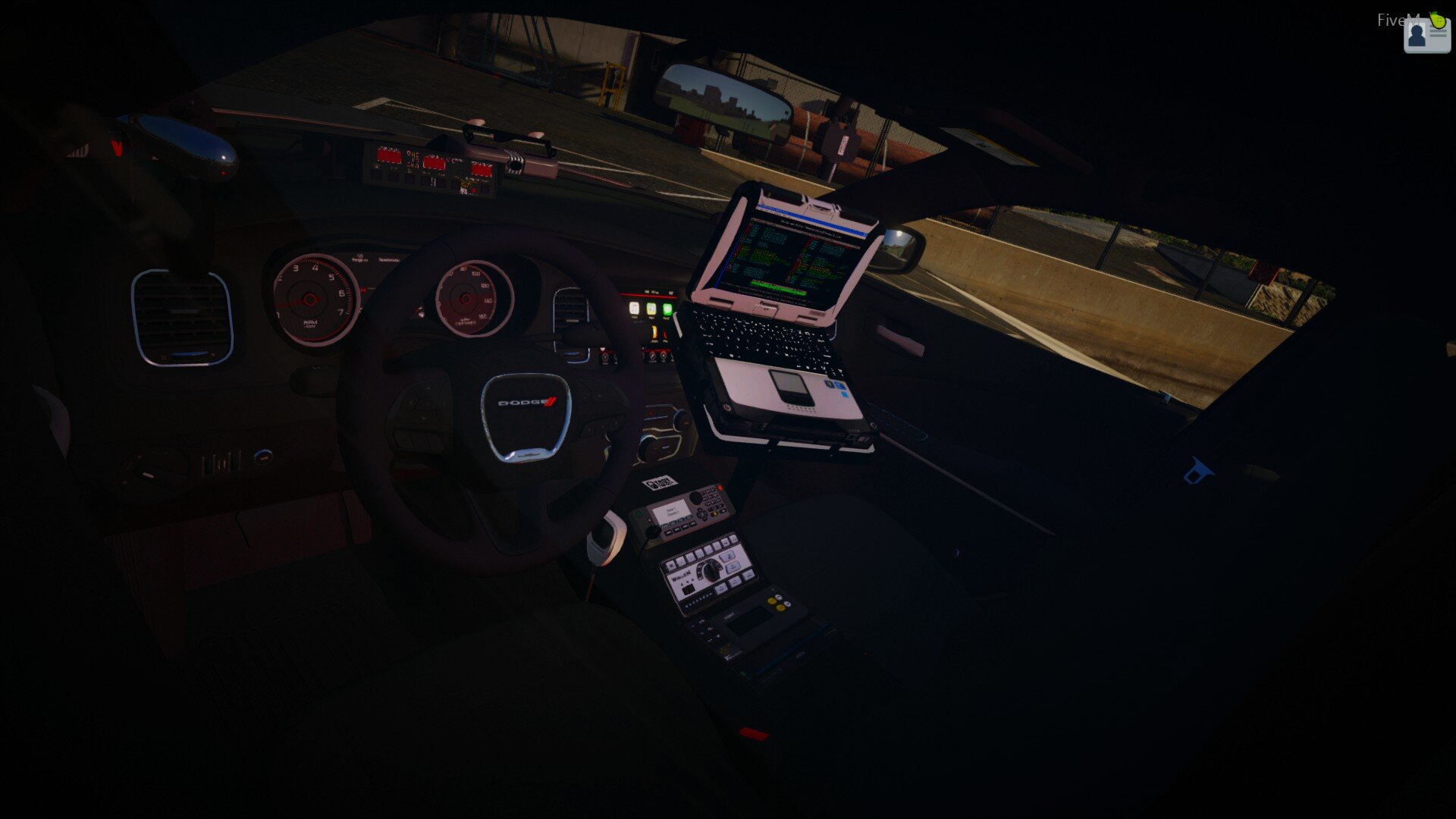
Original Computer background by G17 Media/LCPD:FR Developers. Edited to current state by RipplyTiger151 DO NOT EDIT FURTHER FOR CLAN USE WITHOUT MY PERMISSION!!!! You are allowed to use/edit this for personal use, but DON'T EDIT IT FURTHER FOR CLAN USE WITHOUT MY PERMISSION! **Note: My warnings above don't mean that you can't use LCPD:FR's original file and edit that for clan usage, I am stating you can use MY edited file for clan usage without permission! In-game photos: Be sure to give me some ideas to add to this or some issues that I may need to fix!
- 4 comments
- 3 reviews
-
4/5! Nice, but you could move the side decal towards the front some more and then make the vertical height of the decal more bigger because it is too skinny.. also move the Sheriff thing in the back down some, it looks better if the ford symbol overlays it. Also on most templates there is a place to put a license plate, all you have to do is look up "Alabama License Plate" and look into the images and find one you like and then copy and paste it onto your skin and then scale/move it to fit it in the rectangle. Otherwise nice job!
- 6 comments
- 2 reviews
-
-
- 1
-
-
Yep. Confirmed here as well!
-
Just a normal patrol in Hove Beach and then I got a notification that a car in front of me was in a pursuit, so of course I joined it. After a few minutes of chasing him and having a back up unit behind me (blue dot on the map) I notice another blue dot and see that one of our LCPD officers have taken a civilian's Landstalker and was using that to help chase our suspect. We got into the industrial area off of Mohawk and he crashed into a wall and I pinned him in, all of my back up units disappeared to somewhere else, I ordered him out of his vehicle and he did so and I ordered him to stop and he did that too.. I ran his license in my car while I had him detained on foot, his license was fine (except he had been pulled over a few times), then got out of my vehicle, went over to him and detained him into my cruiser. I then drove him to the PD on Dukes Blvd. When we got there I got out of my cruiser and went to the back door and opened it (by pressing E) and took him out (by pressing E). When I realized that Detaining didn't mean arresting i tried to cuff him but then he pulled out a pistol and started shooting at me (that is why you need to frisk them while they are detained) I returned fire killing him, with just one or two bullets in me, and told dispatch that I had an injured pedestrian (by pressing Alt-E) then actually, by using the actual regular keys, called for an ambulance which, of course, never showed up. 100% True -Officer Noah (RipplyTiger151)
-
I would certainly care about him, seeing as he is one of our wonderful LCPD:FR Administrators.
-
-
-
-
Bro.. you almost had me thinking you released my mod on here.. lol.. nice job, besides the Hg2s.. they ruin the Durango.. keep up the good work!
- 14 comments
- 5 reviews
-
-
- 2
-
-
I agree 100% with ZMU920.. no one is really gonna download this if there isn't a side picture showing what it looks like.. it does look promising though..
- 8 comments
- 1 review
-
umm.. lets just stick with 1/5 due to the same reasons stated above and remember take the critizm into consideration. Merry Christmas though!
- 3 comments
- 1 review
-
-
- 1
-
-
Oh! I so forgot! I was in "ZModeler mode" when I posted that and I forgot completely about that..
-
If you are asking how to make the actual ELS LEDs Amber, then it is not possible without the model being unlocked and I doubt this one is...
-
Merry Christmas to all LCPD:FR members!
-
This thread is not useless. There is a EVCS version out so there is the capability to try out EVCS and see which one you like better. For those who think this thread is useless why post here? I personally, right now until EVCS 0.2, prefer ELS. Don't be a smart alack. If you aren't being a smart alack then this post is to see which one people prefer.. ELS or EVCS? and I believe he was referring to the overall looks/usage of the two systems..
-
Umm.. you do know that he released it on here to right? '?do=embed' frameborder='0' data-embedContent>>
-
umm... when you said that you were gonna remove the SHERIFF on the back, I thought you were gonna redo it.. 4/5 missing that <
-

