
Officerphillips69
Members
-
Joined
-
Last visited
Everything posted by Officerphillips69
-
Thank you Officer Bonds. I actually never thought of this. I am sure that it technically wasn't intentional but none the less it still works. I really want the mod or patch that will allow you to grab the perp like LCPDFR and you can kinda man handle them to the vehicle as drag them by the cuffs!
-
Well that was the problem. I launched with the latest Ragehook, and it has to connect to steam to launch the game because that is where it is in the directory, once it connects to steam it does an auto update. Very annoying
-
Ok thank you: I wonder if I can run it from a different folder so it doesn't call on steam? Kinda be around it
-
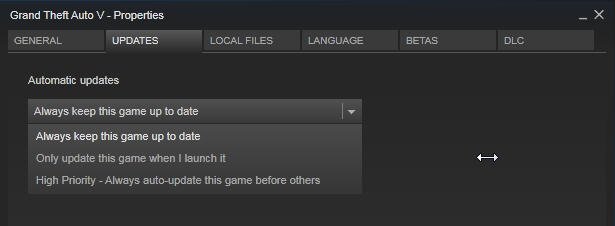
Yep, I said same thing. I mean yes there will be the occasional hacker that will try and spoof the exe etc. but call me naive when I say this, I really feel that 95% of the modding community is ... well... just that. They mod for Single Player use to have fun with this game. To be honest I think I have played about 15 minutes of online play and I would get gunned down in seconds until I figured the non flag thing out and then I was left with a city that I could jobs for and... well.... it got boring to me. I want to see modded cars and most of all I wanna role play as a cop. It gives me more of an adrenalin rush. ** PLEASE HELP ** Does anyone know how to keep Steam from Autoupdating my GTA V? It gives me 3 choices, none of those sound appealing. What happened to the button where it says Never update this game. I know for a fact Steam use to have that feature. I want this, I do not want to update GTA V ever again after this crap.
-
Ya I get that. I guess that is why I am not a developer. I guess in my head I am thinking that they have to be inside GTA V testing things out making things work, yet if you can't even test the game out because its not compatible to begin with just still leaves me confused. Once again that is why I am not a developer. I really wish GTA V developers made it easier especially for the PC version. They know that PC has some of the best mods out there, they even admit it on their own site speaking about the 'zombie invasion' etc. Yet, in the next sentence they say its not advisable because it can cause game instability. Well ok, if that were the case, how about we just uninstall the mod that made it unstable? I think most people that place PC that are installing Mods know or have experienced a problem with the game after installing a mod. Lord knows this was the case for me with GTA IV. The ELS and other scripts caused my game to crash so much I just gave up on LCPDFR. I know they will have a workaround soon. I come here at least twice a day and still see the LSPDFR is available for download 0.1e ? I guess its for people that were not forced like myself to update the game and they are still playing an old version of GTA V? I could have sworn I turned off auto updates on Steam yet it still continues to update. Probably need to check that again, or rather uncheck that auto update crap because I don't want to see this stuff happen again. Only reason I play GTA V now.
-
I guess the biggest disappointment was the hype train. Surely you guys were testing it in GTA V and were playing it right to actually release a release date and almost a time as in "Later this evening" how can you say that when it clearly was broken at the start? I am confused. I am sure it will all get sorted out, but I am sure the developers are mostly concerned about the MP aspect of the game and since the whole AI is based off of both mechanics they were making sure no one was using modifications. Not sure why they would discourage this so much. Its pretty simple, if you have a mod running in the background and are attempting to play MP then bounce them off. In SP you leave them alone because we want to have fun 'our' way.
-
-
Correct
-
 No problem man.. just looking out for ya. Its a good concept script by the way.
- 182 comments
- 25 reviews
-
-

- 1
-
-
Would recommend that you choose a different video to promote your script. One that actually uses LSPDFR - Ragehook I mean he is pulling people out of cars as FBI and getting stars on him as if he doesn't even work for the police. Then shooting people at random? Nah man... do a video yourself and then post it. Don't let some other guy do it, it doesn't promote well, doesn't promote well for you to post his video either - just sayin
- 182 comments
- 25 reviews
-
-
 Got it working fine now. Downloaded the newest LSPDFR 0.1e with new Ragehook and it all works well. Working goood
- 131 comments
- 20 reviews
-
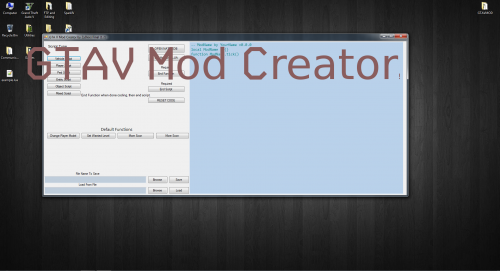
I am also getting a crash after pressing L. Took a pic below attached EDIT: Got this to work now. Turns out I did not have the latest LSPDFR Ragehook and I might not have called on the dll file twice in the startup. Anyways, all is working fine.
- 131 comments
- 20 reviews
-
I will give it a try and post my comments in a bit, Thanks! BTW do we need to add loadplugin "SpikeBarrier" and add .dll after the word Barrier? Like this loadplugin "SpikeBarrier.dll"
- 131 comments
- 20 reviews
-
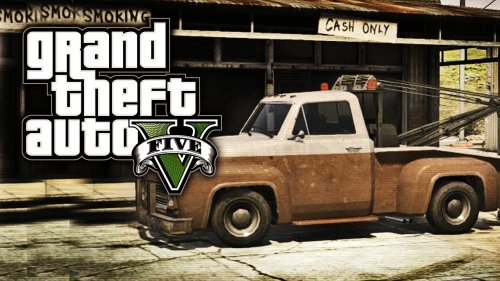 Pretty nice mod I must say. Hey we have like 85 comments and very few review. How about show some love and give this guy some stars.
 -
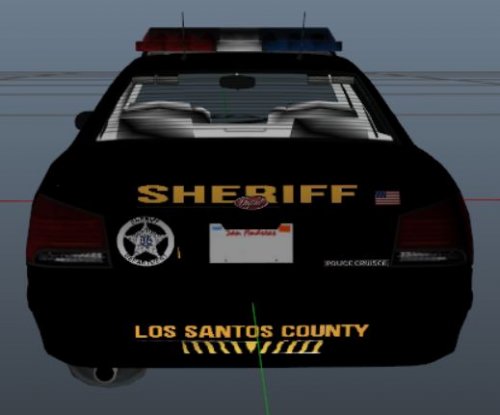 Find it interesting that we have not had more vehicle skins. I am sure people are working on them.
- 1 comment
- 4 reviews
-
 I would delete the one you have added entirely. Reinstall "make sure your out of game". Do this, Right click the "startup.rphs" file and open in notepad. You will see loadplugin "LSPD First Response.dll" you can add what I did here and then save. That way when the game loads up it loads the LSPD First Response and the SpeedRadar as well. loadplugin "LSPD First Response.dll" loadplugin "SpeedRadar.dll" Some people are saying they had to put in loadplugin "SpeedRadar.dll" twice in the startup.rphs file but I didn't seem to have to do this. Worked fine right out of the gate. Not sure if this script has anything to do with making sure your Computer itself is up to date with visual c++ but it wouldn't hurt to make sure you have the latest one downloaded since your using scripts.
- 101 comments
- 40 reviews
-
Do this, Right click the "startup.rphs" file found in your GTA V main directory, Right click file and select open. It will probably give you another pop up window asking which program does it need to open with, find and open in notepad. You will see loadplugin "LSPD First Response.dll" you can add what I did here and then save. That way when the game loads up it loads the LSPD First Response and the SpeedRadar as well. loadplugin "LSPD First Response.dll" loadplugin "SpeedRadar.dll" Good Luck
- 101 comments
- 40 reviews
-
Aye, all is good now. BTW, this new version rocks. The drive to you. Unfortunately they do sometimes a bit more damage to other vehicles, but this is probably something you can't prevent as the police cars do the same thing.
-
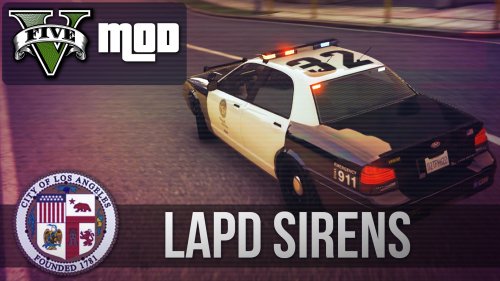 Overall the LAPD Sirens sound pretty bad ass. There is just something about the main siren that it 'almost' sounds as if it is further off than your own car. Other wise it is spot on with the real life siren. Nice work!
- 18 comments
- 3 reviews
-
Having a blast with this mod. Great work guys. I noticed that after the "official police" do a pursuit and they manage to get the person out of the car they make them lie flat on the ground. I wonder if that is an option in later betas? Then of course the calling in to run plates to check for wanted etc. and perhaps the occasional they have a gun and shoot straight away at you, then if we can get police helper so you can just walk the streets and check peds ID... man I would be a happy camper. I know this is early beta and to see how much you have already done with it on first release is pretty bad ass!
-
As of 7:30pm CST on 06/25/2015 the Download File link is broken. Sending a Code error on website
-
Ya found that one yesterday evening. Works pretty good too. I like how the guy will get out of Tow Truck and write down plates etc. then take off and he is not in a big rush. More realistic :)
-
@SkyrunnerHD "simply add "LoadPlugin SpeedRadar" to the file. Can someone pls explain this in a different way :3" Do this, Right click the "startup.rphs" file and open in notepad. You will see loadplugin "LSPD First Response.dll" you can add what I did here and then save. That way when the game loads up it loads the LSPD First Response and the SpeedRadar as well. loadplugin "LSPD First Response.dll" loadplugin "SpeedRadar.dll" @CrazyJakeLane - You can do what I mentioned above without overwriting the file. Just copy the extra line then save it. Load the Ragehook and your fine. Another point of advice and you all may already be doing this. I got tired of driving to the nearest police station. Just go to the front door of the nearest police station and pull up your quick save and save it from there. That way everytime you load the game up you literally standing at the Police station door.
- 101 comments
- 40 reviews
-
-
- 3
-
-
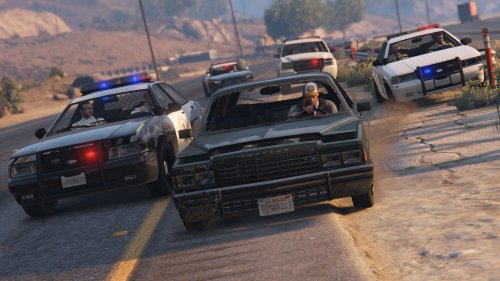 Please forgive my ignorance when it comes to modding. I can install things fairly well and have been using mods for a long time. Exactly what is the purpose of this mod when it comes to LSPDFR? Is it just reversed, meaning that the suspect would have stars instead and they put up road blocks etc? If so, this mod is kick ass. I am getting tired of chasing one suspect for 10 minutes with 15 cars and air support on them and they just keep going without road blocks or anything. But again my questions, is this for the police style mods here or is it for SP fun mod to run from the cops etc? Because isn't there a Native trainer already to raise your own wanted level to 5 stars but now this mod puts you to 6 stars instead?