



Officerphillips69
Members
-
Joined
-
Last visited
Everything posted by Officerphillips69
-
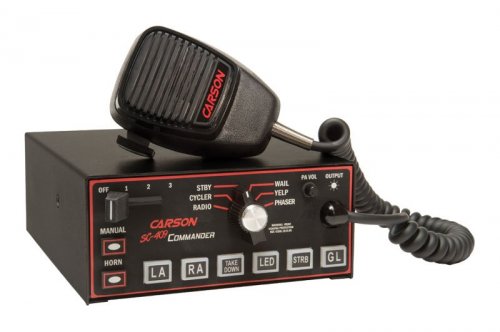 I guess I am the only one that has their game crash when replacing the vehicles.oac? Or even trying to replace the sound files into the vehicles folder and then importing the oac file and the siren is silent? I am the only one eh?
- 16 comments
- 2 reviews
-
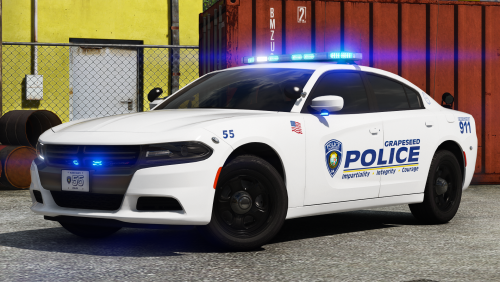 Great looking car. However, the window tint is almost black. No way to fix this even with trainer.
- 17 comments
- 12 reviews
-
The tint is too dark. I tried removing the tint with trainer with going to dark then none like most cars when it has this problem but its still pitch black
- 17 comments
- 12 reviews
-
 I still think you could at the very least include in the readme that you can change the name to sheriff, sheriff2 and if you want to add a sheriff3 just have an extra readme that you can snag anywhere. To simply have it as police, police2, police3 is just lazy for great modder like yourself. These are still great models and not going to take that away, it just a pity that you don't go the extra step is all I am saying for people that just don't simply undertand why they walk out of their LSPD station and find these great vehicles in Los Santos County. You don't even mention in your description that you can rename if you want. You just expect people to know this stuff.
- 60 comments
- 44 reviews
-
 Sounds great, just wish I can use it. Game version not supported, fresh install and can't even use several mods. Seems LSPDFR community waiting on ONE person Alexander Blade sounds silly as shit.
- 1,196 comments
- 127 reviews
-
 Having an issue with the window tint. I am sure its probably an easy fix but I have been at this for hours now. I have tried replacing the vehicles.meta file that Gump has supplied. Doesn't matter what slot I have both of these vehicles in, it still shows pure black. Whether its police, police4, sheriff, sheriff2 they are all pure black. Trainer does not help changing tint to none as well. Trainer does help certain lights with ELS to show that is all. I am thinking my vehicles.meta is being overwritten somehow. I did do a auto install of some packs by captain14 and bxbugs123. I deleted out the dlc.rpf files for those as I do not use those anymore for dlcpacks. I thought those may have overwritten my vehicles.meta file. I checked the diffuseTint its value is 0x00FFFFFF My pathway is correct for my vehicles.meta file being mods/update/update.rpf/common/data/levels/gta5/vehicles.meta I used Gumps meta file. Is there something that could be overwriting this forcing it to give the black tint?
- 59 comments
- 42 reviews
-
 Sorry, there is a problem We could not locate the item you are trying to view. Error code: 2D161/2
- 3 comments
- 4 reviews
-
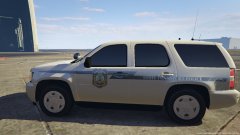 Looks good. Can you do like a LSPD livery as well?
 -
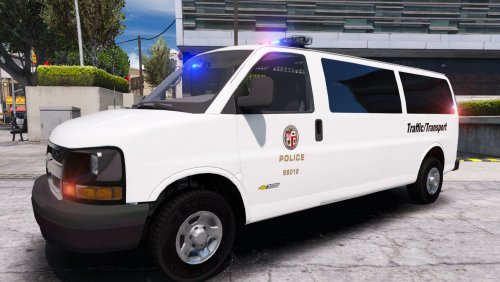 Silly question here, but can you please give the pathway to the actual vehicle? Sorry, there is a problem We could not locate the item you are trying to view. Error code: 2D161/2
- 12 comments
- 1 review
-
-
 Mine is always black. No ability to change the colors with trainer. Where is the color in the .ytd file so I can change it transparency or maybe a different color. Thanks
- 85 comments
- 45 reviews
-
 Ok I am confused here. Not one of you corrected this guy, so I have to assume that he is right that its for GTA 4? Its in the GTA 5 section ...... but like I said no one corrected him and this was written in August 2015.
- 20 comments
- 1 review
-
-
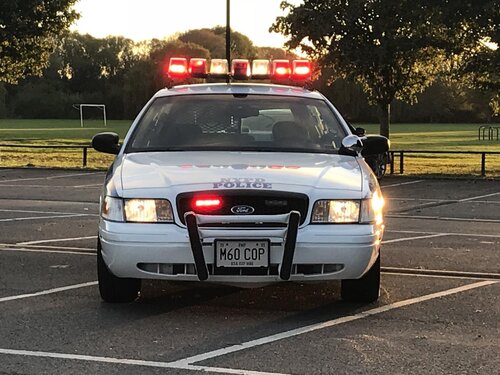 For some reason it doesn't really sound like NYPD type siren. Maybe on the outside of NY?
- 5 comments
- 2 reviews
-
Pretty sure ELS Offers this. Might need to read documentation
-
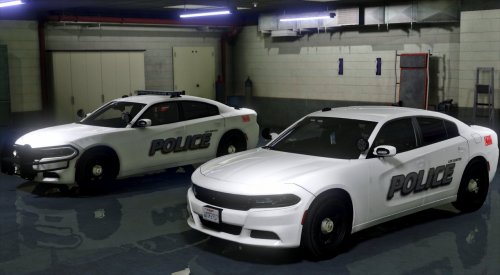 The lights are very faded even after Make Visuals Great again I will wait for your OIV package installer. All of this talk of manipulation of carcoals and other lines is overwhelming for a download.
- 66 comments
- 13 reviews
-
-

- 2
-
-
Everything looks good except your description of the carcoals. Could use some help here. Cacoals are all faded out. Was this in the description? Maybe I am missing something in the readme on how to fix this
- 66 comments
- 13 reviews
-
-
-
 Great mod - However, using it as Speed Radar and needing to have my lights only on sometimes going down the highway to pull someone over makes it a bit odd as the script will go off and on as I am pressing J, maybe I might have to rebind my siren type keys? Because this script does not come with an ini file. Only a .dll file which of course the PC flags it, but we all know its safe. Is there a way you can change the keybindings of this script without an ini file? Doesn't mention this in the description. Sorry for my ignorance. You wrote " Sorry about the INI file sometimes being in the wrong location. I couldn't get it to load up in the same directory for some reason." Am I doing something wrong here? It sounds like the ini file should come with this script. Or is he referring to the scripthookvnet? EDIT: I FOUND IT.... sorry I did not read correctly. It was sitting all by its loansome in the main directory. IT was odd because I did not install it there. Thanks for this mod
- 168 comments
- 29 reviews
-
 This mod has so much potential but can't use due to a significant performance loss. I was hoping to see something in his description that he was working on fixing the performance loss issue that several people have, but I have not seen any kind of update in 6 months. So 3 stars for me. Its unfortunate too as this mod had so much potential.
- 246 comments
- 45 reviews
-
 I am guessing English is not your first Language. The interaction between the people on scene is pretty bad to say the least, the grammar is horrid. I didn't want to write that in the review because it has some fun aspect. However, your mod is crashing my LSPDFR at startup. I am certain it is not compatible with the newest rage hook. It crashes when going on duty. It took me an hour to figure this out. So for those of you that want to get this, wait til he updates it and hopefully he corrects the terrible grammar associated with this mod.
- 130 comments
- 28 reviews
-
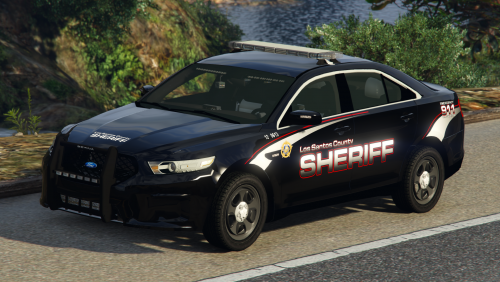 I took your skin that was made for the CVPI model by Virzza. I took your file named "CVPI (Virrza, Gump, F5544 based versions)" I replaced it with your livery and it completely bugged out the car. Not sure it was meant to go onto that car.
- 45 comments
- 11 reviews
-
.gif.ef71e5660a9974a47d7678c5aa25d9ea.thumb.gif.e29002164b287fddeca8c59836e258bc.gif) Looks more like an issue with Spot light. Not necessarily your mods fault just maybe a conflict or just doesn't work well together
Looks more like an issue with Spot light. Not necessarily your mods fault just maybe a conflict or just doesn't work well together- 42 comments
- 13 reviews
-
Love the concept without a performance loss. 2 things I wish you can fix though 1. No break lights when you turn on the lights (could be caused by something else) but either way it only affects this when I have your mod installed. Some of the car models have break lights which is weird but most do not. 2. Could be brighter lights in my opinion
- 42 comments
- 13 reviews
-
-
- 1
-
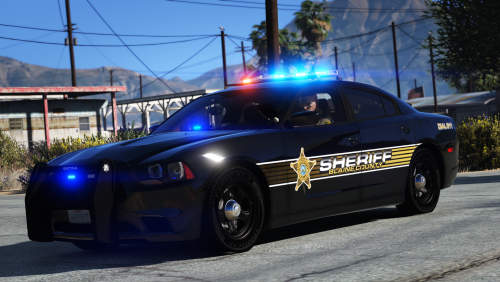

.gif.ef71e5660a9974a47d7678c5aa25d9ea.thumb.gif.e29002164b287fddeca8c59836e258bc.gif)