



Mr.Quiggles
Members
-
Joined
-
Last visited
Everything posted by Mr.Quiggles
-
You chose a Standard ATX Format Case, good choice. PSU, GPU, CPU, RAM, MOBO, CD Drive, Fans (120MM Only), all will fit. The graphics card will fit on one of the PCI Express Ports on the Motherboard and will stick out the back of the case. (Not actually stick out, but it will line up and will vent hot air out through it). A standard CD Drive will fit inside the case too. You definitely don't need to spend anywhere near $2000 to play most games on High Settings. I have 1X GTX 660 and I can run all games on High Settings with a decent FPS. I'm content. I don't overdo it.
-
-
Oh, your OS Copy has a disc. It will work of course then. And what are you concerned won't fit into the case? I can check everything. you're unsure of
-
The second link is a much stronger build! One thing you need is an OS. Because you had a dell Pre-installed copy of Windows Whatever you have I doubt you can transfer that stuff over. So you will probably need an OEM Version of Windows 8.1 64 Bit (I recommend) and some kind of system drive to copy the data to temporarily or permanently. Another thing, If you plan on using your old CPU on the new MOBO, you will have to buy some kind of a CPU Cooler/Fan. I doubt the Dell one would work as it's most likely specifically built for that particular MOBO.
-
http://gtaforums.com/topic/458859-faq-how-to-use-commandline-switches/ Choose what you think is good, if you're confused, try it! One thing I'll say though, your game will look like shit. That laptop is not very powerful for GTAIV. In addition, reduce all your graphic settings and disable video recording ingame in one of the option menus.
-
theninja35, remember what I said. AMD is good and all, but I was just giving you advice on Intel/Nvidia as that is where my strength is. I have a bit of a grudge against AMD, for personal reasons. But I won't spill my bias. But sorry, I cannot help you on the AMD end of the computer spectrum. EDIT: What I can say, is what I've heard, AMD is better for budget.
-
Are you willing to scrap the Dell XPS 8300 for some parts? For example, you could buy a new tower, a new MOBO, and transfer over existing CPU, GPU, RAM, HDD, PSU, and DVD Drive and cables. Then with any left over money you could try a new GPU, SSD, CPU, PSU, and anything else. And 1ian is right, if you plan on buying anything in the Nvidia X60 (X Standing for the Series, 5/6/7) Series I'd recommend at least a 500W PSU to play safe. For this, I'd recommend the brand Corsair, I love them.
-
Oh ok, so why not spend money on buying a different graphics card, or buy a second one to SLI (Not sure if MOBO supports, you'd have to check) instead of building a complete different build? You could try buying an SSD to put games on too, or the OS. Or a little bit of both. You'd see a change there too. Buying a new PSU would also be good. But the dell sounds fine as is, however if you can the best thing is to just build your own computer. I'm not sure if the Dell 8300 Cases are based on an ATX format, my guess is no because their MOBOs are most certainly not ATX. Also, the i5 2320 in my best guess is most likely better than the i3, quad core power triumphs everything. But from my personal experience, I had a Dell XPS 410 and I upgraded the shit of that thing with my dad until I finally realized it wasn't worth it anymore, so that's when I got serious about my computer build. And I'm so glad I build my own build, so if you can I highly recommend building your own, however if money is a problem for you then I do recommend a good GPU and PSU and maybe SSD change on the Dell XPS. Finally, you can always just build the basics of a new computer and add on periodically as you get more money. For example, I have 1X GTX 660 and I probably will buy a second one to SLI this Christmas.
-
I'm posting 4 because I'm a complete badass. GTAV Le trolls at the computer Me playing GTAIV when "launchgtaiv.exe has stopped working" EDIT: The 4th never posted, so screw it.
-
Cool, I'm about a 30 minute drive away from the CT border, I see their cruisers a few times a year. A little weird if you ask me. No decals? No partitions? Cops own the cars? It's different I'll give you that!
-
Yeah your system is going to fly. Now all you need to worry about is getting the god damn horribly ported game to work. :) No ENB is the original ENB. The game never came with an ENB.
-
Hello, In order to tell if your chosen motherboard is compatible, may I know your CPU model? Also, your motherboard looks good. That is not a motherboard, but here's a little secret. You really don't need a gaming motherboard. They've simply been marketed like that to sell and make extra money off gamers. Just select a motherboard that has the ports you need, make sure it is of good quality, and you're good. That selected model does in fact look good.
-
I'm only an intel/nvidia guy so don't know too much about AMD. However, what I can say is building a computer was definitely worth the experience, time, and money. You will learn so much and it's most likely better for future upgrades. So because my previous statement disqualifies options 2, 3, and 4 (AMD, AMD, and Prebuild) let me look at your first Intel build. Here's some notes. (http://pcpartpicker.com/p/2bZsW) 1. You don't need a CPU cooler. It's difficult to OC your processor, and even so, you won't yield much better results. 2. Same goes with the CPU coolant, scrap it. A fan + coolant is supplied in the i3 Box. 3. Motherboard is a bit more advanced than it needs to be. More expensive motherboards do not make performance better. Get one with the selected ports you need, and with good quality. And bam, you're good. However, what you have is good. 4. Sound card? I don't think that's necessary. I'm not really into that stuff, but unless you do heavy sound making and need top of the line software and audio studio equipment, I don't see that being necessary. I don't know what you do though. 5. I highly recommend using an Ethernet cable (Direct Connection) if possible (Like if the router is right next to you). USB 2.0 Wifi thing looks like a disaster. 6. How do you intend on storing your data? Bring it over from another computer? Could I know the model and speed (RPM) of your current HDD or SSD if so? 7. Your CPU and GPU are the single most important pieces in the system for speed, and they currently look like bottlenecks in your system. I'd try for at least a GTX X60 (X standing for series, 5, 6, or 7 series). As for CPU, I'd recommend at least a Quad Core Processor. (i5 Series). This is my computer build (Copied directly off my Steam Profile) My Current Computer Build (Yes,I built it): Initially designed in Q4 2012 Case - Antec Eleven Hundred - Custom Fans OS - Windows 8 64bit Home Processor - Intel Core i5 Ivy Bridge @ 3.4GHz (Turbo Boost @ 4.1GHz) GPU - EVGA GTX 660 SC SE (1X) MOBO - ASUS P8Z77-V LK PSU - Corsair HX750 Processor Fan - Cooler Master Hyper 212 EVO - 2 Fans Storage - Intel 520 Series SSD 120GB (Intel RST Cache + Bandicam Cache) <RAID_10 CONFIGURATION> Storage - (2X) 2TB Western Digital Caviar Black 64 MB Cache @ 7200RPM Storage - (2X) 2TB Seagate Barracuda 64MB Cache @ 7200RPM </RAID_10 CONFIGURATION> RAM - 2x 4GB Corsair Vengeance @ 1600Mhz Monitor - Samsung Sync Master PX2370 23'' LED Keyboard - Logitech G710+ Mechanical Keyboard Mouse - Logitech Corded Mouse Mic - Yes Webcam - Yes I was once a noob at this stuff too, if you need any clarification. Just ask.
-
-
-
Haven't heard about HandBrake, I'll give it a shot! Thanks for the tip.
-
Yeah guys, you can't just record a 30 minute file using fraps or bandicam or whatever and then just upload it. You need to compress it first.
-
That's pretty detailed, nice work.
-
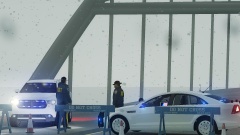 Nice cruisers. In My opinion, the Caprices with those rims (In real life) look so bad. Boston PD bought some caprices with those rim...so ugly. :|
 -
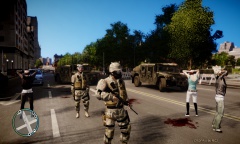 Disobedience, not following the law. Civil Unrest would be a civilian riot for example.
 -
-
Oh this is great! I had the brinks one, but the colors and options are more plentiful here. Thanks a lot!
- 6 comments
- 4 reviews
-
-
I was there when that picture was taken, I didn't take it, but I sure stood where the photographer was standing that day. :D
- 3 comments
- 5 reviews
-
Nice! Did exactly as you said, and my game just crashes before we spawn in the apartment. I'm working on it. I'll respond back here if I get a fix!
- 43 comments
- 18 reviews


