


AniHIlatOR
Members
-
Joined
-
Last visited
Everything posted by AniHIlatOR
-
Okay, thanks for your replies.
-
I think in most of cases running out of memory is a true reason for crashes. For example you are using a high resource ENB + lcpdfr + other scripts + modded cars. Your VRAM can't stand it so you have to use additional memory from RAM or Cache, which makes a big possibility of game crash. Wrong installed mods are second reason of crash but that is yet another case.
-
There is a few types of ENB, depends what do you need. Try low, or med-end ENB's. Don't focus on improved high-end graphics cus' your laptop RIG can't afford it.
-
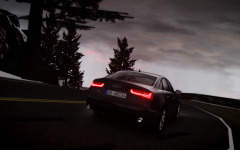
From the album: ENB's REC10H ft. AniHilatOR
-
Most of screenshots are from my ENB on version 1.0.0.4 But now I'm starting posting screenshots from LCPDFR 1.0/ELSv7 friendly ENB mixed N-Rage and game4video. Not so preety as previous patch ENB but police lightbar looks amazing.
-
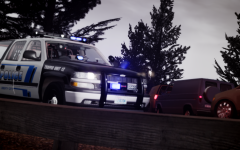
From the album: ENB's REC10H ft. AniHilatOR
-
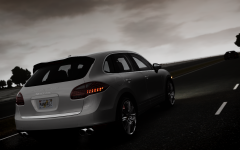
From the album: ENB's REC10H ft. AniHilatOR
-
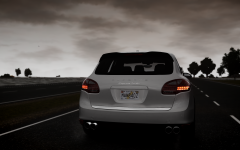
From the album: ENB's REC10H ft. AniHilatOR
-
Well, I was experimenting with this game many times and as soon as anything goes wrong I deleted all files and replace it with a backup from my USB HDD. Will it really help to uninstall game and install it on fresh? Maybe, I'll try it tommorow morning. Huh, I have to mention that I've tried to install lcpdfr, vdh and whole that police content and noticed slower texture loading. I've heard a lot about that issue, I mean about missing texture, black screens, etc , etc. Mine is just loading much slower, but it's not a big deal. I'll try to "trick" my GPU and tweak card memory by adding it from RAM cache. Or sth like this, I don't know how to describe IT/programming stuff. I'm not English native speaker
-
Maybe it's fact cus I have all cars exchanged. Okay, will try it, except a reply in 5 minutes. *EDIT* Nope, no a real reason for that decreased FPS, I'll try with original gtxd.img and vegetation.img, brb Playing with original files like road texures, trees,, etc, I gained 5-6 fps from initial situation. But there's no point to play with stock vehicles right? I'll try to search for high resource file that slow my game. Maybe there is something with Antialiasing. Turning it off may help a little. Antialiasing settings are only in enbseries.ini or iceconfig.ini file, right? If u have other ideas, feel free to post it.
-
Thank you, for this fast reply. Appreciated. I've tried what you proposed and I have to say I the difference is small. I gained like 2-3 fps. I copied your commandline and decreased slightly view range and detail range. However night sill stays on low Frame rate. However I noticed that coronas from car headlights make game slower. I thinking about delete this png. file. But if i do this, shall I edit something in additional flies like enbconfig or so? I attached a screenshot showing situation where is a lot of objects and makes game work on 22-25 fps. As you see, the game doesn't look incredible good, before I had rly nice enb which looks 3 times better then this and I had similar amount of FPS. That was on patch 1.0.0.4. But I wanted to install fresh enb for 1.0.0.7 to play LCPDFR and other police scripts. And there's a situation where i get 40-60 fps : (depends on scenery as I said) Sorry if images are not scaled, will fix it if broken Idk, what to do more with this game. Maybe i'm gonna try on this FPS if there's no other solution.
-
Okay, sorry to bother you but I'm kinda confused about my ENB working, - I'll try to describe as short as possible: The problem is I installed Game4Video ENB 1.0.0.7 but there was a problem with missing file in it, so I downloaded N-Rage Enb to fill the empty files. Everything works, but I was supposed to have more FPS than I actually have. This is frustrating cus I saw some other people have this config with higher FPS on weaker PC configuration. I get 22-40 up to 117, depending on the scenery, objects and cars amount. In the night I get less FPS avg. (25) than during day, which is weird cus author of ENB described : FPS: 30 avg. at day 35-42 avg. at night - he's got Gtx460, Intel Core i5 760 @3.37 Ghz. I get less Fps then his PC config does. MY PC RIG: GPU: Radeon 6970 HD 2GB Memory CPU: i7-2600k 3,4 ->@3.66GHz RAM: 8GB @1600MHz Windows 7 sp 1 GAME DETAILS Video Mode: 1680x1050 Aspect Ratio: Auto Texture Quality: High Reflection Resolution: High Water Quality: Medium Shadow Quality: Medium Night Shadows: Medium Texture Filter Quality: Anisotropic x8 Vsync: OFF Definition: ON View Distance: 30 Detail Distance: 40 Vehicle Density: 50 commandline.tx -availablevidmem 4 -norestrictions -nomemrestrict -noprecash -novblank -novsync What's the point, why i have less fps than eny other have, if my pc rig is quite good. *IMPORTANT* TESTED ON NEARLY CLEAN GAME WITHOUT ANY MODS, EXCEPT MODDED CARS.
