


GTA Fanatic
Members
-
Joined
-
Last visited
Everything posted by GTA Fanatic
-
 player location does not display the speed limit signs so its not the exact same.
- 540 comments
- 26 reviews
-
-

- 1
-
-
Now that i know it is the same one. I can honestly say i just added it to my game and it works great, Excellent job Venoxity
- 540 comments
- 26 reviews
-
-

- 1
-
-
-
You could try this one it works great, you still need lemonui tho. https://www.patreon.com/benzoeffect/posts
- 540 comments
- 26 reviews
-
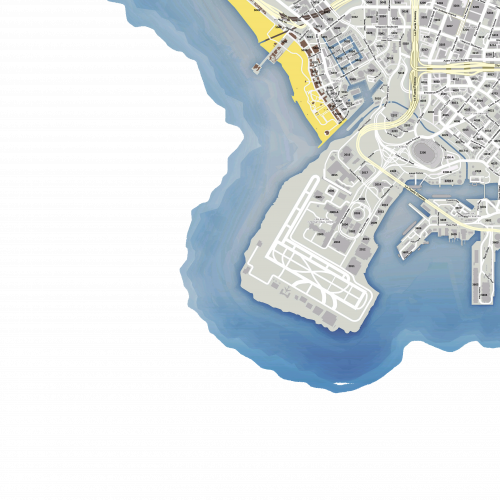 I was super excited about this map until i realized over in sandy shores there a alot of duplicate postals sadly. I will readd this to my single player if this gets fixed
- 33 comments
- 7 reviews
-
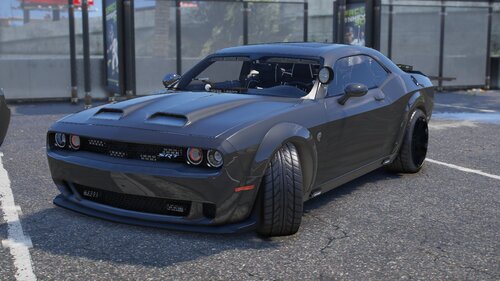 This car is absolutely perfect, i would like to change it to all blue lights but give yourselfs a pat on the back. excellent job.
 -
 I had the extra slots POLICE30_FBI30 with lml working great then got the same error message with crash. So what i did was i took it out and installed the original file from extra slots and then i slowly added the car variations and meta files from the POLICE30_FBI30 slot files to that one and now im back to being able to add as many cars as i want through extra slots and i use the added menu to spawn. Hope this helps.
- 322 comments
- 17 reviews
-
-
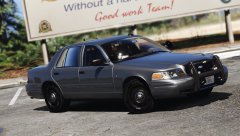 i am also looking for an awesome unmarked cvpi. Keep up the good work man.
 -
would be good to put what you had to do lol
-
Install player location plug in and you can add it through there.
-
Add it to where I have no idea where or what that is and I am having same issue. New to this also please help


