


GTA Fanatic
Members
-
Joined
-
Last visited
Everything posted by GTA Fanatic
-
 Awesome callout pack, you should get together with opus49 and sync this with his callout interface. Great job.
- 174 comments
- 34 reviews
-
-

- 1
-
-
- rph
- lspdfr callout
- legacy
- rph
-
Tagged with:
-
 Oh ok. Thank you just wanted to make sure it was not doing anything funky lol
- 540 comments
- 26 reviews
-
Is the speed limit suppose to match the in game speed limit signs? there are some roads where this says 60 but signs say 50 .
- 540 comments
- 26 reviews
-
-
-
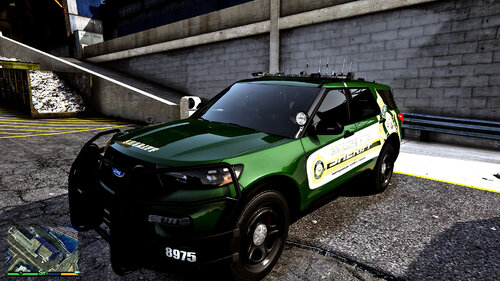 Now i know what you mean by that lol i have abunch of vehicles in my lspdfr like that over 25 police cars in mine lol
 -
I am interested as well that sounds good.
-
 Needs an update, Will only allow me to adjust light on vanilla cars not my added cars.
- 473 comments
- 73 reviews
-
 NVE and LML are not working for me together sense the recent LML update. But they were in the previous version.
- 318 comments
- 17 reviews
-
Must have something to do with recent lml update maybe try to use previous version?
- 318 comments
- 17 reviews
-
Once you install NVE you might have to load game up to 3 times before it loads in. Give it a go.
- 318 comments
- 17 reviews
-
-
-
 I was having an issue where about 100 police cars would spawn piled up in the street and i removed this plugin and now it dont happen, not sure what issue is.
- 1,007 comments
- 63 reviews
-
-
I tried and I feel bad that nobody else cares to help ya. If you do figure it out let me know what it was please good luck with it.
- 540 comments
- 26 reviews
-
See that is exactly why i have you tryin to get it to look like my scripts folder. Because nobody else is trying to help you. Only thing i can think of is maybe you have a file that is outdated and needs to be updated. I would check all the required files and there versions.
- 540 comments
- 26 reviews
-
Simply because he has tried everything so i am trying to get him to add what i have in my script i know it dont relate to it but i am trying to diagnose his issue.
- 540 comments
- 26 reviews
-
https://gta5mod.net/gta-5-mods/scripts/nativeui-library-1-9-1/ nativeui.dll is this link at the bottom put in scripts folder its not rage nativeui. If this dont work then join there Discord for help and remove that ragenative you added.
- 540 comments
- 26 reviews
-
Looks like your missing Nativeui.dll in scripts folder. Make sure youy have installed the Texture file into Openiv as well. simplehud.ytd go to mods > update > update.rpf > x64 > textures > script_txds.rpf in OpenIV and place it inside there make sure edit mode is on.
- 540 comments
- 26 reviews
-
Are you installing both files in the plugins folder where they belong? Mine works but wont let me adjust the beam for my added vehicles which is strange
- 473 comments
- 73 reviews
-
-
Make sure you have the ragenativeui all the lemonuis and all the scripthooks. It helps to upload a shot of the all contents in scripts folder
- 540 comments
- 26 reviews
-
-
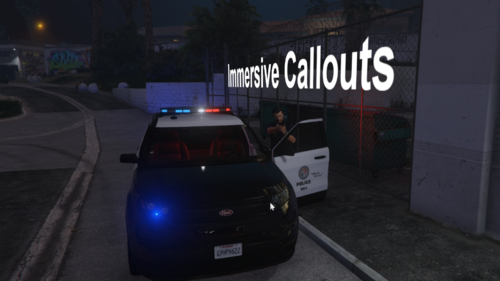 You are correct sir. I just tried it about 10 times all different locations and there is no shootout unless you show up and fire first.
- 39 comments
- 2 reviews
-
-
- 1
-




