


GTA Fanatic
Members
-
Joined
-
Last visited
Everything posted by GTA Fanatic
-
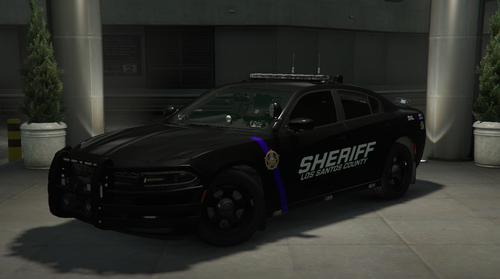 As long as you have the ELS Control Box up you can make headlights wig wag - Hold Left ALT Press Numbers 1-5
 -
 You should be able to change that in the vehicles els xml file right click and click edit go to extras section it is near the top.
- 2,655 comments
- 234 reviews
-
 A taxi can be called using Stop The Ped.
- 174 comments
- 34 reviews
-
-

- 1
-
-
- rph
- lspdfr callout
- legacy
- rph
-
Tagged with:
-
 Steam did some weird stuff today and i got that sorted and now your update seems to load just fine.
- 297 comments
- 17 reviews
-
-

- 1
-
-
-
Wanted to let you know i had to revert back to old version of this because the latest causes game to crash on start up and no log. Back to old version game loads fine.
- 297 comments
- 17 reviews
-
Loving your vehicles man good job.
-
 I want to thank you and Faya for getting together and making Seatbelt mod work with SimpleCTRL, I reached out to both parties and you guys got the job done. Thank you again.
- 436 comments
- 16 reviews
-
-
- 3
-
-
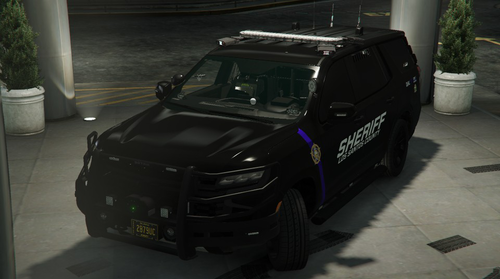 so i just paid for the livery pack and none of them fit your tahoe what a bummer still happy with your vehicles tho so keep up good work.
- 61 comments
- 12 reviews
-
Love this Tahoe and your explorer pack, Only thing i could say is i wish you kept the liveries the way there were when you had the single explorer. That livery was fire. Keepp up the good work
- 61 comments
- 12 reviews
-
 Did you install everything following instructions even the callout interface file ?
- 311 comments
- 60 reviews
-
-
- 1
-
-
-
I had to remove this mod. Got sick of having to re-start game after 3-4 crashes on start up before it would load with this in it. No log of course tho.
- 436 comments
- 16 reviews
-
 are you using SimpleCTRL ? I had to take SimpleCTRL out was causing crash on start up now game loads smooth no crash. Hope this helps. But it certainly is not any of Opus49's mods. Upload crash log.
- 1,347 comments
- 82 reviews
-
-
- 1
-
-
 I use this to run radar while using the police motorbike, is it not letting you?
- 233 comments
- 37 reviews
-
-
 Finally got a chance to try this out, amazing pack only thing i recommend is make the slick tops have take downs instead of alley lights as it looks like the light shoots out from the front fenders. The roof top light bars when you activate the alley lights the beams also come out from front fenders, Good job i love the all blue !!!
 -
I had Faya put simplectrl in there game and it was verified that it does not go well with there seatbelt mod
- 436 comments
- 16 reviews
-
Great mod but recently figured out it causes the seatbelt by Faya mod to allow you to exit the vehicle with seatbelt on even when ini is set to keep you in the vehicle . Faya will try to see if there’s a fix but it might be on Venoxity’s end. Thank you guys for all you do.
- 436 comments
- 16 reviews
-
 Only issue is it lets me out even when i am buckled and the ini says it shouldnt be doing that. Excellent job otherwise.
- 44 comments
- 68 reviews
-
-
 This plugin is no longer working if you also have charlie686 callout pack installed, will crash on start up just so you are aware.
 -
-
Amazing, some advice keep the amount of lights the same and the brightness and the livery its all wild love it . Says you added alley lights how are those toggled? Also maybe cruise lights lol Thank you
-
This is my new favorite explorer. Any chance there could be an option to have just the push bar without the wrap around part? Is there an all blue lights option ? other then that i have no complaints. amazing job



