
Everything posted by AstroBurgers
-
Hey! It does seem that RTS is the cause, what version of RTS are you on?
-
-
 Yeah false positive, it's 100% safe. If you'd like the source code is available on GitHub, but I can assure you it is safe.
- 231 comments
- 31 reviews
-
-
-
Yep, False Flag, thats been happening lately. If you are particularly concerned the source code is linked in the description, I assure you there's nothing fishy here!
- 231 comments
- 31 reviews
-
-
Not really, the plugin is in a pretty finished state as is. If you want more variety id check out Immersive ambient events and Random ambience as all 3 plugins are compatible.
- 231 comments
- 31 reviews
-
-

- 1
-
-
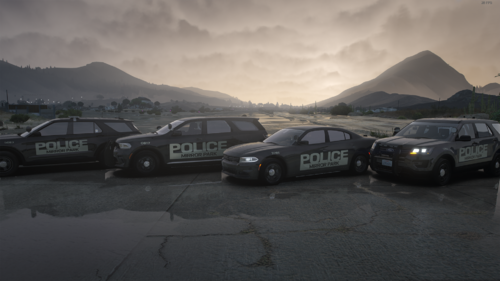 I actually have ENDLESS personal refs for all those, might throw them on my list of depts, who knows 🤷
 -
QuantV on almost max graphics for screenshots.
-
Little 4am idea I had cause I was bored, figured I shouldn't let it go to waste. Don't rip or reupload the liveries, or any of their decals. If you'd like to use the liveries in a pack shoot me a message. Same deal as the singular Durango I released but its a Minipack and Mirror Park PD. If you brick your game, that's not my fault, read the readme. See credits for what bases the liveries will fit. Join da discord: https://discord.gg/trWvfRnYMN
-
 Yeah thats a weird issue, I'll have to see if there is a fix. Sorry for the issues 😭
 -
Hey! Make sure your time is set to a rush hour time, its not all day. Check your INI for times.
-
That is very odd, thanks for the report. I'll see if there's a fix, I don't know if there is though. Does this happen with other mods?
-
 Oh is that bug back?? Weird, try it with LSPDFR, I'll try to find a fix for without FR running.
 -
I have no clue sadly, maybe your popcylces or your game config?? I'm not sure.
-
So the mod is global currently, no plans to change that. But it takes into account Time of day and weather, check the INI.
-
Happens to me too funny enough, I genuinely don't know whats going on, cause VirusTotal doesn't flag it. I'd just disable your AV temporarily, download it and install it, then reenable your AV.
-
False pos, if your concerned you can see the code on github https://github.com/AstroBurgers/DynamicDensity edit: put the release on github as well in case anyone else has issues
-
WOV? I have no clue what that is lol, but there should be no incompatibilities.
-
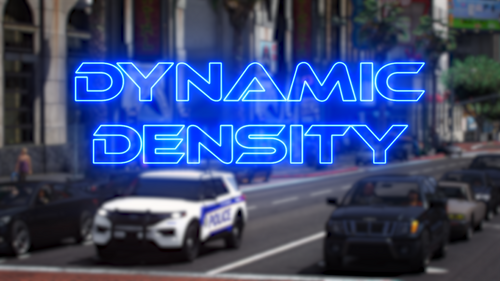
What does it do? Dynamic Density spices up your game by adding rush hour traffic, there is the Morning, Lunch, and Evening rush! The times for each Rush are configurable via INI. You can also configure the density of peds and vehicles during rush hour. The density is also affected by the weather, so if its snowing; there's much less peds/vehs. It's all configurable though! Requirements RPH Notes: In the config, the hours are inclusive, meaning if you set the rush to end at 9am, it'll actually end at 10. Forgot to mention it in the config itself. There is a performance impact depending on the multiplier, if you are experiencing performance issues lower the multiplier. This is a engine limitation, not something I can fix; More models = less frames. If you are on a low to mid range system I wouldn't go above 5x. With a AMD Ryzen 5 5600 and a RTX 2060 Super on 10x I get about 30FPS with LSPDFR running + extra scripts, and QuantV. Do with that what you will. For the best experience, I recommend setting `Chase.DisableTrafficDensityAdjustments = true` in your LSPDFR INI, by default this value is set to false, and it makes it so there is much less traffic during pursuits. This mod was inspired by Code Master's Velocity for ScriptHookV.net. I just added way more features, made everything configurable, ported it to RPH, and optimized it. No code was taken from Velocity, it was all written manually. For any questions, comments, or concerns, join my discord.
-
 Where does the .GIT folder go inside of my directory? Never seen it before 🤷
 -
Well, did you drag and drop EVERYTHING into your main directory? There should be a Newtonsoft.Json.Dll or something to that effect, and a Plugins folder. That ALL goes in your main directory.
- 231 comments
- 31 reviews
-
-
Its riskier traffic stops, its a custom unload message. None of my unload or load messages mean anything loll
- 231 comments
- 31 reviews