



AstroBurgers
Members
-
Joined
-
Last visited
Everything posted by AstroBurgers
-
 Hmmm I see, I had a plugin concept a while back for a plugin where your actions affect how the community treats you, never really started working on it. Though it might be my next plugin after I finish updating my current ones, maybe I could incorporate that into it for if your a well, shit cop. Thanks for the suggestion!
- 231 comments
- 31 reviews
-
-

- 1
-
-
I found out the pdb isn't needed with how I made the plugin Like on the flee outcome? Or foot pursuits in general?
- 231 comments
- 31 reviews
-
-

- 1
-
-
Check the file version Right Click RiskierTrafficStops.dll > Properties > Details Should be 2.1.0
- 231 comments
- 31 reviews
-
-
- 1
-
-
 I second this
 -
 Join the Discord
 -
-
-
-
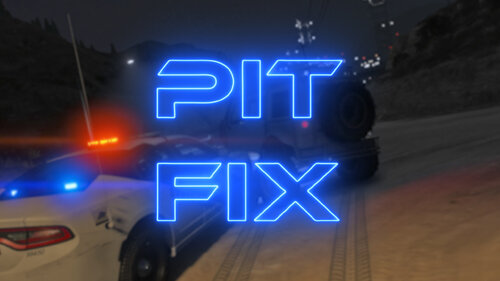 WHAT THIS DOES Pit Fix is Designed to make Pits a Easier, it is a Meta file change HOW TO INSTALL I have included a INSTALLATION.txt file For any questions comments or concerns, join my Discord Small Showcase of the mod in action:
- 11 comments
- 2 reviews
-
-

-
-
- 4
-
-
Known issue with the Modifier keys, use the Menu Modifier key for all. Will be fixed with the next update
-
-
Glad you like it, I post sneak peaks of my upcoming projects in my discord 😉
- 231 comments
- 31 reviews
-
-
- 1
-
-
-
-
-
What does RTS Do? Riskier Traffic Stops (RTS) Is designed to bring more variety to your basic and mundane traffic stops. Current Outcomes The current included outcomes are as follows: Get Out and Shoot - The suspect(s) get out and open fire on you and other officers Flee - The suspect(s) flee from the traffic stop either in their vehicle or on foot Yell - The suspect gets out of their vehicle and yells at you (3 Possible Sub-Outcomes) Ramming - The suspect reverses into your vehicle before fleeing from the traffic stop Shoot and Flee - The suspect(s) open fire on you from their vehicle and then flee from the traffic stop Spit - The suspect spits at you from their vehicle Get Out RO (Random Outcome) - The suspect exits the vehicle, and reaches. They might pull a: Gun Knife Phone Each has 2-3 sub-variations Configurable in-game via the F4 menu -> RtsOpenConfigMenu. Requirements A legally obtained version of Grand Theft Auto 5 Rage Plugin Hook LSPDFR CommonDataFramework (CDF) — Included in Download Fully compatible with ImmersiveAmbientEvents and RansomAmbience! Need Help? Feedback? Join the discord Source Code (just jokes lol)
- 231 comments
- 31 reviews
-
-
-
-
-

- 93
-
-
 I'm thinking about implementing a INI option for when a Code 4 is called then traffic control is cleared.
 -
 Amazing plugin, been waiting for this for a while!
 -
Join my discord (https://discord.gg/29NUzekUfs) and I'll help you out
-
Make sure you don't have a modifier key set
-
Glad you fixed your issue 👍
-
Glad you like it! With the vest grabbing vest animation at this time I don't have a way to fix that, but if I figure out how I will. Thanks for the feedback!
-
Cool idea, its not possible to my knowledge though.
-
Glad it seems to be working, lmk of anymore bugs 😄 What do you mean by asking random questions? Like the ped speaks while playing the animation?
-
 Amazing mod, I just have one issue. Recently my game started crashing, I was curious so I removed Resource Adjuster, and my game stopped crashing. I did a full fresh install and I am on v2845 With everything up to date, and for some reason, whenever I install Resource Adjuster my game starts crashing. I have a GTX 1660 with 6GB of VRam and I have had no issues in the past. In the INI The value is set to 1300 (for 1.3gbs of VRam). I wanted to see if you might know anything. And if you didn't figured I would report it as a bug.
- 104 comments
- 33 reviews


