
DooVan
Members
-
Joined
-
Last visited
Everything posted by DooVan
-
 works without ambient FX or SHVDOTNET??
 -
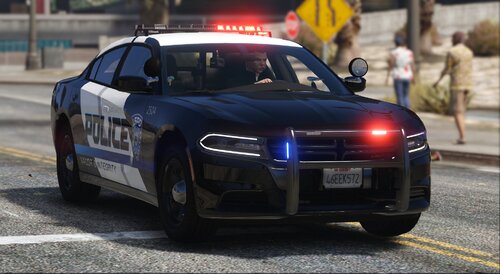 the only thing I would have added is ''POLICE'' on the hood for each car. Great job an amazing livery and also thanks for giving us the links for the car pack used and alternative!!💯
- 9 comments
- 1 review
-
-

- 1
-
-
-
 I didn't make any changes for almost 3 months to my game and these small freeze occurs since the latest update and only when i do what i already describe earlier
- 1,365 comments
- 86 reviews
-
Since the latest update of GTA and RPH, Grammar police is making the game to freeze for 1 to 2 seconds everytime we release the talk button for a command before applying it. It is also freezing for 1 to 2 seconds after applying the command requested.. it is quite annoying and ruin the realism NEED AN UPDATE PLEASE
- 1,365 comments
- 86 reviews
-
 for the agitation fix there is no AgitedTrigger.meta in OpenIV do I still have to add it and it will work!?
- 42 comments
- 7 reviews
-
 Someone like @khorio or @Faya should take this plugin and make an update to make sure it will still be accurate. Like since few R⭐ update, this very useful plugins is having a hard time doing his job properly. Rich retired and no one have made a similar plugins or picked up this one...
- 262 comments
- 35 reviews
-
-
 Yeah, I would really like that you adjust the probabilities it would be great. I taught it was an error or something😅
- 319 comments
- 62 reviews
-
-
- 1
-
-
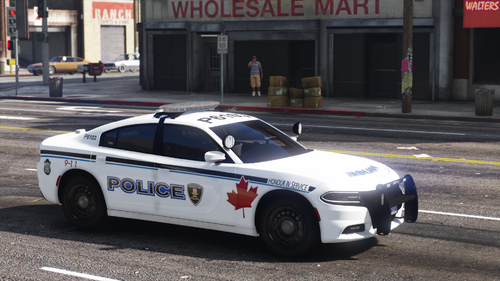 Here's my honest review of this Windsor🇨🇦 PD car pack. I really like it, there is 2 thing I don't like: First is the FPIU Alley Lights that are ''broken'' because they illuminate the bottom rear instead of the side of the car. 2nd, is the CVPI headlight which look weird at night, it look fake. I really like the detail of adding a Ontario license plate has this PD does have IRL. Everything else is amazing and I do recommend this pack and I also hope you will make other Canadian PD model pack! Here's some picture I took in game 💯
 -
for the Break-in call, there is NEVER any evidence. I had this call 4 times now and there never was any evidences... Even the call says at the end that I collected 0/0 evidence.
- 319 comments
- 62 reviews
-
-
- 1
-
-
let's test it out!! I love Canadian Police department. there is not enough CA🇨🇦 PD
-
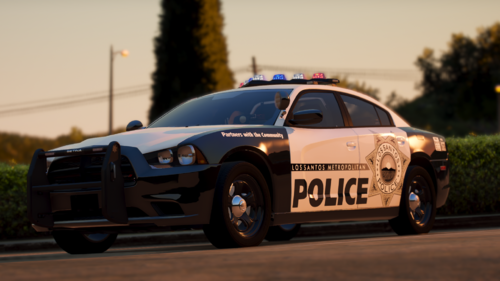 if only it was ELS🥲
 -
 still unknown
 -
 WOW!!! AMAZING AND COMPLETE FLEET I hope people will make different livery base on these model because the equipment are amazing! Your livery is good too btw💯
 -
 callout are great, they are different BUT this callout pack isn't compatible with Callout Interface at all and there is some bug with the calls. Like the Diabetics call, the victim was in a moving car that i wasn't able to make him stop and still posssible to interact like if I was in front of him ready to medically help. More ⭐ will be add when these thing will be fixed 😉
- 200 comments
- 27 reviews
-
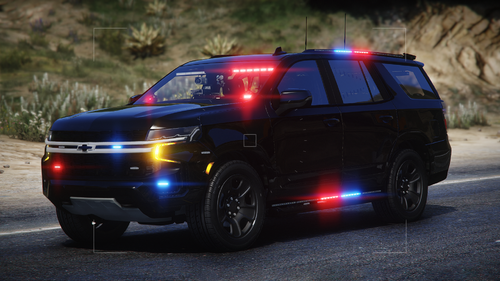 Lighting is on point! Do not use the replace version as it flips even when modifying our vehicle.meta file
 -
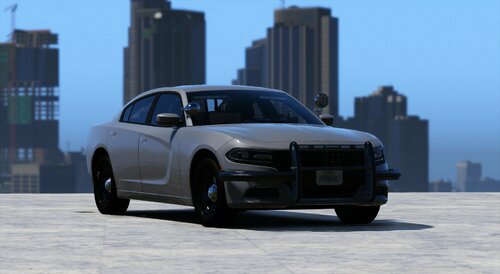 Looking pretty good! I love the lighting on the back lateral windows
 -
-
 A very cool plugin that work pretty well. I removed 1 ⭐ because it is annoying to turn it on/off manually. I really suggest you to put an automatic option when going Stage3 lighting so it turns ON/OFF automatically when turning ON/OFF our emergency lights.😁 UPDATE! : New version 2.1.0 have been adding my suggestion which was the one in YELLOW & underline thank you so much it is WAYYY better since this addition. An amazing plugins which I think will become a MUST HAVE PLUGINS! Here's your missing ⭐ 5/5 🫡
- 114 comments
- 19 reviews
-
 11/10 💯, Finally a great sound for original dispatch !!
 -
-
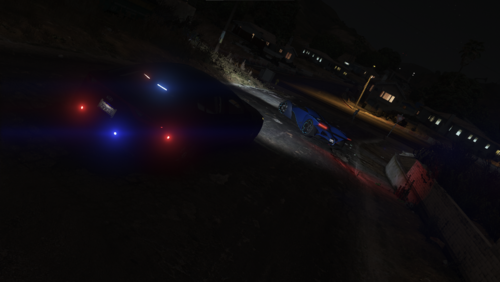 well that was the Auto-Log Reader that says there was an issue with this callout pack
- 21 comments
- 2 reviews
-
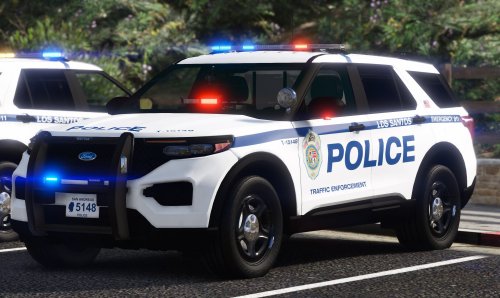 why there is missing vehicle in the replace version like the fpiu and expedition??
- 39 comments
- 2 reviews
-