


Eagle
Members
-
Joined
-
Last visited
Everything posted by Eagle
-
Lol, whole program crashed. xD
-
A problem, WFT file has 0 kb.
-
Thanks. Okay, here's a picture. I imported everything you gave me along with model textures (and placed the lights, see hierarchy), Now I'll import in OpenIV to test the vehicle.
-
On what to import? There are tons of things in material browser (below): Here is what I have in textures browser:
-
No, I didn't import any textures. I'm going to import what Harper gave me (I opened material browser, so that image you gave me, how to call it and on what to import it?) EDIT: I placed all sultans textures that I found in game, and placed it into textures browser. What's next? Thanks everyone for help so far.
-
Okay, I moved the dummies into position (screen below). Where do I find that shared vehicle textures and how to load them?
-
You sure that this will work?
-
Okay, done that. How do I attach them?
-
Okay. I converted to dummy siren4 and siren5 (that things circled red in the picture, just from the siren and no, it wasn't a siren_glass). Now how do I add that to sultan and delete police cruiser? (If I delete police cruiser, dummies will be gone, too so how to save dummies?)
-
Yeah, I'll use dummies. The problem is when I create one, how do I resize them or it doesn't matter what size are they? And how to move it (tweaking xyz axe is getting them bigger).
-
I was searching for various tutorials but I didn't find what I was looking for when it comes to making non-els stock vehicles. I took SultanRs from Gta and imported in Zmodeler, I was thinking of just adding two non-els lights to front and to back of the vehicle - marked red (see pictures below): Back lights should be inside the vehicle. Maybe adding a lightbar later but I have no clue how to do that either. Any help would be appreciated. :smile:
-
I use Fraps and Dub to compress.
-
-
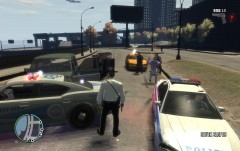
From the album: Liberty City Police Notebook
After routine traffic stop, suspect fled but he didn't get so far. -
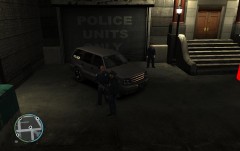
From the album: Liberty City Police Notebook
A little posing from anti-gang unit. -
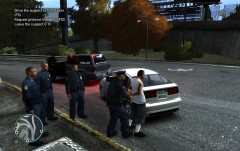
From the album: Liberty City Police Notebook
You will destroy your health and after being caught, you'll be bored in prison. -
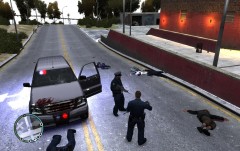
From the album: Liberty City Police Notebook
Shots were fleeing from nowhere to local anti-gang patrol. After they spotted the suspects, they made a rampage. -
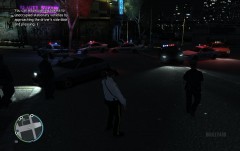
From the album: Liberty City Police Notebook
Pursuit lasted over 6 hours. Finally, suspect's vehicle wasn't able to move so it came to a stop. -
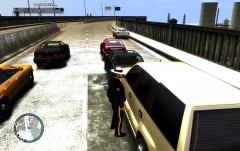
From the album: Liberty City Police Notebook
More accidents occurred later week because of DUI so LSP made DUI Checkpoints. -
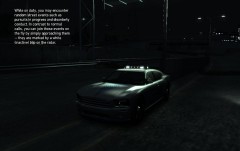
From the album: Liberty City Police Notebook
Somebody is always watching you. Signed, Liberty State Police. -
-
-
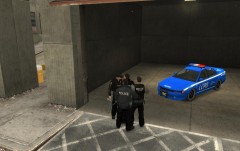 Skin is very good, fits very well on that car. Don't worry, I never use something that isn't high quality. ;)
 -
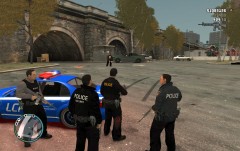
From the album: Liberty City Police Notebook
One simple disturbance call turned into an ambush. All suspects were killed. -
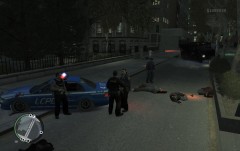
From the album: Liberty City Police Notebook
RRU called Noose backup in a massive shoot-out consisted of 27 suspects around 2.30 am.


