


Eagle
Members
-
Joined
-
Last visited
Everything posted by Eagle
-
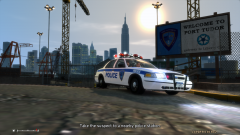 Very nice and clean. I like it. :)
 -
Title says all. If you have some good font for writing on textures please share here. Thanks. :)
-
-
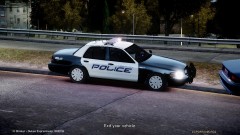 Wow, looks awesome.
 -
Go to your profile. Click on Profile Feed tab. Update your status.
-
Yep, happens to me if I'm near to a wall. However, when you get back your model with SNT, you won't get the voice when you press num1 or 4 or 7 if you're in a car...
-
You can use Dub. It's a video compressor and I use it.
-
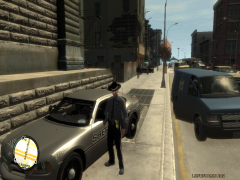 Same here. Thanks in advance.
 -
It was some CVPI from GPM.
-
-
Export the part you want to edit with SparkIV. Make sure to backup it before doing anything if something goes wrong. Then get an image editing program like PS, Gimp, Paint.net, etc. and edit the image with one of them. Add colors, images whatever you like into that exported texture. Save as .png and import it back with SparkIV. Note that you'll need some knowledge in image edition programs if you want some good stuff.
-
-
-
Are dsound and xliveless both located in your gta iv directory? I mean at same time?
-
Are you sure that you installed it right? As I see, it still says that you don't have it.
-
You can trigger lights by pressing / for non-ELS models. If you have downloaded ELS enabled models then you will need ELS v6 in order for lights to work. For car changing and its components, you'll need SparkIV.
-
Visual C++ 2010 Redistributable installed: False Download it and it should be fine, I guess. Here's the link. http://www.microsoft.com/download/en/details.aspx?displaylang=en&id=5555
-
I play in hardcore mode. I patrol pretty much everywhere except ALQ as it's boring for me. I mostly use State Trooper skin and patrol everywhere. I like catching speeders with DashCam. If I choose to respond to calls, I use mp5 and pistol. I don't respond to suicide attempt and easy calls, it's mostly shots fired, suspects fleeing and sometimes drug deal. Of course I use ELS. My favorite patrol car is either unmarked CVPI or my custom CVPI with modded textures.
-
Seems decent. :) I'd upload some videos but my uploading speeds sucks. :dry:
-
No matter how fast are you, they will always get you. Even if police has shittiest cars they will get you. How? Answer is simple. You are 1, there are 151. Also, if chase ends in suspect getting away, he'll get caught later as they have his/her plate number in computer as a runner from police. In my country police has Peugeot 307's HDI. Most of those cars can't go over 210 but they have serious acceleration, I remember when one cop stopped me, he was 500m behind me and I was driving 50 (proper speed limit), he came to me within 10 secs or less from his standing point. *All speeds are in KM/H.
-
That's my work there.
-
-
![[WIP] New Orleans PD style livery.](//s3-gallery.int-cdn.lcpdfrusercontent.com/gallery/album_33/sml_gallery_523_33_743461.png) Looks nice, I like it.
Looks nice, I like it. -
Go to ELS.ini. Set Ai_ELS_SP to 0. Edit: Didn't see Kevin above. :sleep:
-
You can change indicator keys in .ini file. For example I use Home and Page Up as indicators. :yes:


![[WIP] New Orleans PD style livery.](http://s3-gallery.int-cdn.lcpdfrusercontent.com/gallery/album_33/sml_gallery_523_33_743461.png)