Carrythxd
Members
-
Joined
-
Last visited
Everything posted by Carrythxd
-
I just really dont remember the first one lol Ive pulled over too many vehicles tp remember the first one :)
-
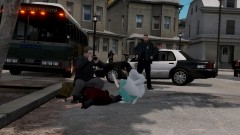 LoL :P
 -
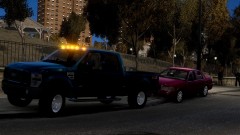
From the album: Carrythxd's Pics [IV]
Stopping a F-250 -
Okay :(
-
Well they are a bit dark but other than that they look nice :D
-
Yeah.. Theres a huge amount of Texture Bugs in the Airport area.. Check this vid: http://www(DOT)youtube.com/watch?v=XLeiryeBp-M (Its for me Vehicle Pack but its filmed at the airport.. Its just extremely buggy.. Theres some areas in LC where the same bug happens so its not caused by your PC/mods
-
From the album: Carrythxd's Pics [IV]
Cj24's Unmarked 1999 Ford Crown Victoria and Alex189's 1997 Lamborghini Diablo SV -
Np :)
-
http://www.mediafire.com/?oncc94f3bpumly8
-
Happy new year! :D Oh and nice video =)
-
You need backup of the original files. Then just replace the modded once with the original ones
-
A little more details please?
-
:)
-
-
Damn.. I paid 50€ for IV and 50€ for EFLC when they came for PC.. xD
-
-
No problem :P
-
Well what you wanna do is: Go to trainer.ini Ctrl+F: Type in livery Then you find a text saying VehicleLivery=0 Change that 0 to 9 like this: VehicleLivery=9 Now go ingame and then go to the second page in Car Options, theres a button called Car Livery or something like that (it has Livery word in it) then you can freely change the livery.
-
-
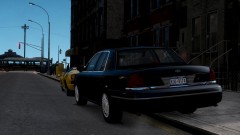 Totally agree with you on that :D
 -
6 hours left here in Finland :D Happy new year to you guys too :)
-
Oh stop it you! :D But thx :P The ENB is Game4Video ENB from GTA4-Mods in case you want to give it a try :)
-
From the album: Carrythxd's Pics [IV]
Cj24's Unmarked 1999 Ford Crown Victoria and Alex189's 1997 Lamborghini Diablo SV -
Hello :) Happy New Year to you too =)
-