Carrythxd
Members
-
Joined
-
Last visited
Everything posted by Carrythxd
-
Looks great!
-
I dont think thats possible..
-
-
Day 53 & Day 54 now up! :D
-
 Video with this car: http://www.youtube.com/watch?v=f__yhR-Lzwo
 -
Not yet.
-
-
 Nice work dude!
 -
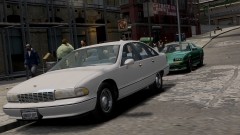 Here's a little preview of the car :) The car also has working inside indicators, they are also shown in the video =) http://www.youtube.com/watch?v=9f-EDd0F_yI
 -
From the album: Carrythxd's Pics [IV]
Compeast's 1991 Chevrolet Caprice -
Soon as youve downloaded SNT go to Options and theres an option for mph/kmh gauge
-
Great video dude :)
-
Ooh, awesome :D
-
-
Nice work! :D
-
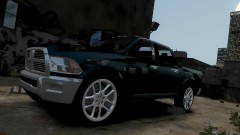
From the album: Carrythxd's Pics [IV]
BPM's ‎2012 Dodge RAM Power Wagon -
-
Day 52 is now up! :D With Corleone's Jeep
-
-
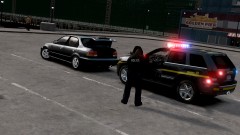 ;)
;) -
Hahaha.. You see, those lights are added with SNT ;) And the pic taken in Video Editor...
-

From the album: Carrythxd's Pics [IV]
Corleone's 2008 Jeep Grand Cherokee SRT8 -
Well um usually car doors open....?
-
From the album: Carrythxd's Pics [IV]
Corleone's 2008 Jeep Grand Cherokee SRT8 -
Yeah, I play it too :D Please send me the server info too :) I might even make a few vids of the server ;)