




Carrythxd
Members
-
Joined
-
Last visited
Everything posted by Carrythxd
-
 I like it :D
 -
Alrighty ;D
-
Awesome vid dude :)
-
Nice vids :D
-
 Amazing dude!
 -
Molotov cocktail tazer? lol?
-
Nice :)
-
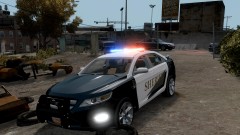
From the album: Carrythxd's Pics [IV]
Chippy's 2011 Ford Taurus Interceptor Sheriff WIP -
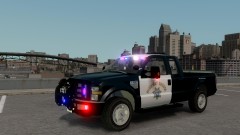
From the album: Carrythxd's Pics [IV]
VooDoobie's 2008 Ford F250 Super Duty http://gtapolicemods...do=file&id=2020 With Chippy's CHP skin -
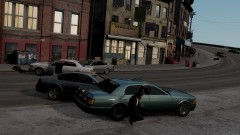
From the album: Carrythxd's Pics [IV]
Full of Russians with shotguns ;D -
-
Nop.. I dont use the commandline that came with it
-
http://www.gtaforums.com/index.php?showtopic=384292
-
Yeah, Chikamru's Real Traffic was the only traffic fix that worked on my old 500MB car pack lol :D Ive been using it since the release of it :) Also NickieB & Beckugan1 LOL :D
-
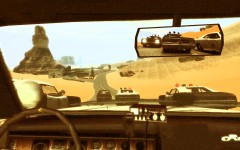 Awesome shot dude!
 -
Red Dead Redemption Based Skin Pack, Id like that :)
-
You have to replace the folders&files.. It wont replace all the folders/files just the ones you need to make the map work
-
Just copy all the folders & files to X:Grand Theft Auto IV or X:EFLC
-
-
Thank you :D
-
Congratz dude! :D
-
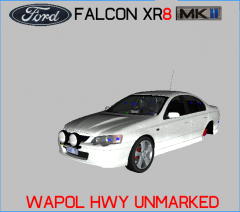 Nice :)
 -
-
Open up ELS.ini and go below [ PSTOCKADE ] and add a new car like this: [ BOBCAT ] Active = 1 Halogen_Only = 1 Color_Light1L = 3 Color_Light2L = 3 Color_Light3R = 3 Color_Light4R = 3 Color_Light7L = 3 Color_Light8C = 3 Color_Light9R = 3 Offst_SLights = 0
-


